Forge Community News - November 2020

Want to receive the Forge newsletter? Sign up here to get the latest Forge Community News delivered right to your inbox every month. Here's your November Forge Community News, {{lead.First Name}}
Convergence with Forge

Autodesk University 2020 launched on November 17th with multiple product announcements, vision statements, hundreds of robust pieces of learning content, and much more. But you probably noticed that
PixelCompare extension
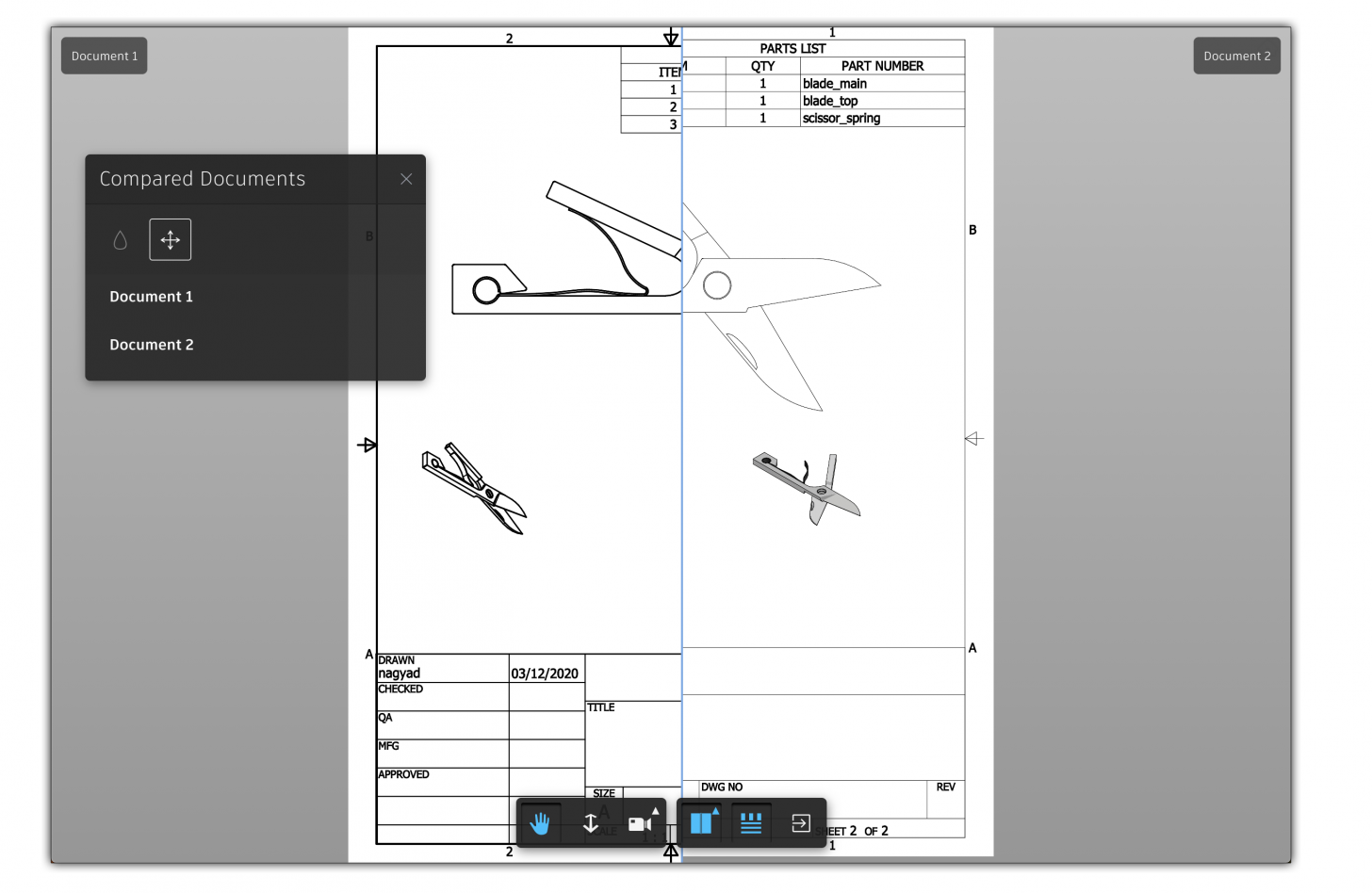
Previously you needed a custom version of the PixelCompare extension in order to use it in your app - see Compare two 2D documents using Forge Viewer Though it does not seem to be documented on the

Viewer
Visit Forge Exhibitors at AU 2020

Autodesk University week may be over, but one of the biggest benefits of hosting a fully virtual, global conference, is that our Expo Hall is still open. From now through December 20, make sure to
Congrats to the winners of the Forge Hackathon!

The first virtual Forge Hackathon took place during the week of November 9-13, as part of Autodesk University 2020. More than 100 participants formed 30 teams across 10 time zones to code Forge
Collapse category in the Property Panel
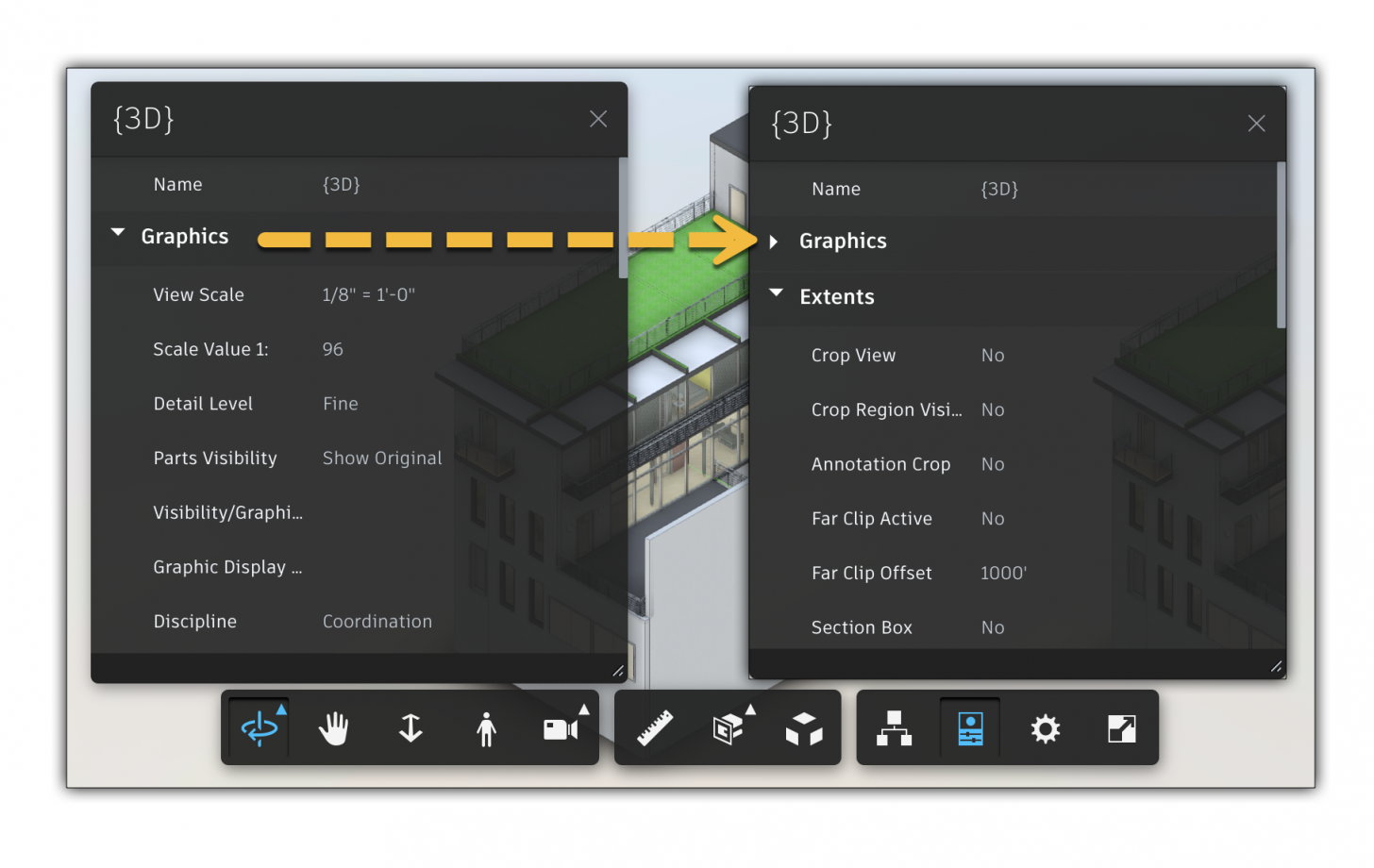
There is a function called setCategoryCollapsed(category,collapsed) for collapsing a category in the Property Panel, but the documentation is not clear on what exactly it expects as input values
Viewer
Root object not visible in Model browser
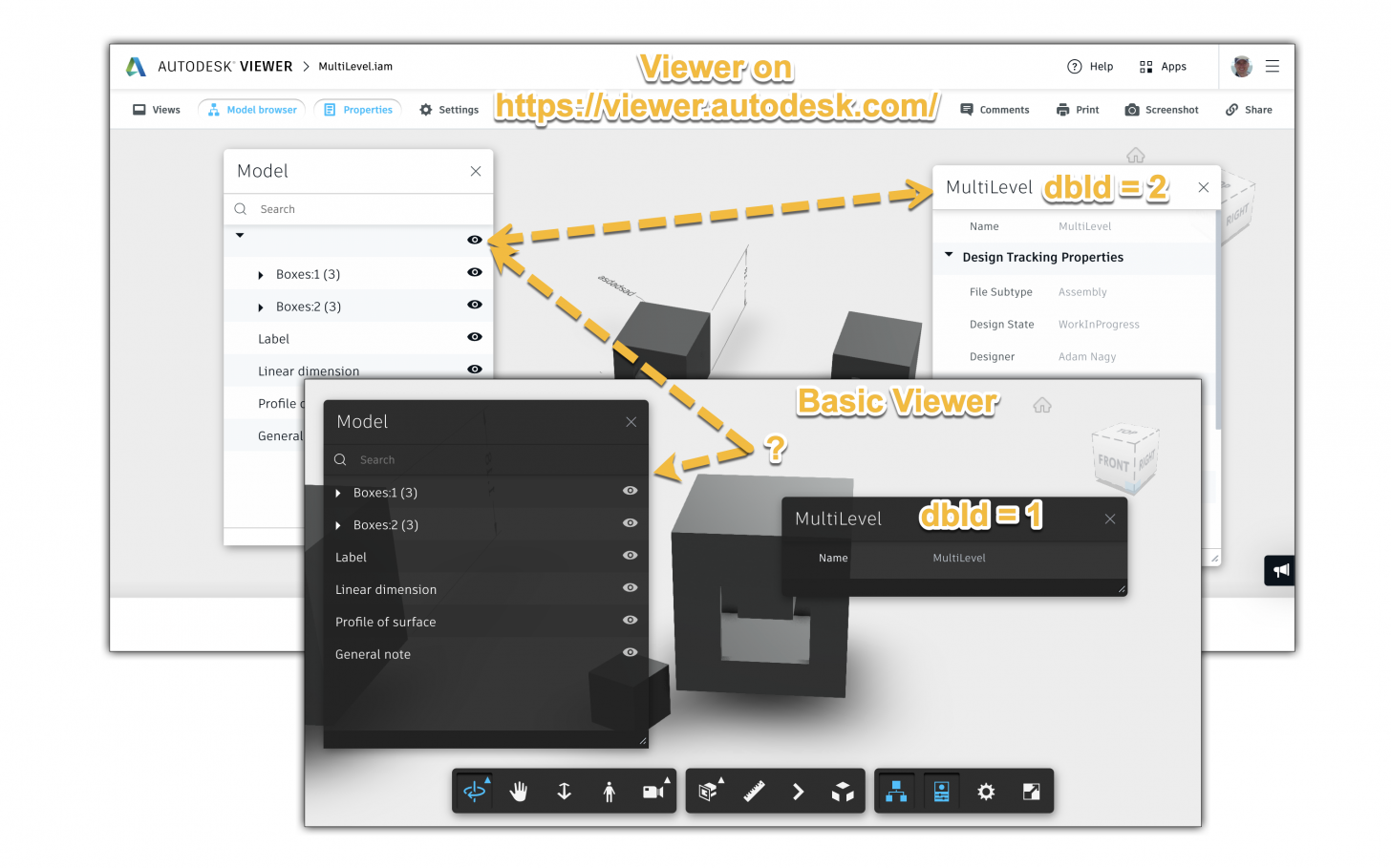
When you load your Inventor assembly in the Viewer then the root object is not listed in the Model browser. Because of that you cannot even select that object and see the file's properties in the
Viewer
Forge for Civil Infrastructure - AU continuous learning

Autodesk University was a fully virtual, global event this year—with no cost to attend. That meant there was an extraordinary amount of product and feature announcements, customized learning content
Forge for Manufacturing - AU continuous learning

Autodesk University 2020 was one global digital event this year and there was no cost to attend - which meant we had an extraordinary amount of announcements, learning content, and networking
Forge for Construction - AU continuous learning

Autodesk University was a fully virtual, global event this year—with no cost to attend. That meant there was an extraordinary amount of product and feature announcements, customized learning content