Last year at Autodesk University 2019 we discussed a new Forge Viewer format code-named ‘OTG’. This format was introduced in the BIM 360 service and you can find a short mention about this initiative
SVF2 Public Beta: a new optimized viewer format


Model Derivative API

Viewer
Viewer loading has a new look

The Viewer now shows a spinner on the loading screen with the message, “Powered by Autodesk Forge”. The Forge Viewer is used by many Autodesk partners and customers to create custom applications
Forge Partner Talks: Winter Sessions

Forge Partner Talks continues from December 2020 to February 2021 with 3 brand new sessions. This is a great chance for you to easily stay in the loop on the latest design + make innovations Autodesk
Configurator 360 to Automation

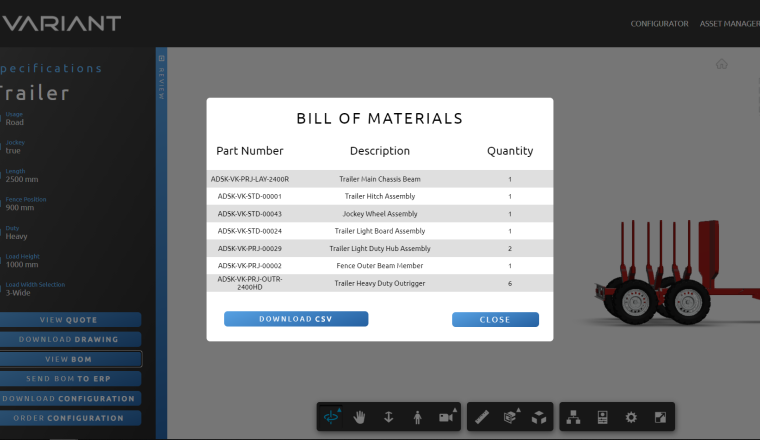
As it was announced on the Configurator 360 website, current customers are encouraged to migrate to Inventor Automation API. In order to help with that process, the Automation team produced a

SolidCAD, a Cansel Company
Manufacturing
Software Development
Join the Forge Hackathon at Autodesk University 2020

Update: Lightning Talks will not be broadcast live; they will be made available through the Hackathon's Slack channel before the event begins. Get your creative juices flowing! The Forge team is
Forge AU Classes for Construction

Forge has got classes dedicated to specific industry needs. If you are a construction pro interested in learning what Forge can do for you, these are the classes you’ll definitely want to check out
Mapping between sheets and 3D views of AEC models

EDIT: Ever since this blog post has been published, the AEC utilities in Forge Viewer (including the 2D to 3D mapping) have been refactored. If you're using one the latest versions of the viewer, you
6 Forge Classes for Manufacturing

Don't miss Autodesk University Autodesk University is November 17-20, no cost, and completely virtual. There are hundreds of classes to choose from, but we’re going to give you posts like these to
Prepare iLogic Rules for Automation

When using Automation API for Inventor, you might have to change some of the code in the iLogic Rules of your documents. 1) ThisApplication.ActiveDocument On the desktop inside Inventor Application, a