
Autodesk Model Coordination is a web-based tool that lets project teams view combined 3D models, run automatic clash detection, and track design issues without needing desktop software. It is part of Autodesk Forma (formerly Autodesk Construction Cloud) and supports more than 50 file formats.
We are excited to share that Data Exchange is now joining this list and is officially supported in the following Model Coordination workflows:
- Aggregation: All Data Exchanges can be aggregated with other supported file formats for coordination purposes. The aggregated views can be saved as Snapshots and shared to Autodesk Forma Data Management using the Save to Files option.
Data Exchanges also support advanced Model Coordination functionalities like the Object Table, Object Colors, and the Transform tool.
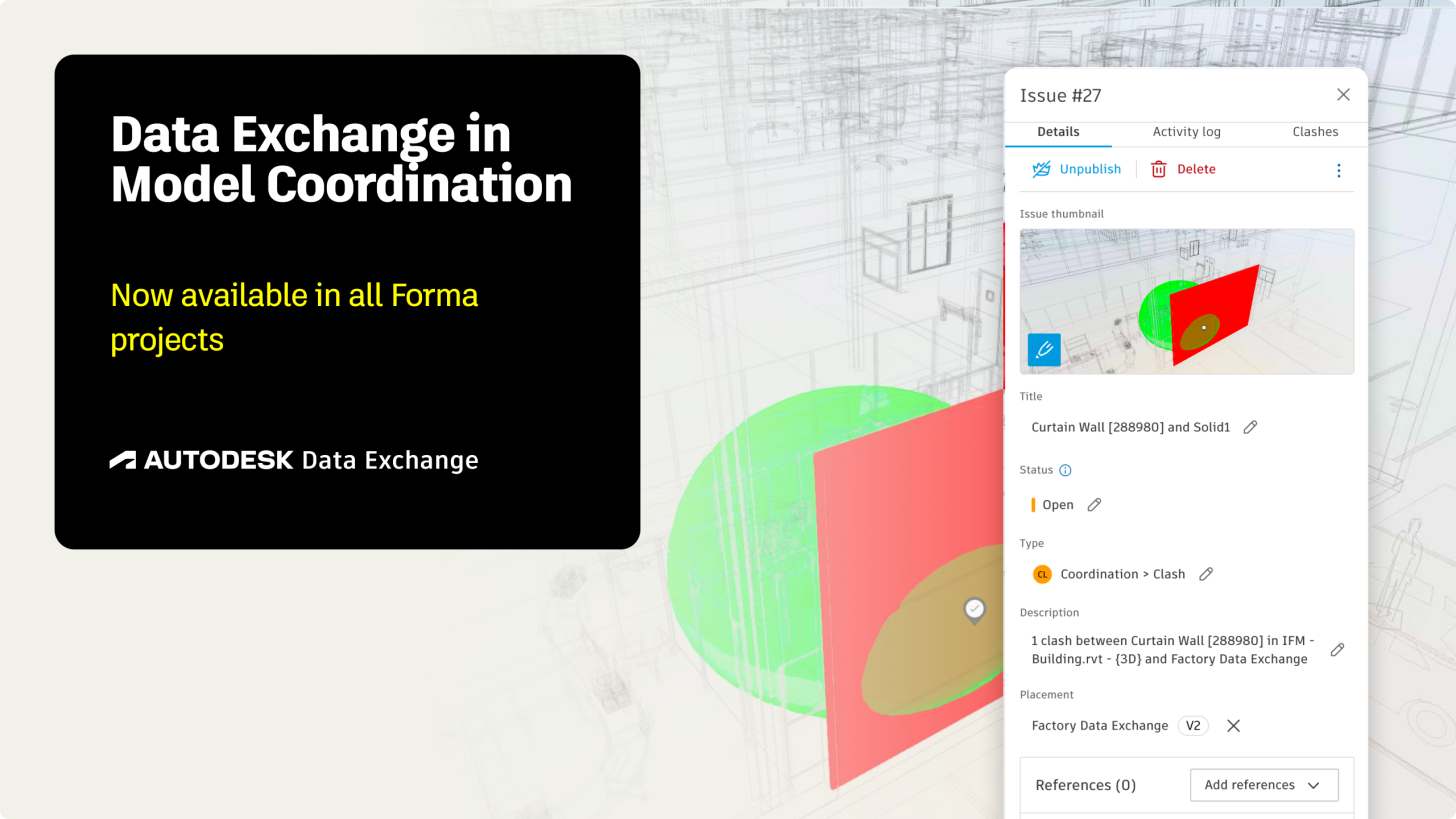
- Clash Detection: Data Exchange created from Inventor and Revit support the automated Clash Detection in Model Coordination. This is particularly interesting for Inventor users, as native Inventor files are not supported in this workflow today. The identified clashes can be marked as issues and will keep their history even after a Data Exchange has been updated to a new version.
Our team is working on expanding this support to Data Exchanges created from other tools in the future.
For full support, please make sure that your Data Exchanges have been created or updated after August 13th 2026 using the most recent connectors - this will ensure that they were processed with the latest technology fully supporting the above workflows.
Older Exchanges will be visible in Model Coordination, however will come with limitations, such as lack of support for the Object Table or Save to Files Option. Older Data Exchanges created from Revit or Inventor also won't support clash detection.
Support for Model Coordination is an important addition to the Data Exchange ecosystem, however please note there might be some differences to the traditional file-based workflows in Model Coordination.
Data Exchanges are not files
Data Exchanges allow users to extract subsets of data (geometry and properties) needed for a specific workflow and share it through Autodesk Forma Data Management. While Data Exchanges are visible on Autodesk Forma, where they can be previewed and shared, they are actually not files - but data containers connected to the original data source (e.g.a model in Revit, Inventor, IFC, Tekla Structures, and more).
For this reason, there are a couple of differences compared to working with traditional files in Model Coordiation and current limitations we would like to call out:
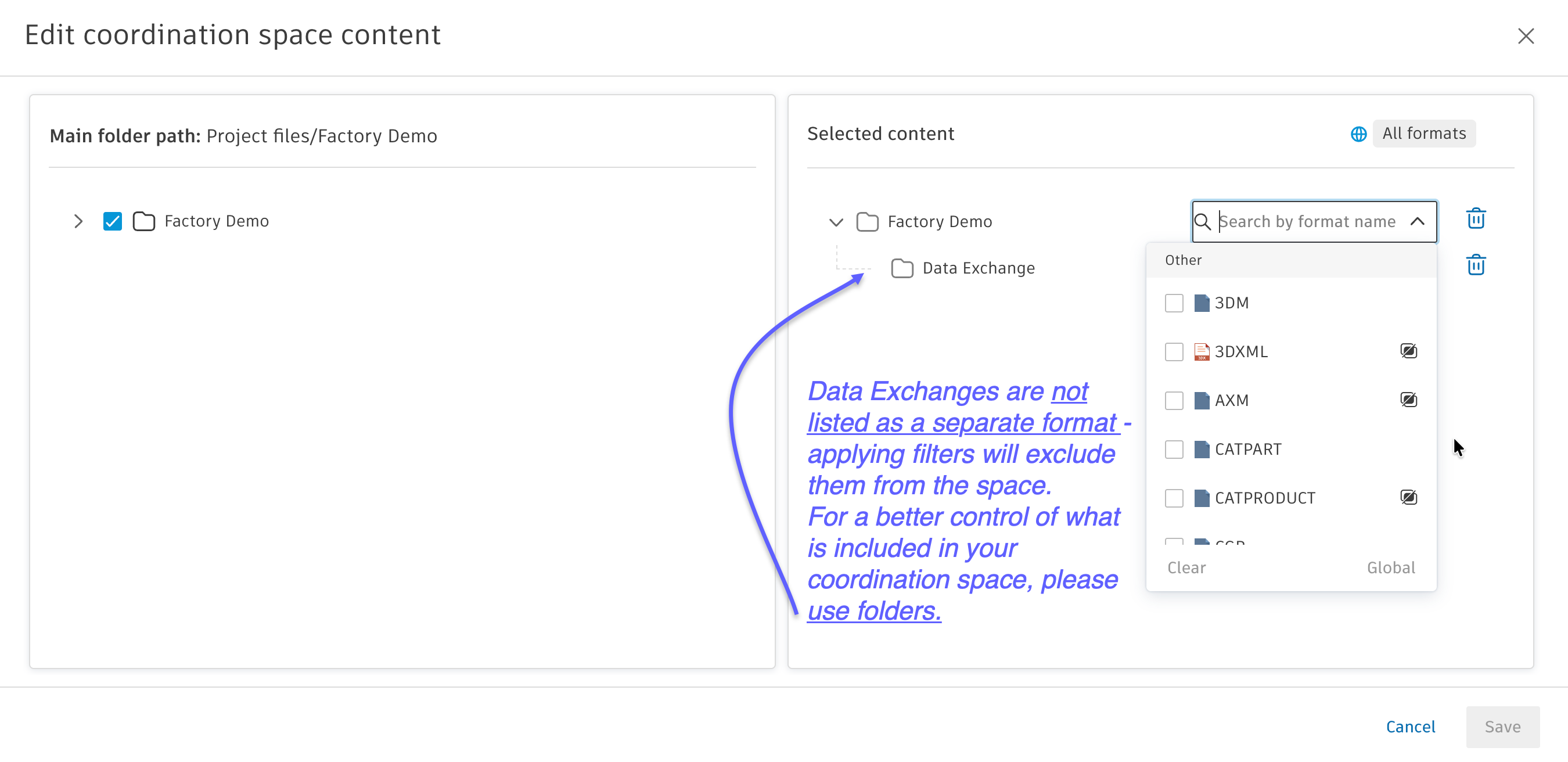
Don't use filters in Coordination Space settings
Data Exchanges currently can't be selected and filtered in the Model Coordination space settings due to the lack of a file extension. As Model Coordination was originally designed for use with traditional file formats, its support for Data Exchanges is not fully implemented yet.
For now, we recommend saving all Data Exchanges in dedicated folders for easier management and making sure that no other file filters are applied when creating the coordination space, to ensure that Data Exchanges are not excluded.
Please update your Data Exchanges for full functionality
To enable the full support for Model Coordination, we have updated the process for creating Data Exchanges to ensure we include all necessary data to support advanced features. Older Data Exchanges will have following limitations:
- Save to Docs not supported (will lead to an error)
- Object Table not supported (the wheel will keep spinning)
- Clash Detection not supported
This video provides a short overview of Data Exchange in Model Coordination, and we will be sharing more tutorials as well as an invite to a webinar shortly.
If you are a Data Exchange user, we would love to hear your feedback - it only takes few seconds: Data Exchange Survey – Fill out form.
For more information about Data Exchange, including upcoming or past webinars, please check out our official linklist.