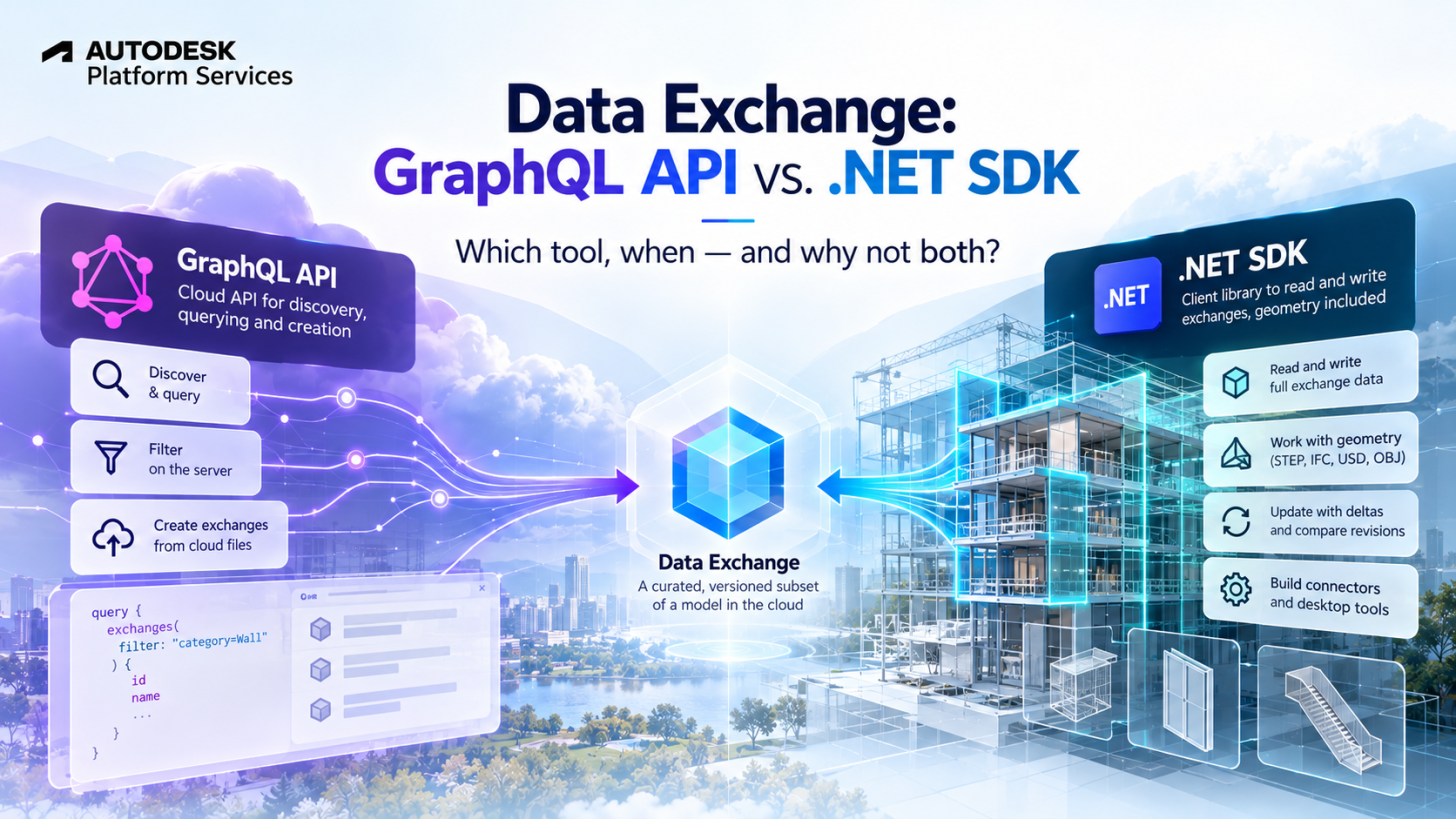
If you are building applications around Autodesk Data Exchange, sooner or later you will face a choice: should you use the GraphQL API or the .NET SDK?
At first glance, they seem to do similar things. Both give developers access to Data Exchanges, both can read element properties, and both work with exchanges created by connectors such as Revit, Inventor, Rhino, Tekla, Civil 3D and so on, but the similarities can be misleading.
In what follows we will see which one is better suited for specific tasks and the scenarios when they complement each other perfectly.
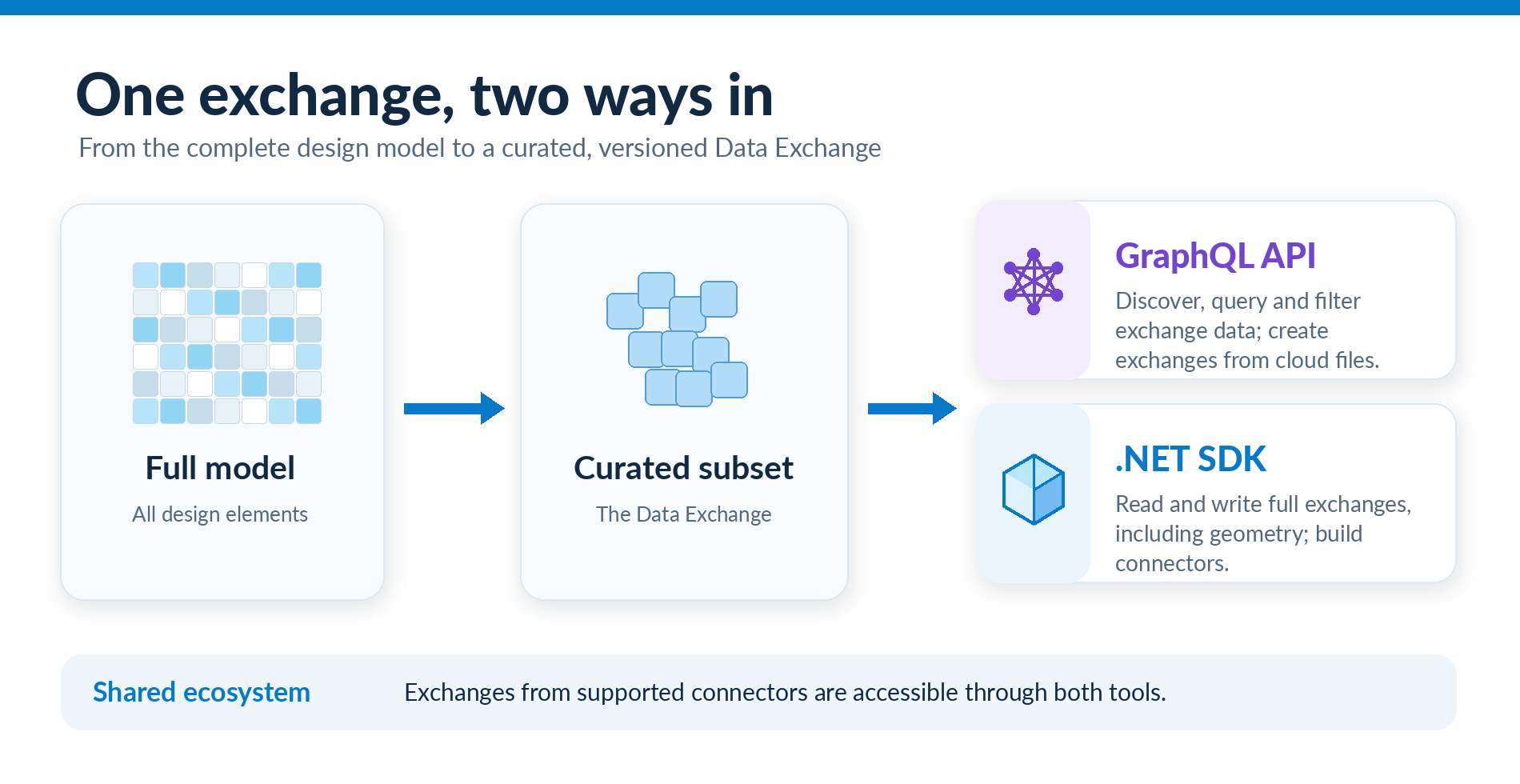
One exchange, two ways to access.
A Data Exchange is a curated, versioned subset of a model stored in the cloud as granular data. An exchange produced by Forma, Revit, Inventor, Rhino, Tekla or other supported connector can be accessed by both tools, with some exceptions, yet the main difference is just how your application reaches and manipulates that data.
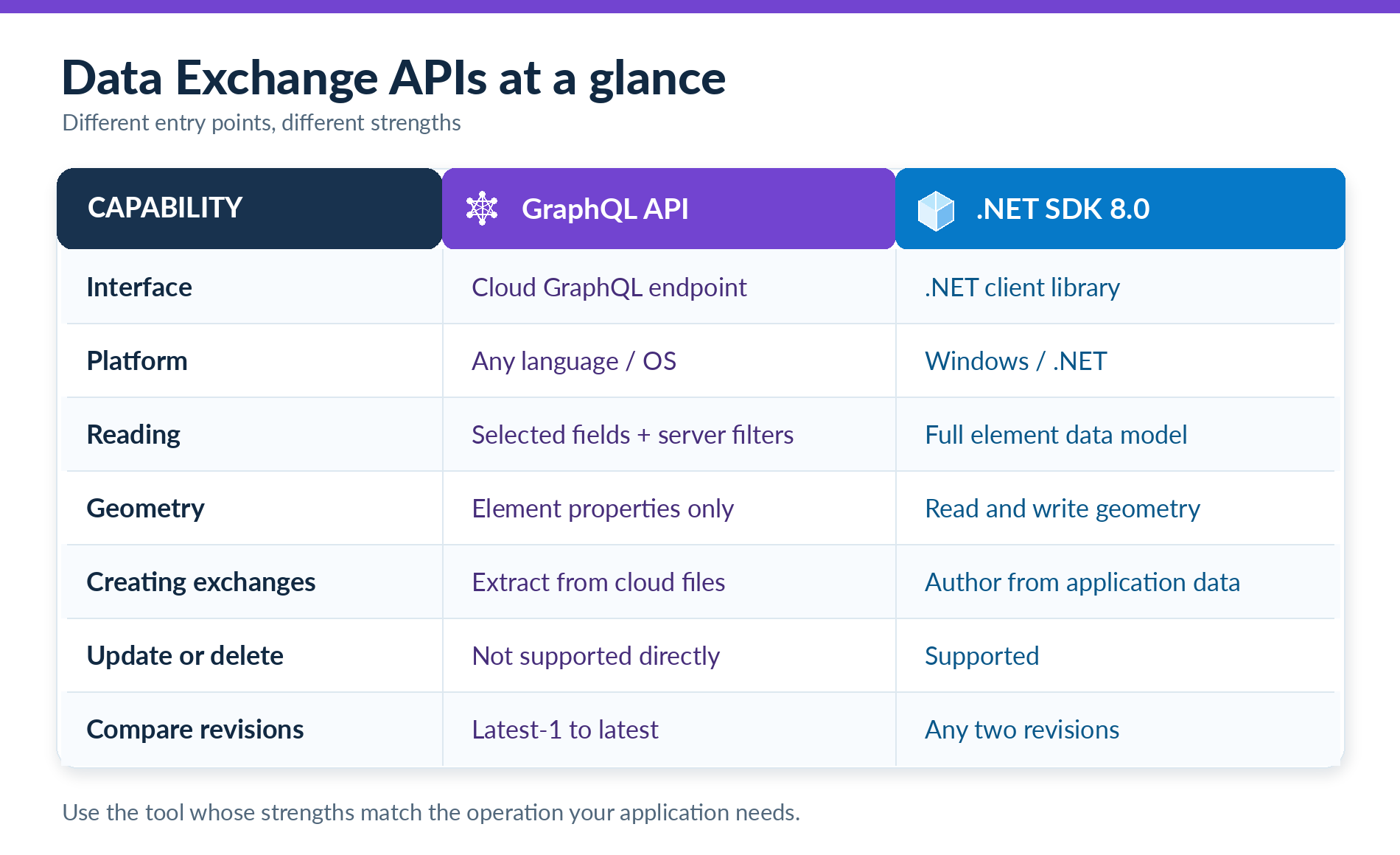
The differences at a glance
Below is presented a nice head-to-head comparison, but the main idea is the following:
- You need multiplatform and/or OS agnostic solution, then GraphQL API is your tool
- You need to access geometry, then .NET SDK is your tool
- You need to create exchanges from cloud models (Revit, IFC or AECDM), then GraphQL API is your solution
- You need to create exchanges from scratch, then .NET SDK is your solution
Discovering and reading data
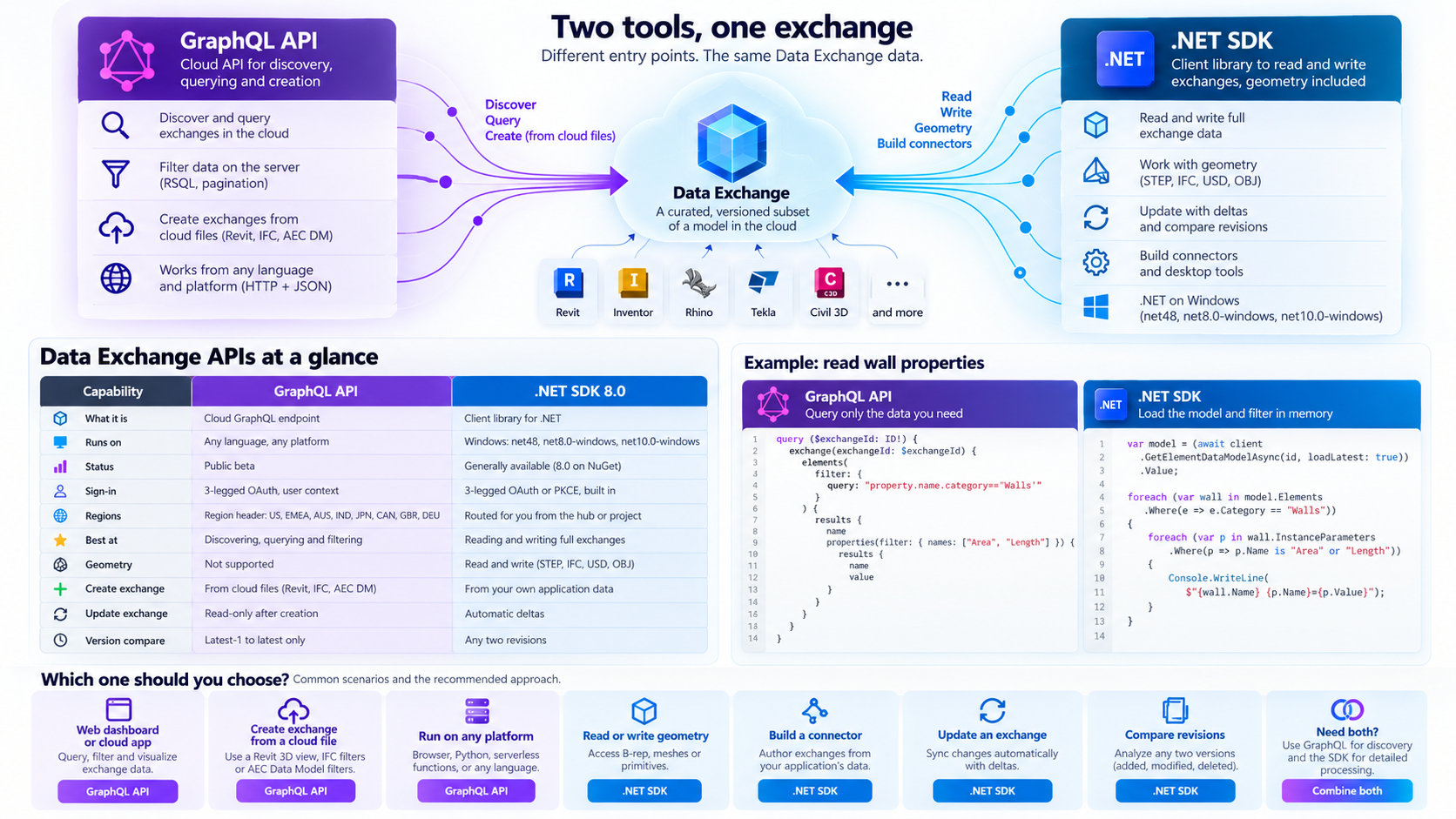
Imagine a web dashboard showing the area and length of walls in an exchange. GraphQL can filter elements on the server and return only the requested properties. With the SDK, you first load the model, then filter its elements and parameters in memory.
The two approaches are easier to compare side by side, but keep in mind that in case of GraphQL, the illustrated snippet is almost all you need, while in case .Net SDK C# only the relevant snippet is presented, while the boilerplate of initiation the SDK, loading the model and so on is left aside:
For lightweight dashboards or repeated targeted queries, GraphQL reduces data transfer.
For a desktop application that will perform many operations on the same model — especially when geometry is required — loading the full element data model through the SDK may be more appropriate.
Geometry changes the decision
GraphQL provides element metadata, properties and references, but not the underlying geometry.
The SDK supports geometry in and out, including B-rep, meshes and primitives, with export formats such as STEP, IFC, USD and OBJ. It also supports design instancing and if your application needs to reconstruct design objects in another modeling environment, the SDK is the tool you need.
Creating an exchange means two different things
Both tools can create exchanges, but “create” describes different operations:
GraphQL extracts an exchange from a supported file already in the cloud, such as a published Revit 3D view or supported IFC/AEC Data Model selection.
The SDK, on the other hand, gives you the power to create exchanges from the scratch, and author exchange elements from the application’s own objects, geometry and parameters, then synchronizes that data.
This is an important architectural distinction. A cloud automation workflow can call createExchange without opening Revit.
On the other hand, a custom modeling connector can use the SDK to publish data that originated in its own application.
Comparing design changes
Both approaches help identify design changes, but the GraphQL’s exchangeByVersions supports comparison only the latest with the previous version, while the SDK can compare any two revisions and identify created, modified and deleted elements.
Platform and production considerations
GraphQL uses HTTPS and JSON, so it fits JavaScript, Python, C#, serverless functions and other environments.
The SDK 8.0 (at least for now) uses Windows-specific .NET targets because of its native geometry services. In exchange, it offers integrated authentication support, caching, resiliency and a connector UI package.
One critical aspect to keep in mind for large exchanges is that SDK workflows load data client-side and therefore require appropriate memory planning.
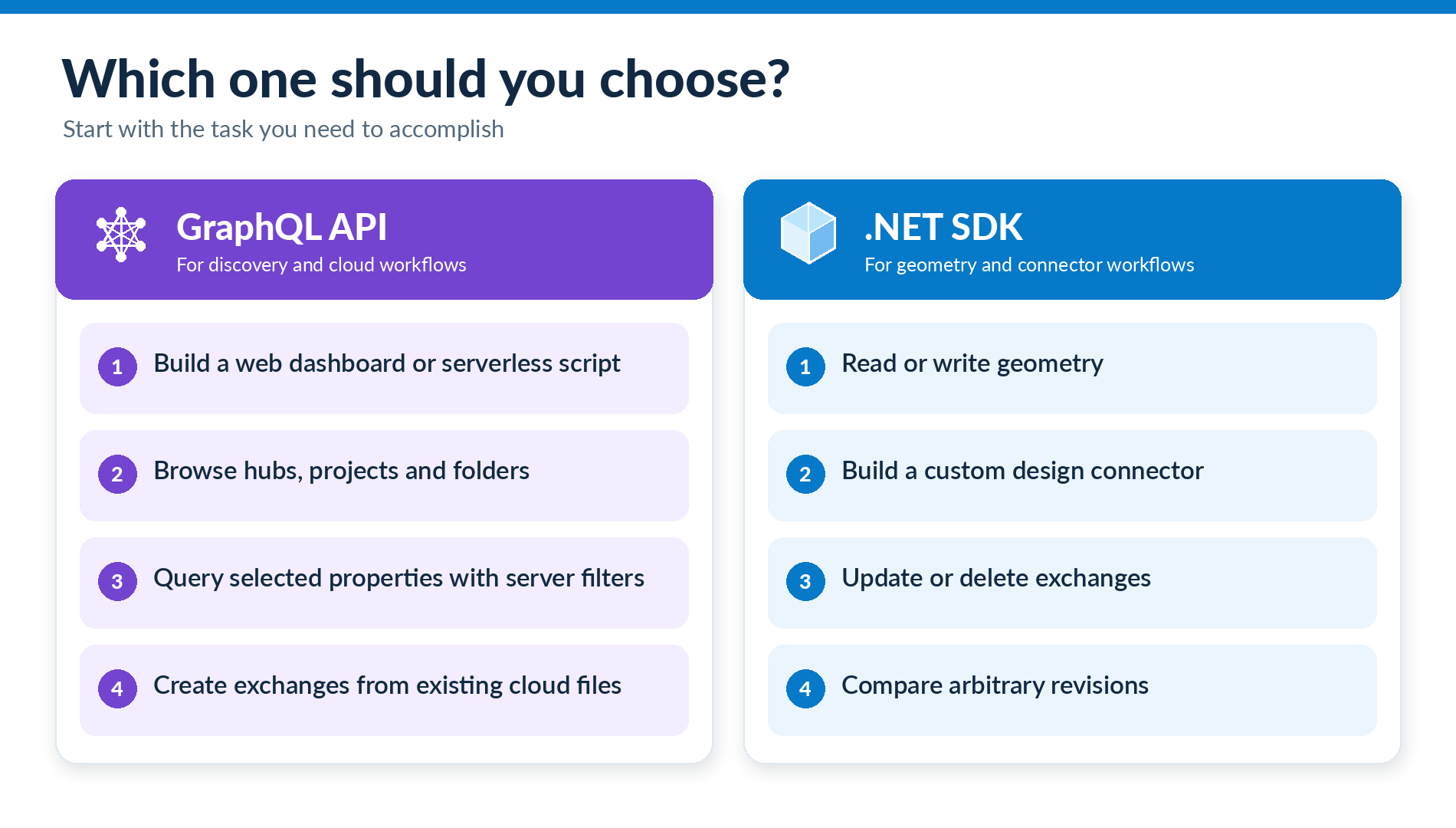
A practical decision guide
In the end this is not A vs B. This is the case when we cannot say which is better a spoon or a fork - it totally it depends on what you're cooking.
Why not use both?
Right tool for the right task doesn't mean that you cannot combine them? I already encountered couple of workflows where these two tools played nice together:
- Use GraphQL to find a relevant exchange or filter the elements of interest, then load that exchange in a connector through the SDK when geometry is needed.
- Automate creation of exchanges and a connector can then consume the exchange through the SDK
- A connector publishes and updates model data through the SDK, while a web dashboard reads the same exchange with GraphQL for reporting and analysis.

Conclusion
The choice is less about which tool is more powerful and more about which operation your application needs.
- Choose GraphQL for cloud discovery, targeted property queries and exchange extraction from existing files.
- Choose the .NET SDK for geometry, custom connectors, authoring, updates and flexible revision comparisons.
And when your workflow spans cloud automation and desktop design tools, combining them can be the best option.