

Background
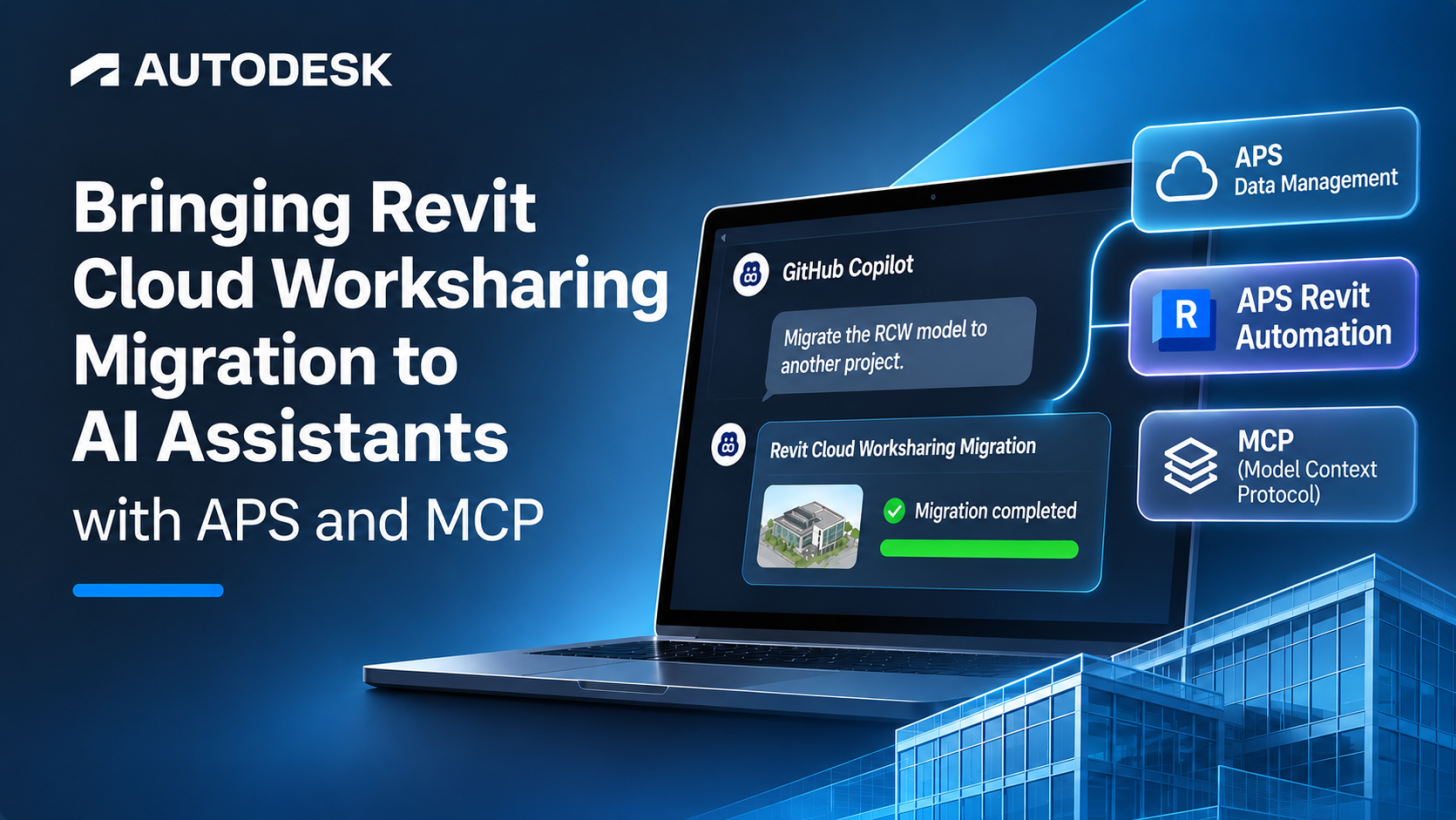
During our Autodesk Platform Services (APS) Accelerator in Denver last year, Moses Scott from Woolpert shared a challenge: migrating Revit Cloud Worksharing (RCW) models between Autodesk hubs/projects, particularly when those models have links and dependencies.
That conversation inspired the RCW migration automation sample, which I introduced in a previous APS blog. The sample uses Design Automation for Revit to migrate RCW models between projects without requiring users to run Revit desktop software.
Woolpert subsequently developed an industry solution addressing the additional challenges of linked-model migration. At Autodesk University 2026, Moses, João Martins, and I presented this work in Revit Cloud Worksharing Migration Has Arrived But Linked Models Still Need a Control Plane.
Building on that experience, I wanted to explore how an AI assistant could help users discover RCW models, initiate migrations, and monitor the results using natural language.
The result is the APS MCP RCW Migration sample, an extension of our AU 2026 Advanced MCP Workshop project.
Architecture: connecting MCP to Revit Automation
The implementation extends a Node.js Model Context Protocol (MCP) server that exposes APS functionality to MCP-compatible AI clients, such as GitHub Copilot.
The original workshop sample provides APS Data Management tools and an embedded APS Viewer. The migration extension adds tools that connect the MCP server to Design Automation for Revit.
The architecture has three main layers:
-
AI client: Interprets natural-language requests, invokes MCP tools, and presents results.
-
MCP server: Exposes APS operations, manages authentication, and coordinates migration jobs.
-
APS services: Data Management provides access to cloud models and projects, while Design Automation for Revit executes the migration add-in.
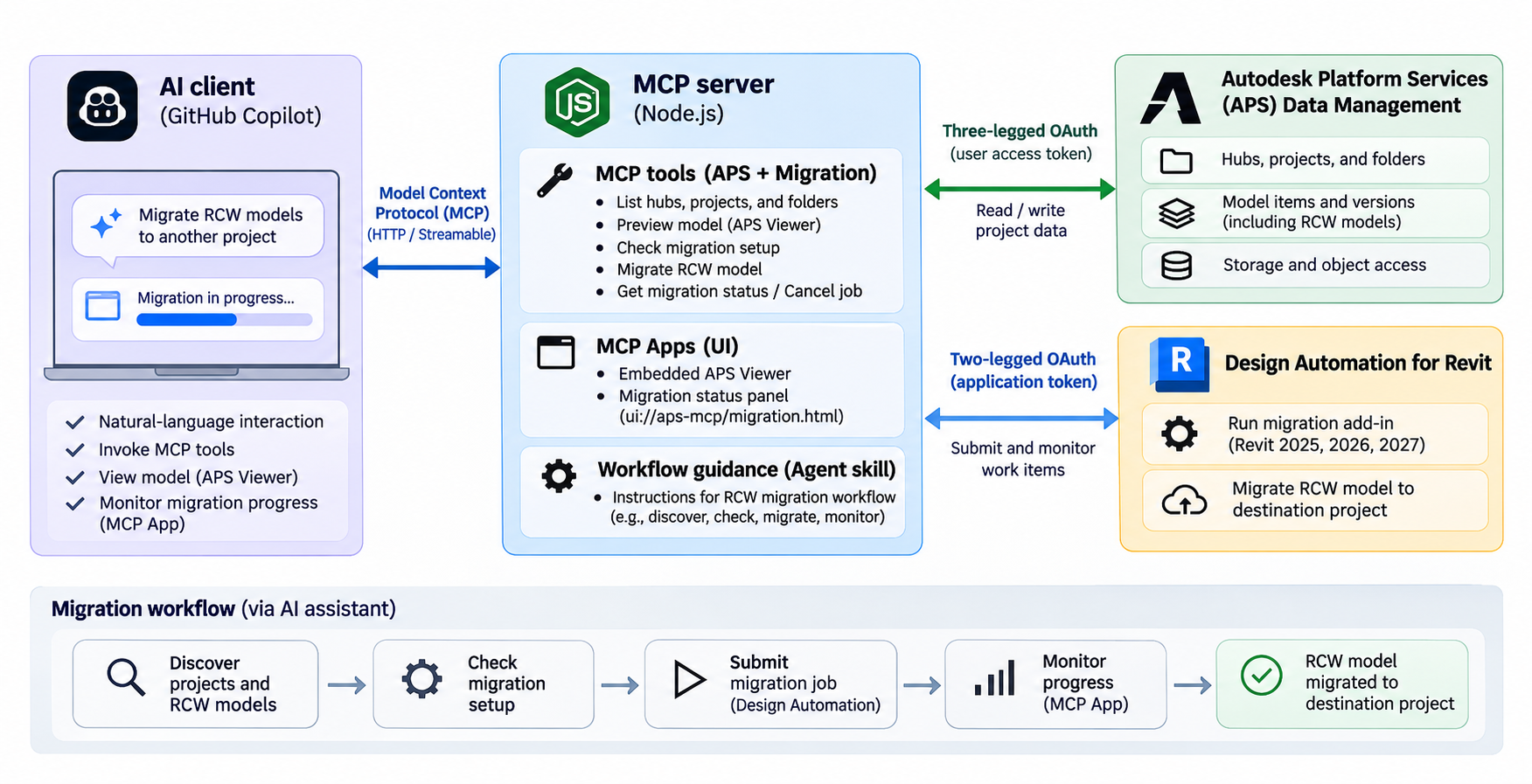
Figure 1: Architecture of the APS MCP RCW Migration sample
The AI assistant coordinates the workflow, while the actual migration is performed by Revit Automation using the existing Revit API implementation.
Video demonstration
The following video demonstrates the APS MCP RCW Migration sample.
Watch the RCW migration MCP demo on YouTube
[Embed YouTube video here: https://www.youtube.com/embed/S1aHHh9c7N0]
Exposing RCW migration as MCP tools
The key addition is migrate-rcw-model, an MCP tool that accepts the source RCW model, destination project and folder, and target Revit version.
The AI assistant can use existing Data Management tools to discover projects and folders. The list-folder-contents tool also returns the item extensionType, making it possible to identify RCW models using:
items:autodesk.bim360:C4RModelWhen the assistant invokes migrate-rcw-model, the server retrieves the source model information, prepares the APS Automation arguments, and submits a work item.
The migration add-in opens the source model in a detached state and uses the Revit API to save it as a new cloud model:
doc.SaveAsCloudModel(
    accountGuid,
    projectGuid,
    folderUrn,
    modelName
);
The MCP tool returns a work item identifier immediately, allowing the migration to continue asynchronously.
Three additional tools support the process:
-
check-migrator-setupchecks the configured Revit engines and automation activities. -
get-migration-statusretrieves job status and failure information. -
cancel-migrationrequests cancellation of pending jobs.
The implementation uses three-legged OAuth for user-authorized project access and two-legged OAuth for APS Automation API operations.
This design exposes an existing Revit automation workflow through MCP without requiring a separate migration web application.
Interactive migration tracking with MCP Apps
Migration jobs can take several minutes, so users need a way to monitor progress.
The original migration sample uses Socket.IO to update its web interface. In the MCP implementation, I used MCP Apps to display migration status directly inside a compatible AI client.
The server registers an interactive UI resource:
ui://aps-mcp/migration.htmlWhen migrate-rcw-model is invoked, a compatible client can render the migration panel.
The panel periodically calls get-migration-status through the MCP Apps interface, displaying active jobs, completed migrations, failure details, and cancellation controls.
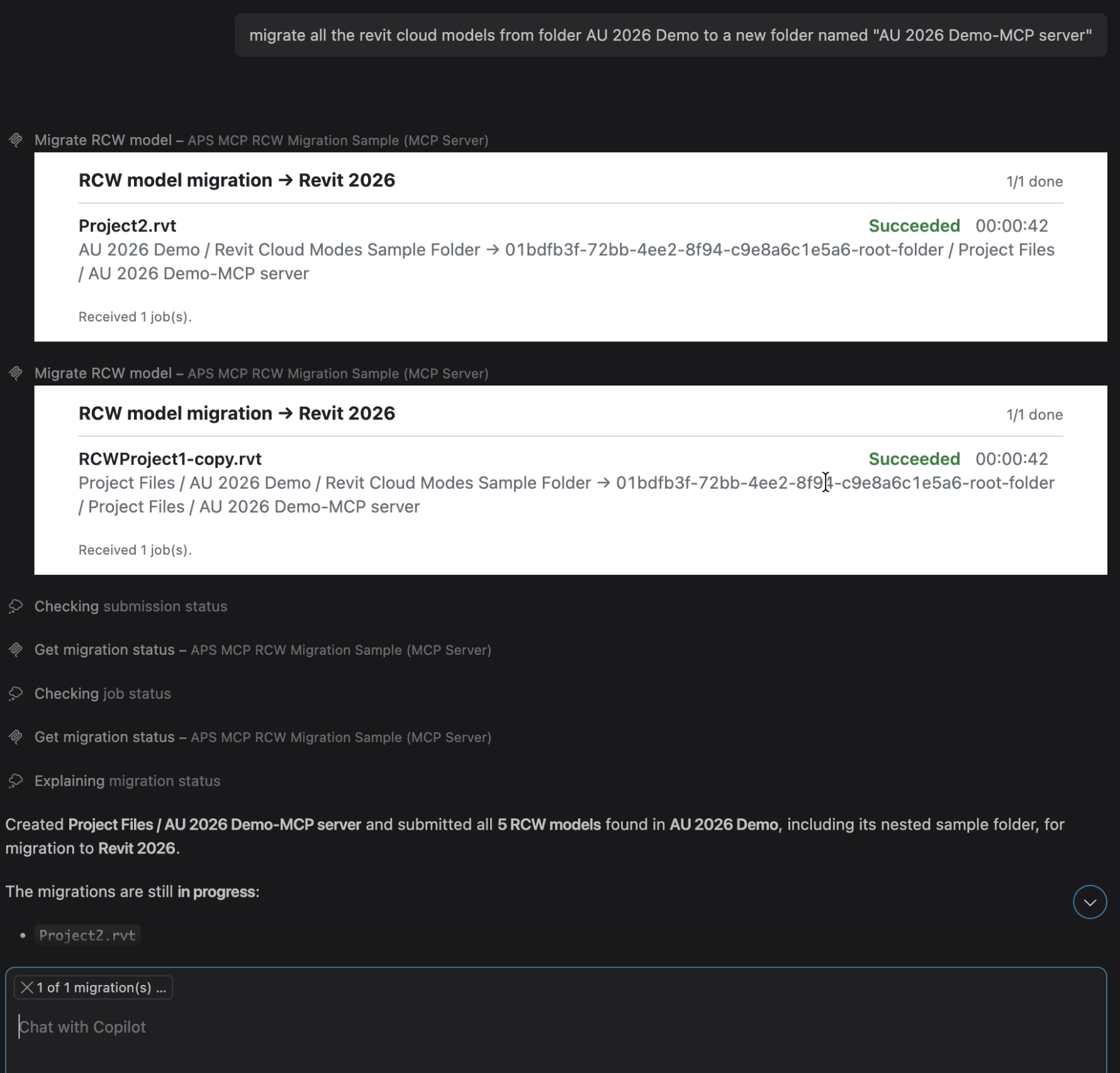
Figure 2: RCW migration progress panel embedded in GitHub Copilot
The migration panel follows the same MCP Apps architecture used by the embedded APS Viewer in the original workshop.
Both interfaces communicate through the MCP server, keeping APS authentication and API operations on the server side.
Guiding AI assistants with workflow instructions
MCP tools define the available operations. Agent skills and workflow instructions can guide an AI assistant through the sequence required to complete a migration.
For example, a user could ask:
Find the RCW models in my source project, check the Revit 2026 migration configuration, and migrate the selected models to another project.
The assistant can discover the source models, verify the migration configuration, identify the destination, and submit the requested migration jobs through the available MCP tools.
The workflow guidance can also instruct the assistant to check prerequisites and request user confirmation before executing migration operations.
This approach lets developers reuse the same MCP tools across different AI clients and workflows without implementing a fixed sequence in a traditional application interface.
Limitations and future extensions
The current sample focuses on migrating individual RCW models. It does not automatically migrate linked-model relationships or repair links in the destination project.
As discussed in our AU 2026 session with Woolpert, linked-model migration requires additional dependency analysis, preflight diagnostics, and coordination.
A future extension could expose these capabilities as additional MCP tools, helping AI assistants assess model dependencies and prepare migration plans before submitting Revit automation jobs.
Conclusion
The APS MCP RCW Migration sample demonstrates how existing APS automation can be integrated into AI-assisted workflows using MCP tools and interactive MCP Apps.
The sample also provides a foundation for exploring more advanced migration workflows, including dependency analysis and linked-model coordination.
The complete implementation and technical documentation are available in the GitHub repository.
Editor's note: This article was primarily generated with the assistance of AI tools and reviewed and edited by the author for technical accuracy and clarity.