
Introduction
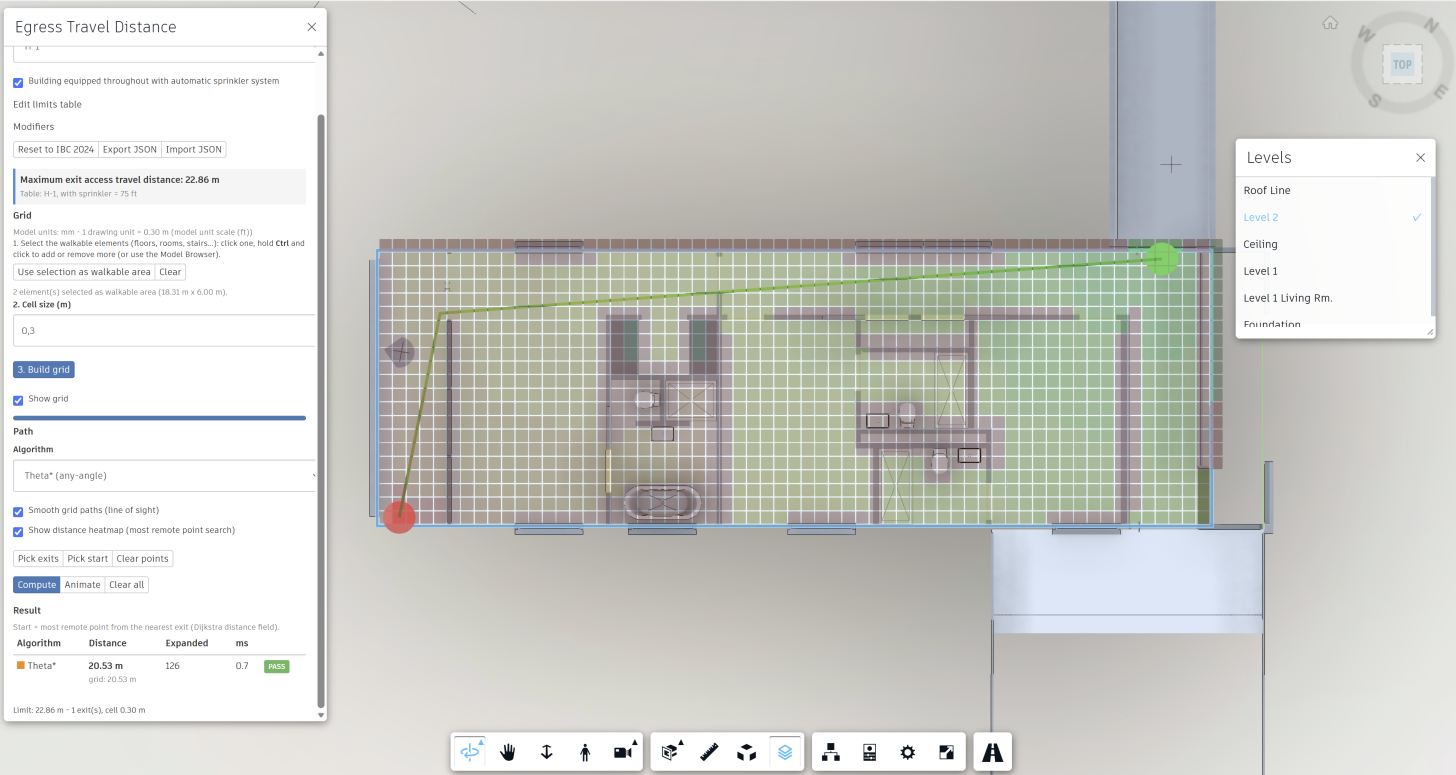
One frequent use case I hear when talking with customers about APS automation is design check. Among the many code checks, there's one we can address by combining the right Viewer capabilities: the exit access travel distance calculation, or how far someone has to walk from the most remote point of a floor to the nearest exit.
Usually that means someone draws a polyline around walls and furniture by hand, measures it, finds the right row in the code table, and repeats the whole process each time the layout changes.
Since the geometry is already in the Viewer, we can combine its methods to calculate the travel path from two points in a 2d plane.
That's what we'll cover in this blog post.
Prerequisites
- A model translated with Model Derivative. The sample uses the Revit `rac_basic_sample_project` by default.
- Nothing else. All of the work happens on the client.
How it works
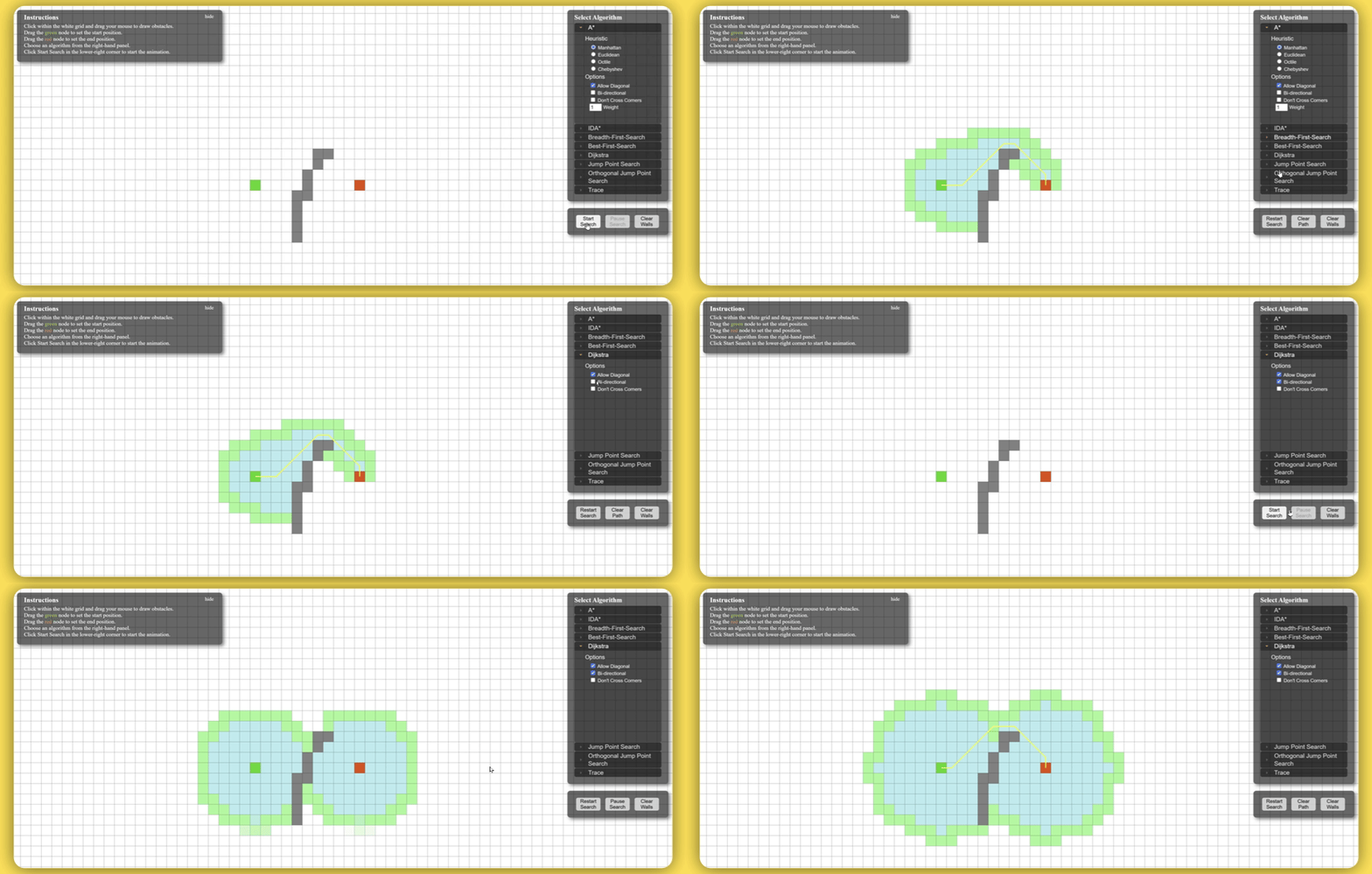
It all starts with a well-known problem: find the shortest path between two points.
This is already addressed if we think in terms of graphs with famous algorithms, such as A*.
For a primer on these algorithms, see Red Blob Games' Introduction to the A* Algorithm.
You can also try them interactively in the PathFinding.js visual demo.
To integrate these algorithms with our model in the Viewer scene, we'll break our floorplan into a grid.
This sample generates the grid on top of the selected floors using the square size defined by the end user.
Once that's done, we need to define which of the squares are "walkable" and which are not.
To define that, we can generate boxes for each one of our grid's cells and compare against the elements' fragments.
Whenever there's a clash, that cell is not "walkable".
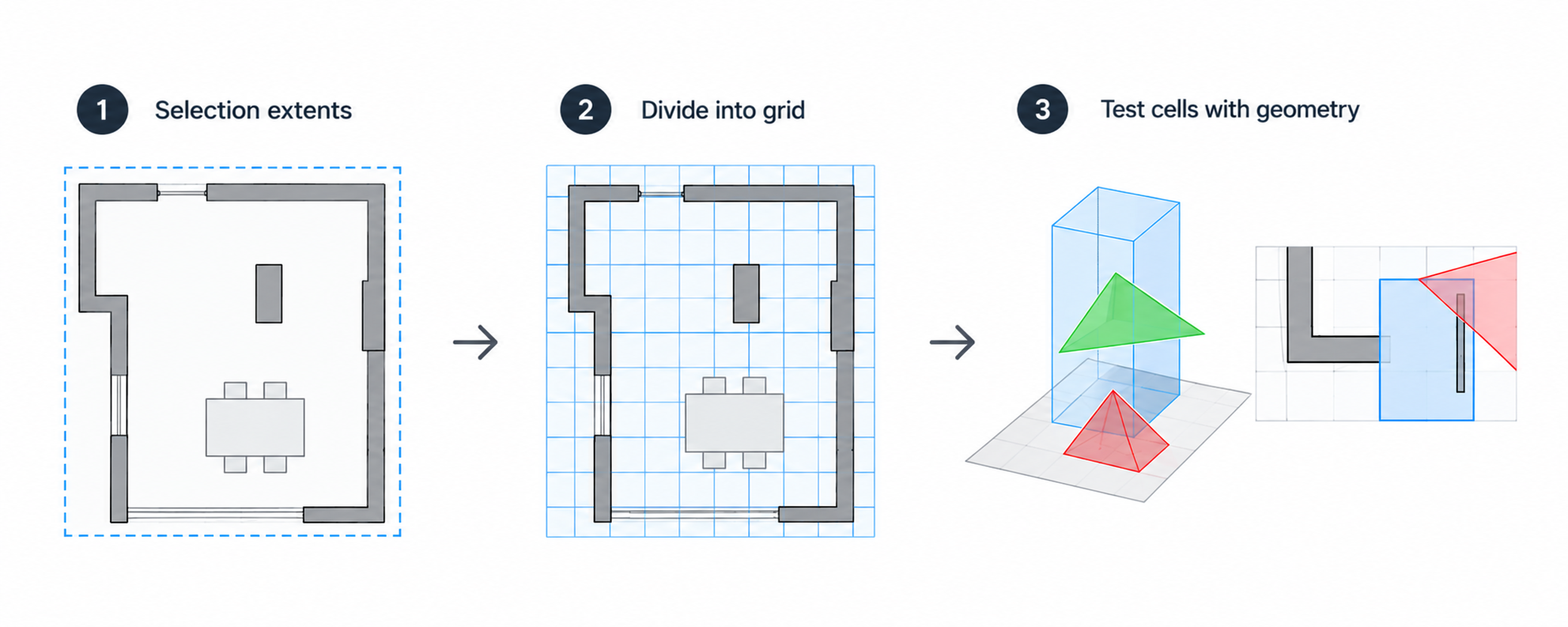
- In 3D, the test uses mesh triangles, as described in Working with 2D and 3D scenes and geometry in Forge Viewer.
Now that we have our grid, it is time to calculate the path.
This sample supports the algorithms below:
- A*: The shortest grid path from a start point to the nearest exit.
- Dijkstra: The distance from *every* cell to its nearest exit, shown as a heatmap against the limit.
- Theta*: Any-angle paths that are close to the "natural and unobstructed path" the code describes.
- Central Dijkstra: The most "central" shortest path, from Autodesk Research's Path Counting for Grid-Based Navigation.
On a grid with 8 directions, paths can be up to ~8% longer than the real distance. Theta* and line-of-sight smoothing remove most of that error. That matters when a result is close to the limit.
Finally, the paths are drawn with the Data Visualization streamlines.
And the resulting path is compared with the applicable limit from IBC 2024 Section 1017.
Give it a try
1. Open the Egress travel distance panel from the toolbar.
2. Standards: pick the occupancy and whether the building is sprinklered. Every value from Table 1017.2 and its increases can be edited. You can also export the values as JSON and import them back, so you can use other codes.
3. Grid: select the walkable elements (floors, rooms, stairs…), then click Use selection as walkable area and Build grid.
4. Path: pick the exit doors, and optionally a start point, then click Compute. If you don't pick a start point, the sample looks for the most remote point itself (IBC 1017.3).
5. Read the result: the distance, the effective limit, and a pass/fail verdict. Click Animate to replay the walk.
Conclusion
You don't need to draw a polyline to check travel distance.
The sample turns the Viewer geometry into a walkable grid, finds the path to the exit, and gives you a verdict against editable standards, all in the browser. It also has some limitations you should know about:
- It checks one level at a time, so vertical travel on stairs and ramps isn't included.
- Atriums aren't detected.
- Accuracy depends on the cell size.
- The footnote conditions for the increases aren't verified.
Treat the result as a strong first pass for a human reviewer, and adapt the standards JSON to your own code.
Give it a try, and let us know what you check with it.