
Disclosure: parts of this post were produced with the assistance of AI tools, then reviewed and edited by the author.
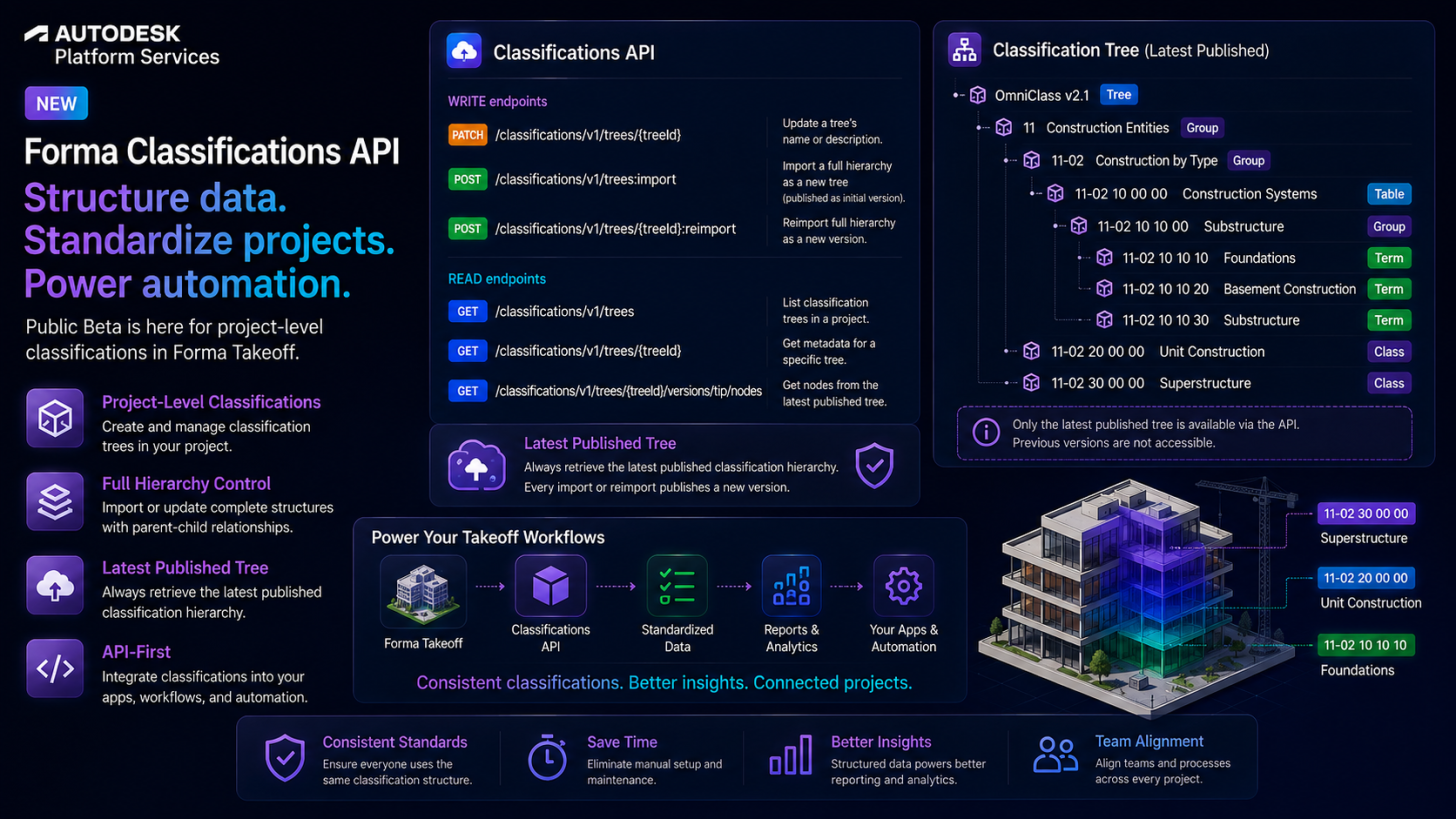
We are pleased to announce that Autodesk has released the Autodesk Forma Classifications API as public beta!
Classifications lets you organize project information — categories, types, taxonomies such as Uniformat or MasterFormat — into hierarchical structures (“trees”) that can be referenced across Forma workflows. You can find more information about the feature in the product help.
In this initial public beta, we have released the following endpoints:
WRITE endpoints
- PATCH trees/:treeId: Updates a tree’s name or description.
- POST trees:import: Creates a new tree by importing a full hierarchy of nodes, published as its initial version.
- POST trees/:treeId:reimport: Updates an existing tree by reimporting its full hierarchy, published as a new version.
READ endpoints
- GET trees: Gets a list of classification trees in a project.
- GET trees/:treeId: Gets metadata for a specific tree by ID.
- GET trees/:treeId/versions/tip/nodes: Gets the flat list of nodes from a tree’s latest published version.
A few things worth knowing before you start:
- Structures are versioned as a whole. There’s no per-node create/update/delete — every change goes through POST trees:import (new tree) or POST trees/:treeId:reimport (existing tree), and each reimport publishes a brand-new tip version.
- A node omitted from a reimport isn’t hard-deleted — it’s marked
isDeleted: truein the new version. Pass the same nodeidin yourimportDatato update or restore a node instead of creating a duplicate. - Limits: up to 50,000 nodes per tree, max hierarchy depth of 10.
- The API is project-scoped only in this release — see the Q&A below for how to bring a hub-level structure into a project today.
The following Q&A may answer some of your questions:
Q1. Does the API support hub/account-level classifications?
A1. Currently, the Classifications API only supports project-level classifications. It doesn’t support account-level classifications at this time — this is a known limitation called out in the Field Guide. To bring a hub-level structure into a project today, use the product UI instead of the API:
- Go to the Classifications card in Library within Hub Admin.
- Select the classification structure (tree) you want to bring in — an Add To button appears next to Import Structure.
- Click Add To and choose the target project(s).
See the product help for more details.
Q2. PATCH trees/:treeId doesn’t update the tree name or description for certain trees. Why?
A2. This is a known issue, logged as SCCOM-33456, that our engineering team will fix soon. In the meantime, check whether the tree was imported from the hub level — a tree derived from and connected to an account-level source tree is read-only at the project level, so PATCH trees/:treeId won’t update it. You can tell if a tree falls into this category by checking its treeConnectionType field: if it’s connected, the tree is linked to a hub-level source and can’t be patched directly (standalone means it wasn’t derived from another tree, and disconnected means it was derived but is no longer linked).
Q3. How do I create a classification tree using the API?
A3. Use POST trees:import. It takes a name, description, and an importData array describing the full node hierarchy (each node can have nested children):
curl --request POST \
  --url 'https://developer.api.autodesk.com/construction/classifications/v1/projects/{projectId}/trees:import' \
  --header 'Authorization: Bearer {access_token}' \
  --header 'Content-Type: application/json' \
  --data '{
    "name": "Uniformat Classification",
    "description": "Sample classification tree imported via API",
    "importData": [
      {
        "name": "A - Substructure",
        "nodeCode": "A",
        "children": [
          {
            "name": "A10 - Foundations",
            "nodeCode": "A10",
            "children": [
              {
                "name": "A1010 - Standard Foundations",
                "nodeCode": "A1010"
              },
              {
                "name": "A1020 - Special Foundations",
                "nodeCode": "A1020"
              }
            ]
          }
        ]
      }
    ]
  }'
Documentation
- Field Guide: Terminology and background information about Classifications and the Classifications API, including the versioning model and the scope/limitations of the current release.
- Reference Guide: This section lists a set of endpoints for retrieving, updating, importing and reimporting classification trees, as well as retrieving the nodes of a tree’s latest published version.
- Step-by-Step Tutorial – Delete a Node from a Tree: Walks through removing a node by reimporting the tree without it, then verifying the node is marked
isDeletedin the new tip version. - Step-by-Step Tutorial – Restore a Deleted Node in a Tree: Walks through restoring a previously deleted node by reimporting the tree with its original node ID included, then verifying it’s no longer marked as deleted.
Code Samples on GitHub
If you have any questions or feedback, please contact us through our APS support channel.