
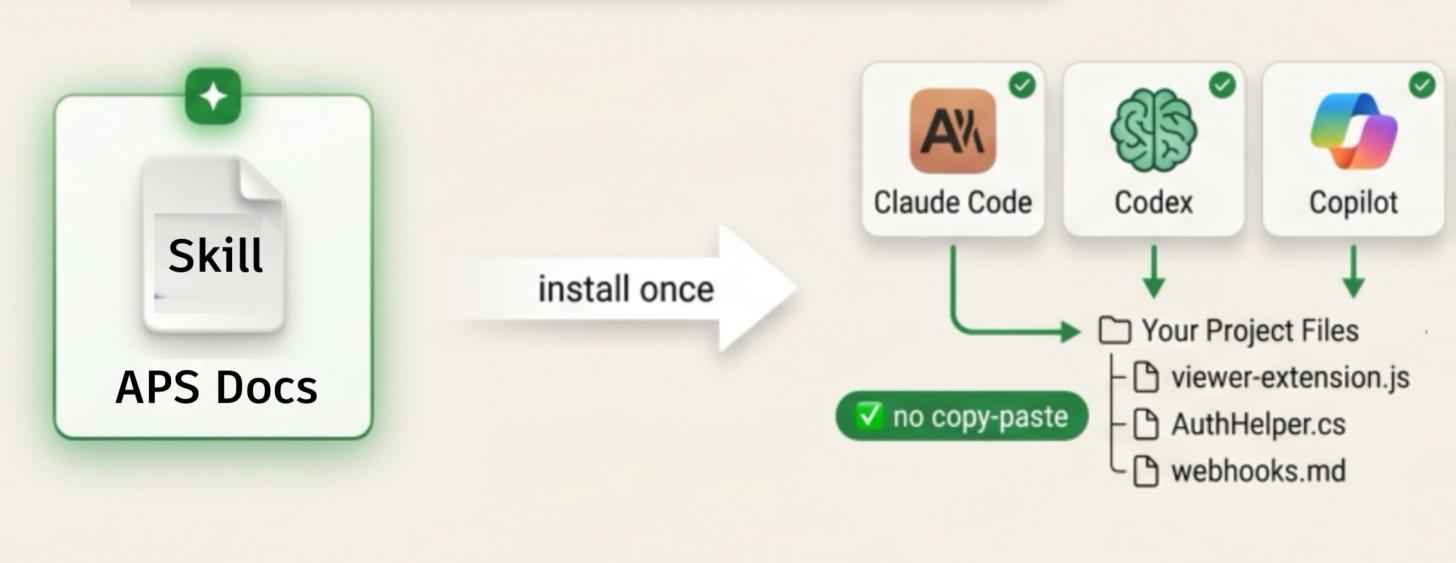
Last year, we shipped the first APS LLMs.txt — It was a solid start. But the world moved fast. Agents and harnesses like Claude Code, Codex, and Cursor are now writing files directly in your IDE. They don't just need specs—they need a skill that teaches them how to navigate our APS documentation universe.
So we evolved LLMs.txt into exactly that: an 'APS Docs skill' file for Agents and IDE's.
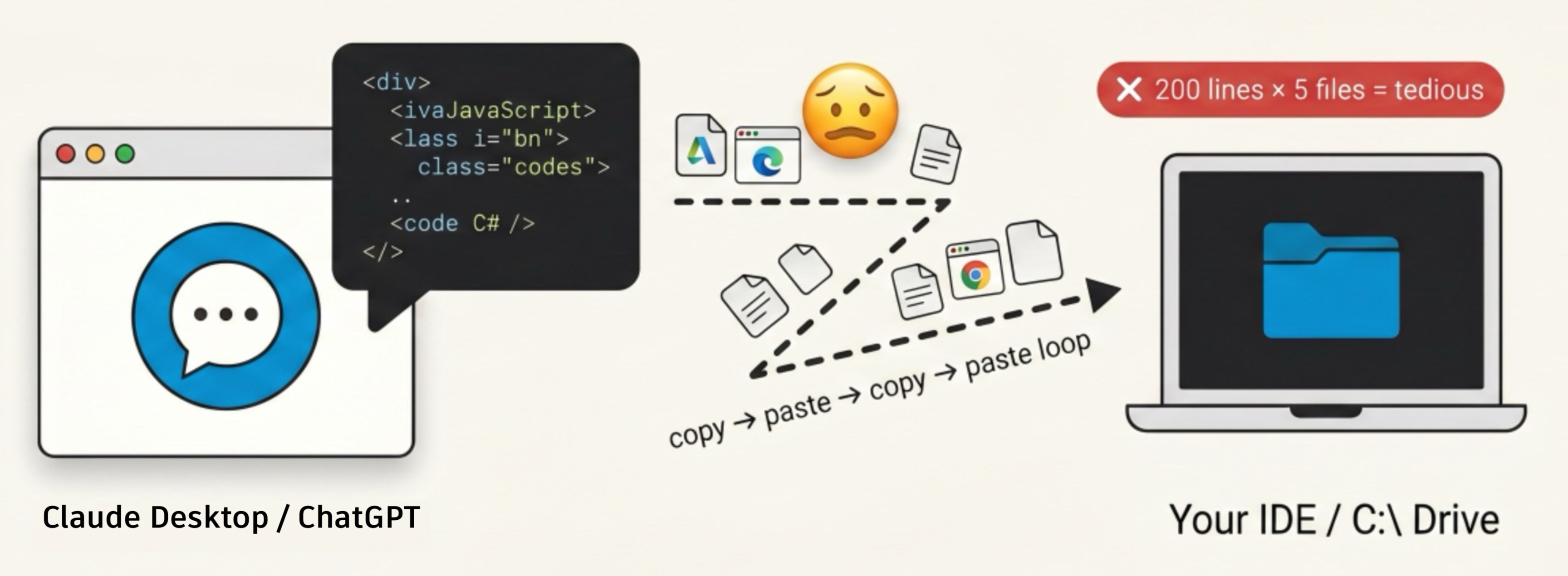
A way for your agent to find, read, and synthesize APS docs without the constant copy/pasting headaches of ChatGPT or Claude Desktop chat sessions.
Why a Skill? The Copy-Paste Problem
Here's the friction we kept hearing about: Claude Desktop and ChatGPT (and soon Autodesk Assistant) sometimes answer questions with lots of code right in your chat session (or browser). That's great for quick lookups. But how do you get that code into your IDE to try it out ? Getting that text from a browser chat window into your C:\ drive or IDE means a lot of copy-pasting. File by file. Folders too.
Instead, what if your IDE or Agent (Cursor, Claude Code, Copilot or Codex) had the complete APS Portal and blog post knowledge, up front ? You could somehow teach your IDE or agent all about APS and let the agent write the files for you. No browser. No copy-paste. The code lands straight in your project tree, wired to your build system, ready to run. That is the workflow agents were built for.
What the Skill Does
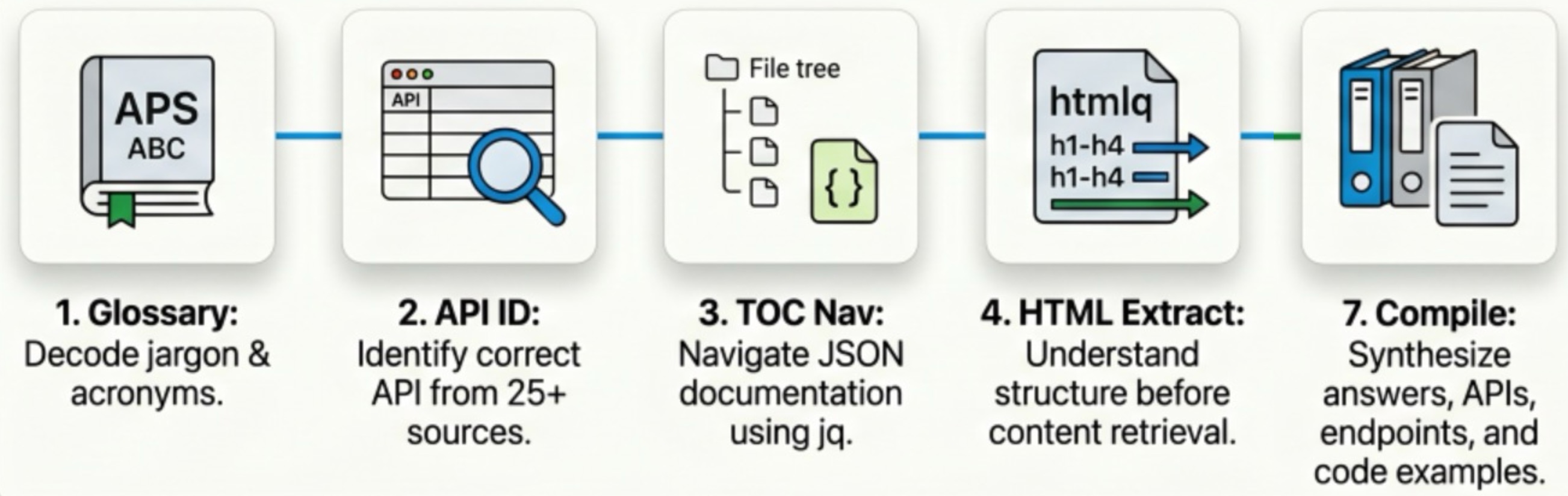
The old LLMs.txt was a flat index. The new one is a procedure that lives in your agent's context: a glossary, a routing table, and a step-by-step method for turning a question into the exact doc page that answers it.
It runs the method:
-
Glossary decode — ~20 acronyms and terms (MD, DM, URN, SVF/SVF2, SSA, 2LO/3LO, AECDM…) so the agent speaks APS before it searches.
-
API identification — a lookup table mapping 26 source IDs to the right domain. "File changes" maps to Data Management (
data_v2) and ACC (acc_v1), not a guess. -
TOC navigation — each API has a JSON table-of-contents at
developer.doc.config.autodesk.com. The agent walks thechildrentree withjqto find the exact page, then converts the CDN path into a clickableaps.autodesk.comportal link. -
Headings first (mandatory) — before extracting anything, the agent reads just the
h1–h4of the target page (ondeveloper.doc.autodesk.com) to learn whether it's a reference table, a tutorial, or an event list — and picks its extraction strategy from that. -
Text & section extraction —
htmlqstrips scripts, nav, and styling so only headings, code blocks, and tables reach the model's context window.
This method is a skill, that makes APS docs reachable to your agent instead of invisible.
Pre-Reqs: the method shells out to jq (optional) and htmlq (optional) to speed things up and reduce tokens. Install both first, e.g. brew install jq htmlq.
How to Install the "APS Docs" Skill
From a new Claude-code (or codex, co-pilot, cursor) chat session, type: "Hi agent. Please install this APS-Docs skill at https://aps.autodesk.com/llms.txt"
Test it right now:
Now, start with any new agent session and Claude Code (etc) picks it up automatically.
"Show me how to write a custom Viewer extension that listens for
SELECTION_CHANGED_EVENTand logs the selected dbIds. Write a sample html page and aviewer-extension.mjsfile."
You'll see the agent navigate to the Viewer TOC (viewer_v7), find the Extensions section, extract the webpage(s), learn APS SDK's, and start writing files into your project - no copy-paste.
Alternative Installation
Claude Code
Claude Code skills live in a folder with a SKILL.md, so create the directory and drop the file in:
mkdir -p .claude/skills/aps
curl -sL https://aps.autodesk.com/llms.txt > .claude/skills/aps/SKILL.md
Codex / VS Code + Copilot
Both honor a project-level instructions file rather than a skills folder, so reference the skill there:
# Codex reads AGENTS.md
curl -sL https://aps.autodesk.com/llms.txt >> AGENTS.md
# Copilot reads .github/copilot-instructions.md
curl -sL https://aps.autodesk.com/llms.txt >> .github/copilot-instructions.md
More Prompts to Try
Prompt 2: Automation API
"
create a py script that uses latest APS Automation API and 2026 autocad engine to "find all the layers in a DWG file" and save them to a text file. My APS key, secret are in .env file.
First, download the first 3 sample DWGs into dwg-samples folder, from here : https://afd.calpoly.edu/facilities/campus-maps/building-floor-plans/autocad/Your script should handle everything end to end — authenticate, transient OSS, signed S3 upload, and download txt file output.
split code into aps-client and run.py. use rich lib to show progress steps in cli with spinner and tick box.tip: when creating a new Activity version don't include the id field in the version payload
"
The skill decodes Automation and Autocad from the glossary, maps to design-automation_v3.json, and extracts the details pages. It starts writing the code and doing the end-to-end testing.
Prompt 3: Manufacturing Data Model API
"create a html dashboard (use tailwind css, alpine.js) that uses this 3L0 token
yH8v2Ls....jSUMnXF and using the MFGDM API, i want the BOM (bill of materials) from this folder
location: https://autodesk8937.autodesk360.com/g/progects/20250509924098176/data/dXJu0mFk...28ueU@zOUI.../bom?version=2
ask me clarifying questions"
The skill decodes Manufacturing Data Model, it's GraphQL queries and re-uses a 3LO token and produces the dashboard we need.
Summary
The first LLMs.txt gave agents some openAPI spec files. This new version (a skill) gives them the formula to navigate APS documentation—so that your agent can code APS, directly into your project files. You get files, not clipboard fatigue.
Install the skill. Ask the hard questions. Let your agent write the files.
For more APS Skills see the complete list here: aps-development-agent-skills
Contribute or report issues at github.com/autodesk-platform-services/skills/aps-docs-portal.
Explore more AI topics with APS at aps.autodesk.com/topics/ai.