

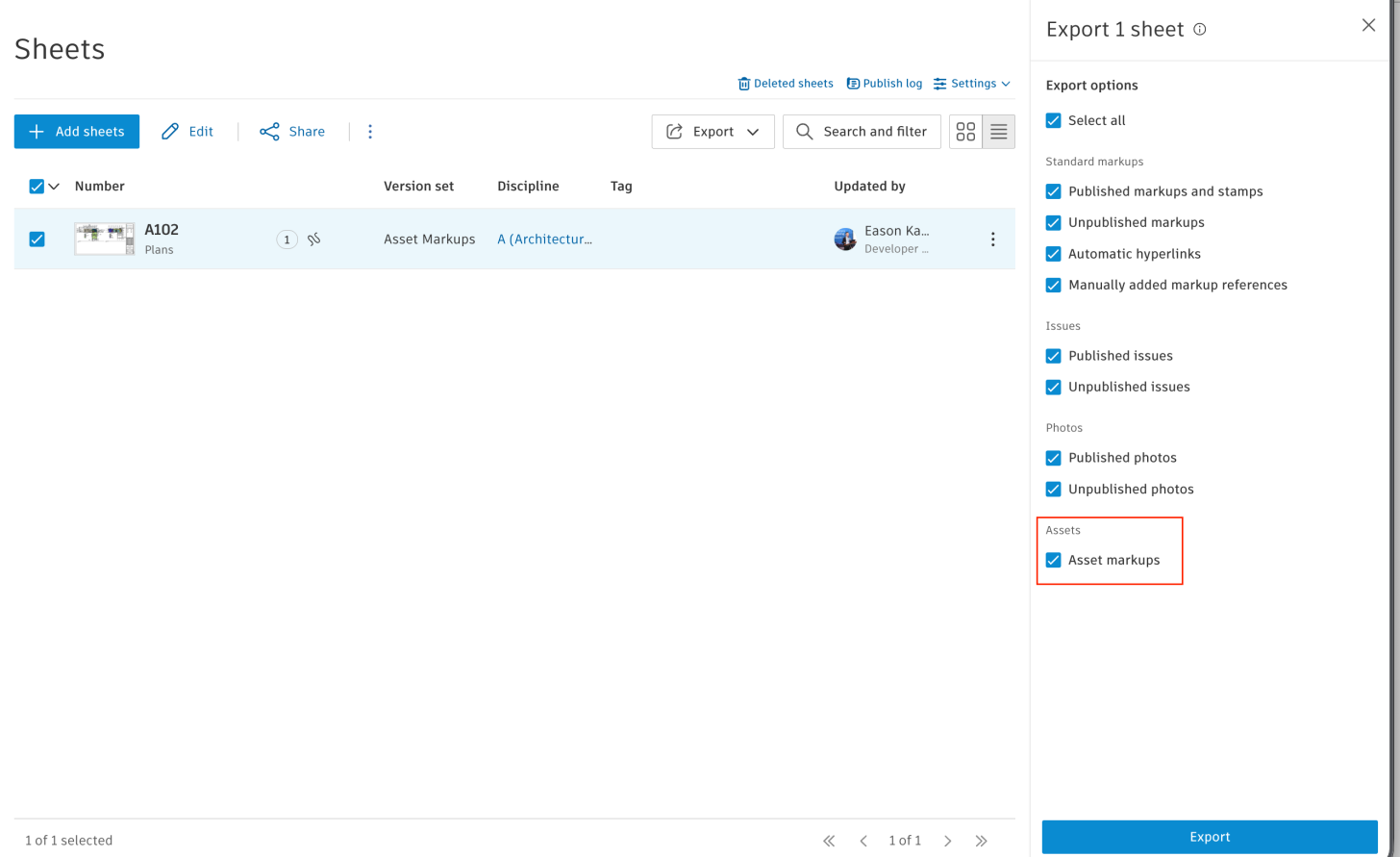
In the previous blog, we shared that the Sheets module of Forma Build provides an API to export PDF files with markups and hyperlinks, and can export 2D View and Sheet of Revit or DWG to PDF.
Now, this API has extended the ability to export PDF with Asset markups. The usage is the same as before (see the Export Sheets from Forma Build tutorial). All we need is to enable the options when calling the POST exports.
Here is an API call example:
curl -v 'https://developer.api.autodesk.com/construction/sheets/v1/projects/9ba6681e-1952-4d54-aac4-9de6d9858dd4/exports' \
  -X 'POST' \
  -H 'Authorization: Bearer AuIPTf4KYLTYGVnOHQ0cuolwCW2a' \
  -H 'Content-Type: application/json' \
  -d '{
        "options": {
          "outputFileName": "XXX_shop_drawing",
          "standardMarkups": {
            "includePublishedMarkups": true,
            "includeUnpublishedMarkups": true,
            "includeMarkupLinks": false
          },
          "issueMarkups": {
            "includePublishedMarkups": false,
            "includeUnpublishedMarkups": false
          },
          "photoMarkups": {
            "includePublishedMarkups": false,
            "includeUnpublishedMarkups": false
          },
          "assetMarkups": {               //!<<<<<<<< Here is the new option for asset markups
            "includeMarkups": true        //!<<<<<<<< Here is the new option for asset markups
          }                               //!<<<<<<<< Here is the new option for asset markups
        },
        "sheets": [
          "85884e66-3fc1-4b99-9a33-00080680b084"
        ]
      }'
Please check the previous blogs for more details on using this API, and product help can serve as a reference for relevant features.
- Forma Sheet API Added Endpoints of Reading Collection
- Forma File Export PDF API is in General Availability
- Product Help: Export and Print Sheets
- Product Help: Assets on Sheets
If you have any questions or feedback, please don't hesitate to contact us through our APS support channel.