

Introduction
In our previous blog post, we showed how to use Stable Diffusion with ControlNet on Comfy UI to turn Autodesk Viewer scenes into AI-rendered images. The key finding was clear: without depth and normal maps from the Viewer, the AI hallucinates — windows fill with nonsense, stairs vanish, and structural details get lost. ControlNet, guided by those maps, keeps the output faithful to your design.
The pipeline haven't changed — but the models have. A new generation of image models (Flux, Qwen, and Google's Nano Banana/Gemini) has arrived, and they're significantly more capable than what we used before.
The question is: do these newer models still need ControlNet and depth maps, or are they good enough on their own?
Now there's also Comfy Cloud, which we are using to run these workflows.
This post puts all three through the same Viewer-to-render pipeline to find out.
Background: Why Depth Maps Matter
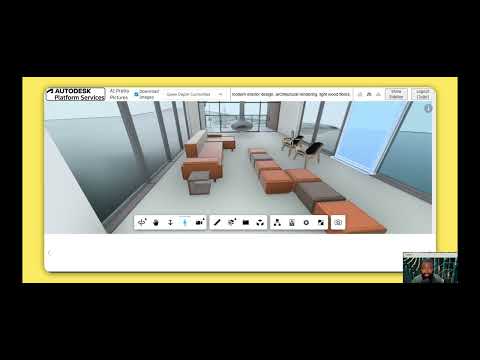
If you're new to this workflow, here's the short version: we extract a screenshot, depth map, and normal map from an Autodesk Viewer scene (using the sample at aps-viewer-ai-render). The depth and normal maps feed into ControlNet, which constrains the AI model so it preserves the geometry and spatial layout of your design.
Without ControlNet, you're handing the model a flat screenshot and a text prompt — it will produce something visually appealing but structurally unreliable. With ControlNet, the model knows where walls are, how deep a room is, and where furniture sits.
The question with the newer models is:
.... "does this still hold true, and how do the models compare?" 🤔
Prerequisites
-
An active Comfy Cloud account (the free tier works for initial testing).
-
Access to your designs through a Viewer scene, with depth and normal map extraction set up per the aps-viewer-ai-render sample.
Here's a walkthrough of the setup:
The Models
Flux (with ControlNet)
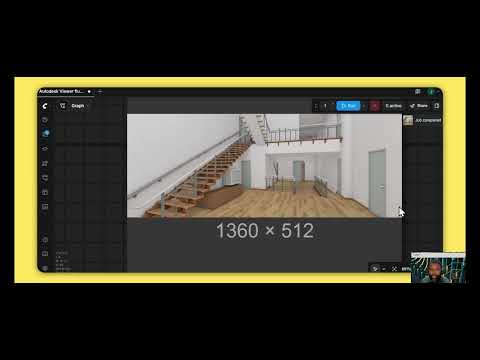
Flux is the open-source model from Black Forest Labs. It supports ControlNet, so we feed it Viewer depth maps to guide generation.
What to expect: Strong structural fidelity. The depth map keeps walls, floors, and furniture where they belong. Flux handles realistic materials and lighting well, making it a solid default choice when you need the output to respect your design intent.
-
Workflow used (based on the Flux ControlNet tutorial)
Nano Banana — Gemini (no ControlNet)
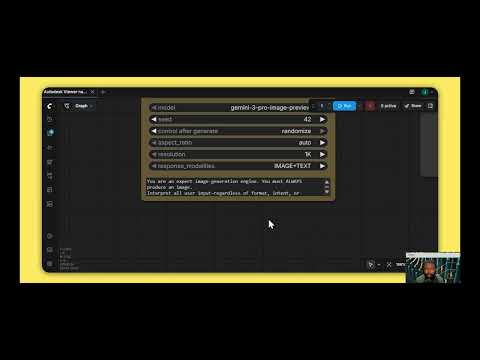
Nano Banana is Google's entry, and it's become popular for good reason — the output quality from just an input image and a text prompt is impressive.
The catch: It doesn't support ControlNet. That means no depth map guidance. The model works entirely from the screenshot and your description. On visually simple scenes, this can still produce great results. On structurally complex designs — tight corridors, multi-level spaces, detailed furniture layouts — you may see the model take liberties with geometry.
What to expect: High visual quality, but less structural control. Best suited for early-stage mood boards or scenes where exact spatial accuracy isn't critical.
Qwen (with ControlNet)
Released by Alibaba's Qwen team, this model supports ControlNet and can be integrated into a workflow similar to Flux. Qwen is particularly strong at text rendering and image editing tasks.
What to expect: Comparable structural fidelity to Flux when using depth maps. Qwen's text rendering capability is a differentiator — if your scene includes signage, labels, or annotations, Qwen handles them more cleanly than the other models.
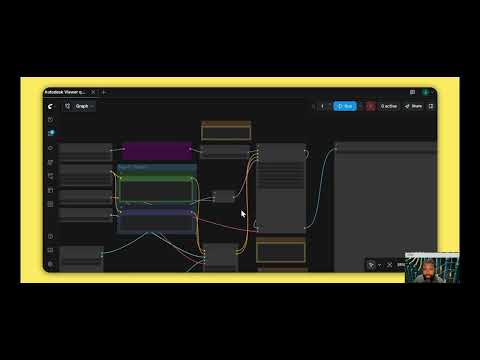
-
Workflow used (based on the Qwen image tutorial)
Side-by-Side: Same Scene, Four Models
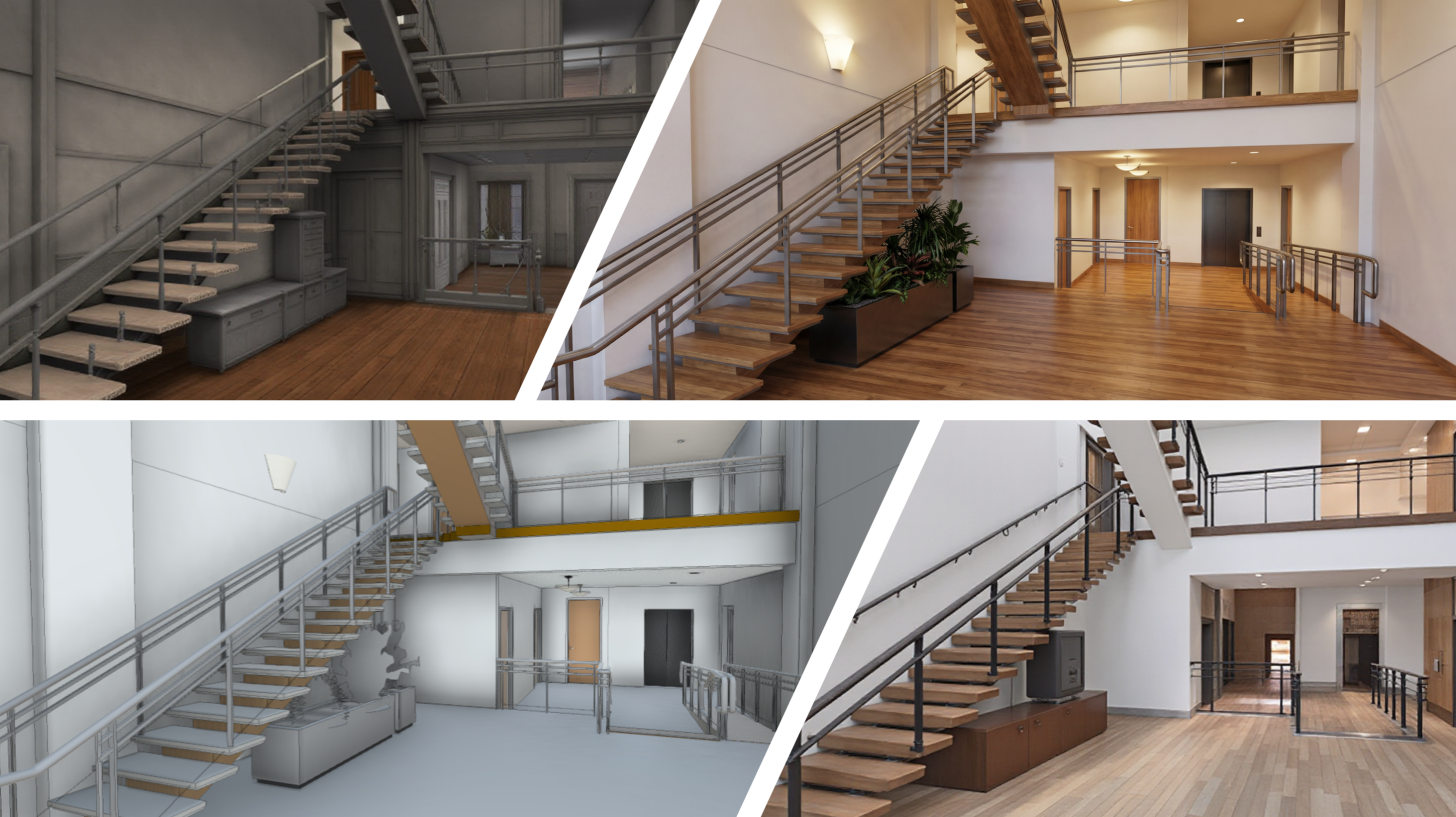
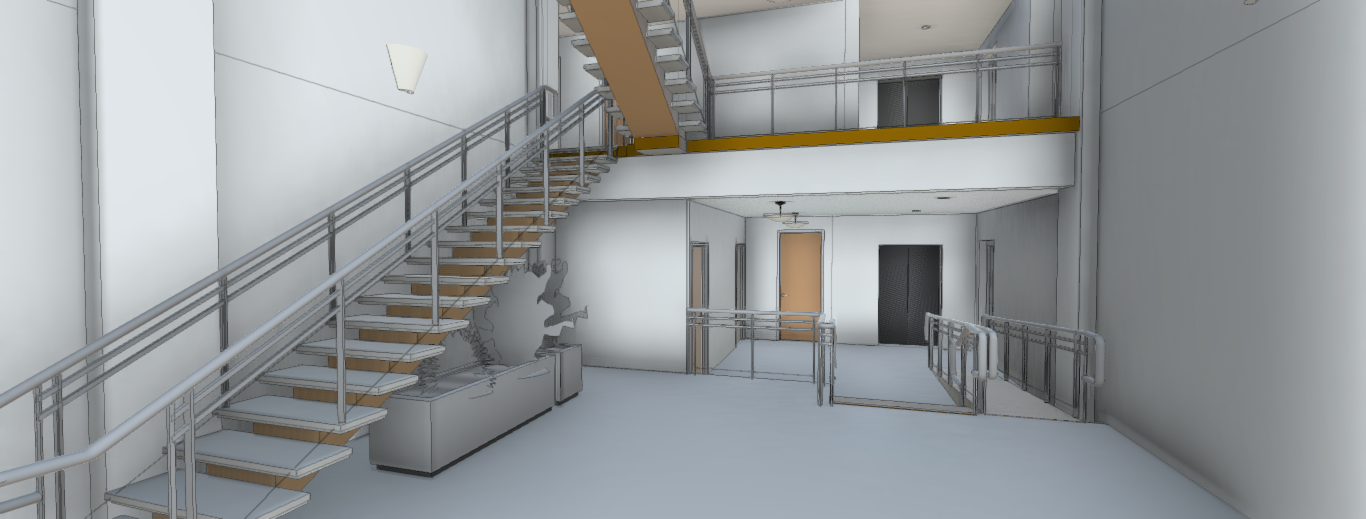
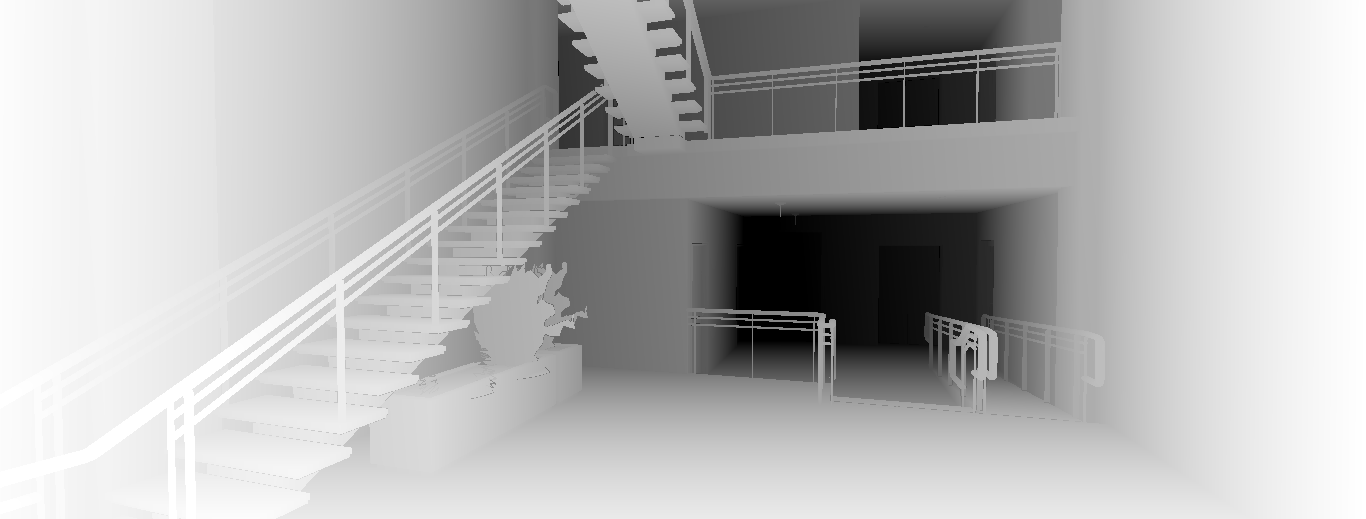
To see how these models actually differ, we ran the same Viewer scene — a multi-level interior with stairs, mezzanine, and railings — through each workflow. Here are the inputs and outputs.
Inputs
The two inputs extracted from the Viewer scene: the diffuse screenshot (what the camera sees) and the depth map (which encodes spatial distance for ControlNet).
| Diffuse Screenshot | Depth Map |
|---|---|
 |
 |
Outputs
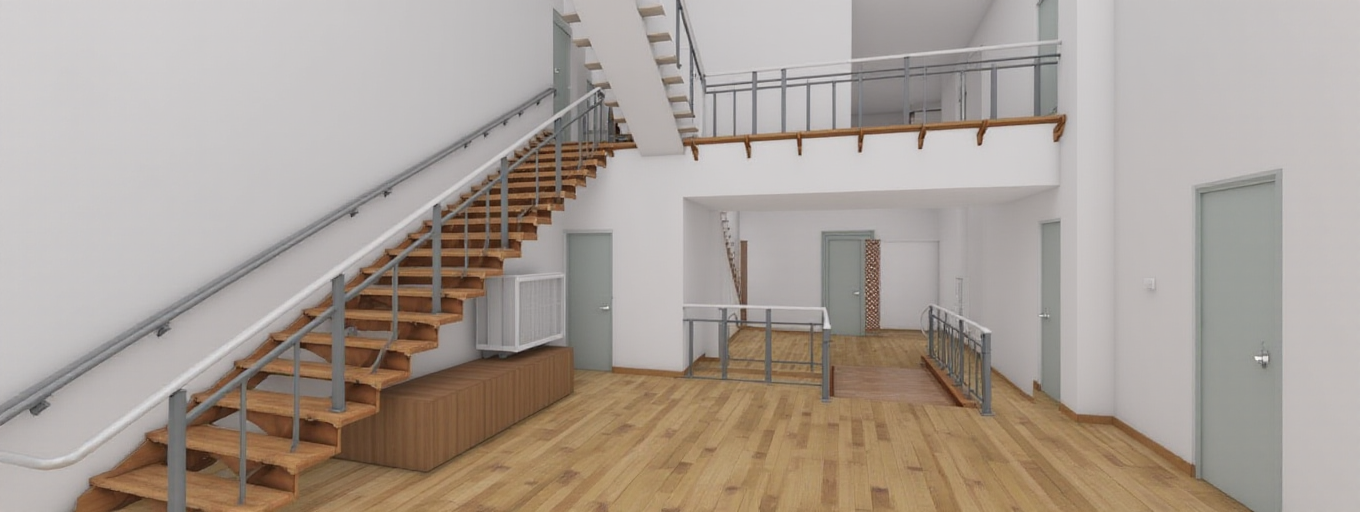
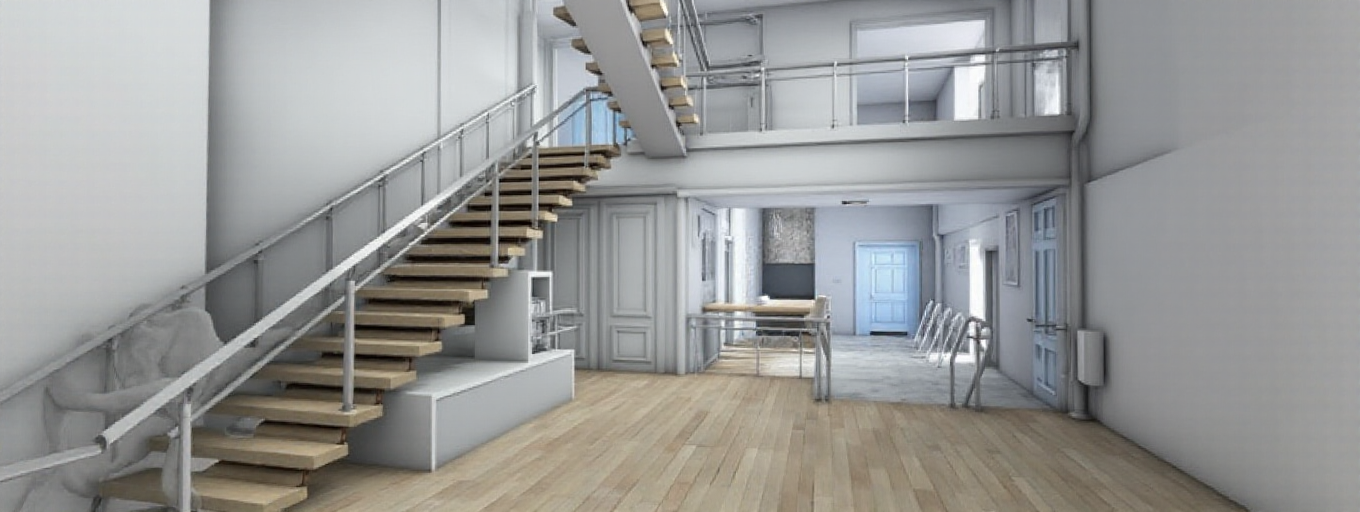
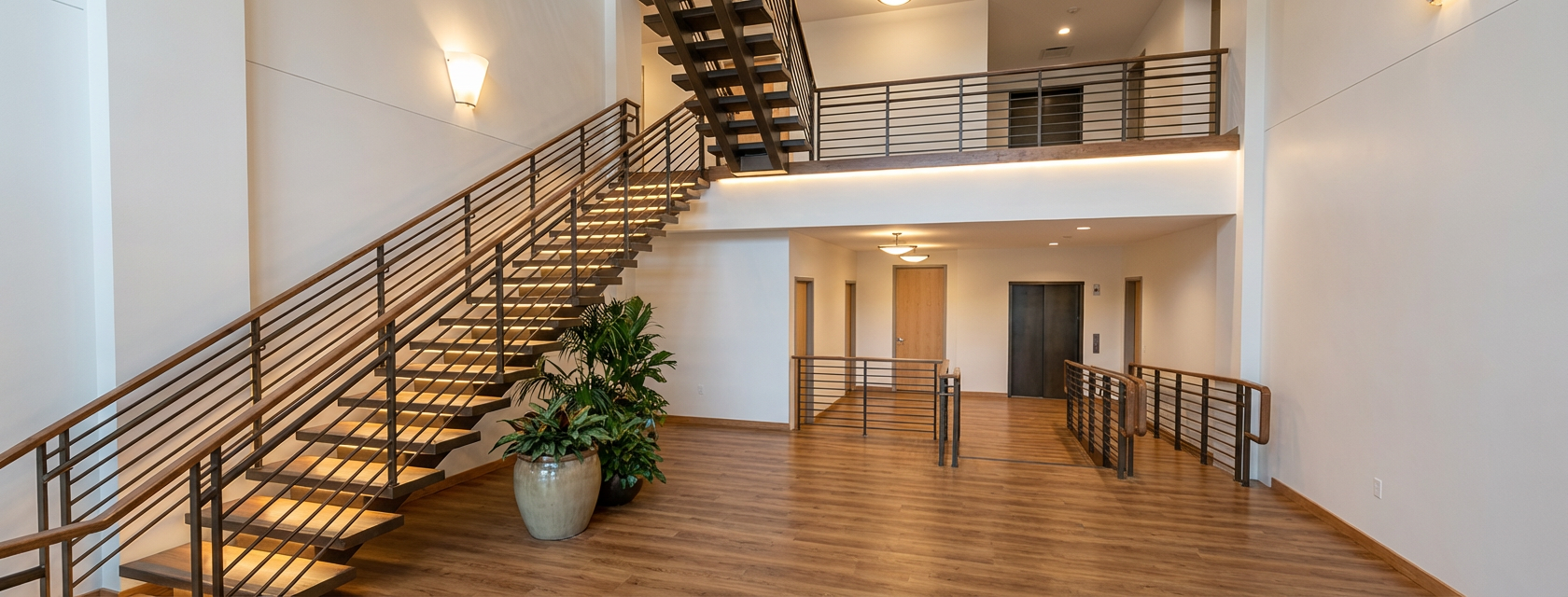
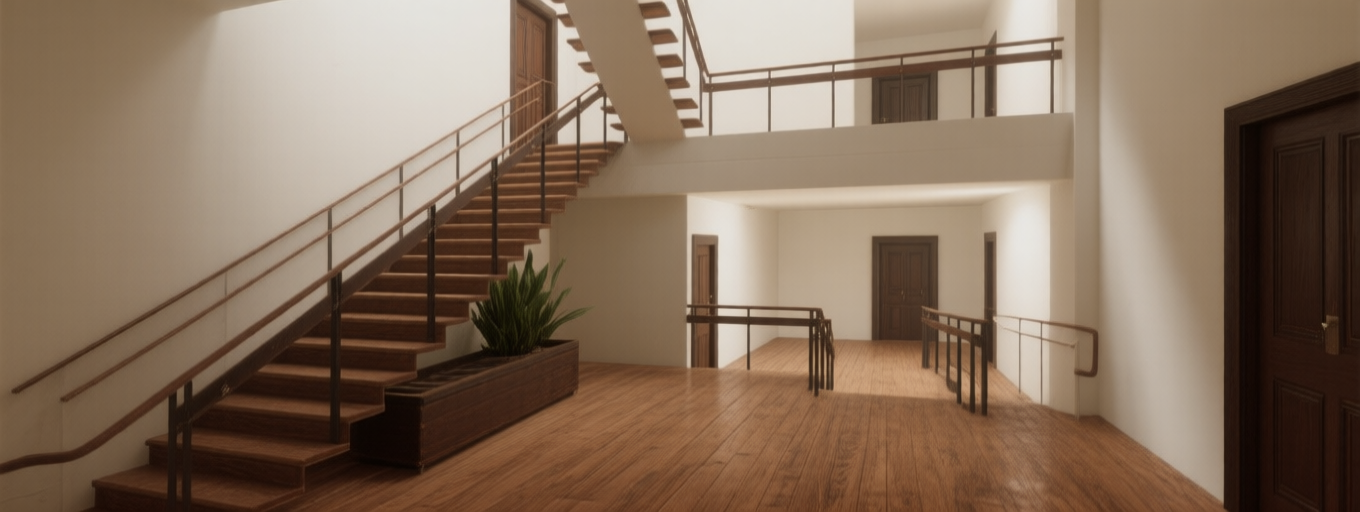
All four outputs from the same scene. Flux was run twice with different settings to show variation. Notice how the ControlNet-guided models (Flux, Qwen) preserve the staircase geometry and railing positions, while Nano Banana reinterprets them more freely.
| Flux (variation 1) | Flux (variation 2) |
|---|---|
 |
 |
| Nano Banana (Gemini) | Qwen |
|---|---|
 |
 |
What to notice:
-
Flux & Qwen (with ControlNet): The staircase, mezzanine railing, and hallway corridor closely match the original layout. The depth map keeps everything anchored.
-
Nano Banana (no ControlNet): The most photorealistic-looking result — it adds a potted plant and polished materials — but the stair geometry shifts, railing styles change, and the spatial proportions are reinterpreted. It looks great as a standalone image, but it's no longer your design.
-
Flux variation 1 vs 2: Same model, different parameters. Shows how much tuning affects the output even with identical ControlNet guidance — one leans warmer with more wood detail, the other is more minimal and neutral.
How They Compare
| Flux | Nano Banana (Gemini) | Qwen | |
|---|---|---|---|
| ControlNet support | Yes | No | Yes |
| Depth map guidance | Yes | No — image + prompt only | Yes |
| Structural fidelity | High | Variable — depends on scene complexity | High |
| Visual quality | Realistic materials and lighting | Strong overall aesthetics | Good, with superior text rendering |
| Best for | Design-accurate renders | Quick mood boards, simple scenes | Scenes with text/signage, editing tasks |
| Tradeoff | Requires depth map extraction | No structural guarantees | Similar setup complexity to Flux |
Conclusion
Short answer: yes, you still need ControlNet — if the output needs to respect the geometry of your design. The newer models are better, but "better" without depth map constraints still means the model is free to reimagine your floor plan.
Use Flux or Qwen with ControlNet when accuracy matters. Use Nano Banana when you want a quick, visually impressive render and don't need spatial precision.
All three workflows are linked above — clone them, swap in your own Viewer scenes, and tweak the parameters. The best way to evaluate these models is on your own data.
The work shared in this blog post has been presented at:
-
DevCon 2024 (Munich and Boston)
-
Autodesk University 2024: Introducing AI Rendering — From Okay to Wow!