
There are two main ways to store additional data in Fusion models:
- Attributes
- Custom Properties
Attributes
Just like in the case of Inventor, this functionality enables 3rd-party developers to add information to any object inside the model.
For the full list of supported objects check the "Accessed From" section of the "Attributes" object docs:
https://help.autodesk.com/view/fusion360/ENU/?guid=GUID-84864338-D55F-47DF-95C8-53C5B8813DA7
The attribute information will not surface anywhere in the Fusion UI. It's up to the 3rd-party developer to provide a UI for them if needed.
You can only access attributes via the Fusion API on the desktop or Fusion Automation API service.
Custom Properties
The Manufacturing Data Model API currently allows you to add information to Components and Drawings:
https://aps.autodesk.com/en/docs/mfgdataapi/v3/reference/inputs/setpropertiesinput/#fields
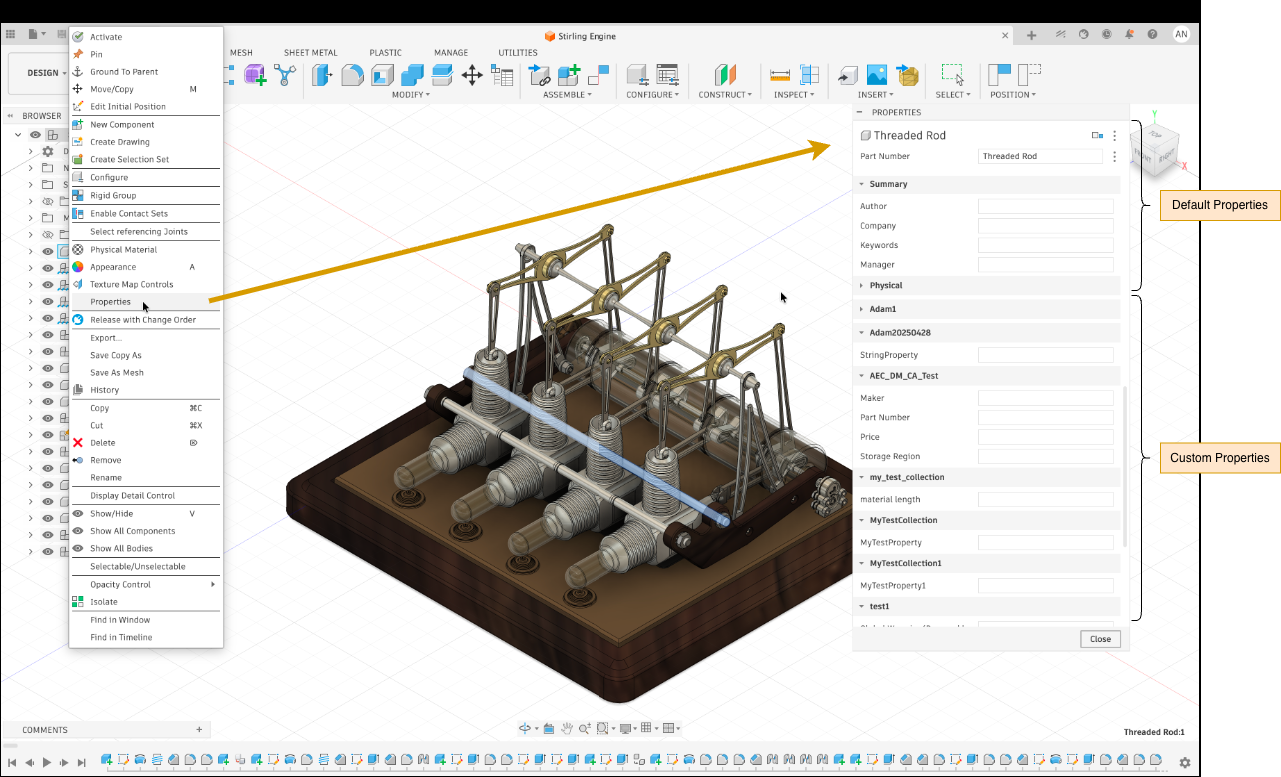
Properties that are not set to be hidden will show up in the Fusion UI when you right-click a component and select "Properties"
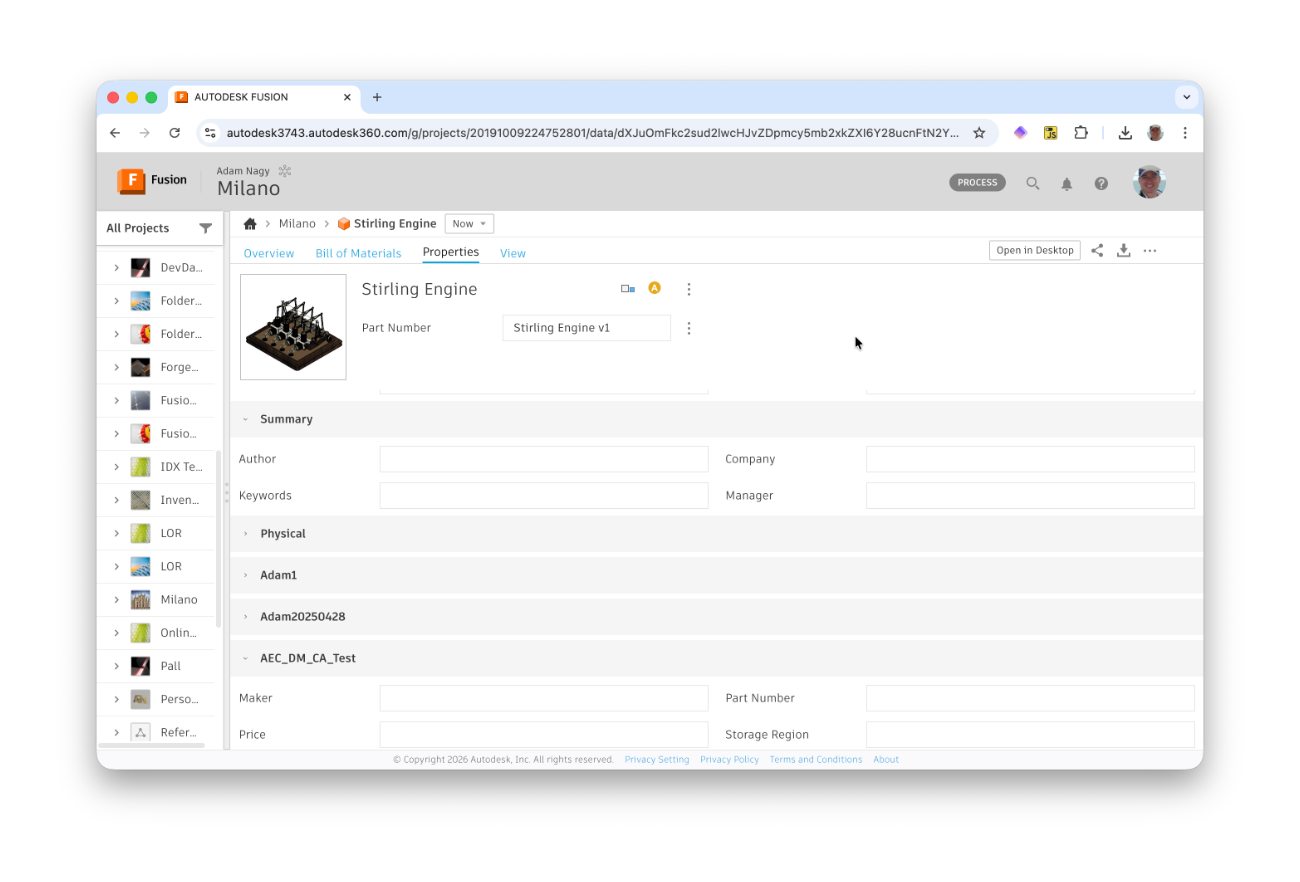
They will also show up on the Fusion website - see image at the top.
Custom properties can be accessed via the Fusion API and Manufacturing Data Model API.
Note that the latter is also supported from the desktop product:
https://aps.autodesk.com/blog/use-graphql-api-fusion-desktop
You can only modify custom property values via the application that created them.