
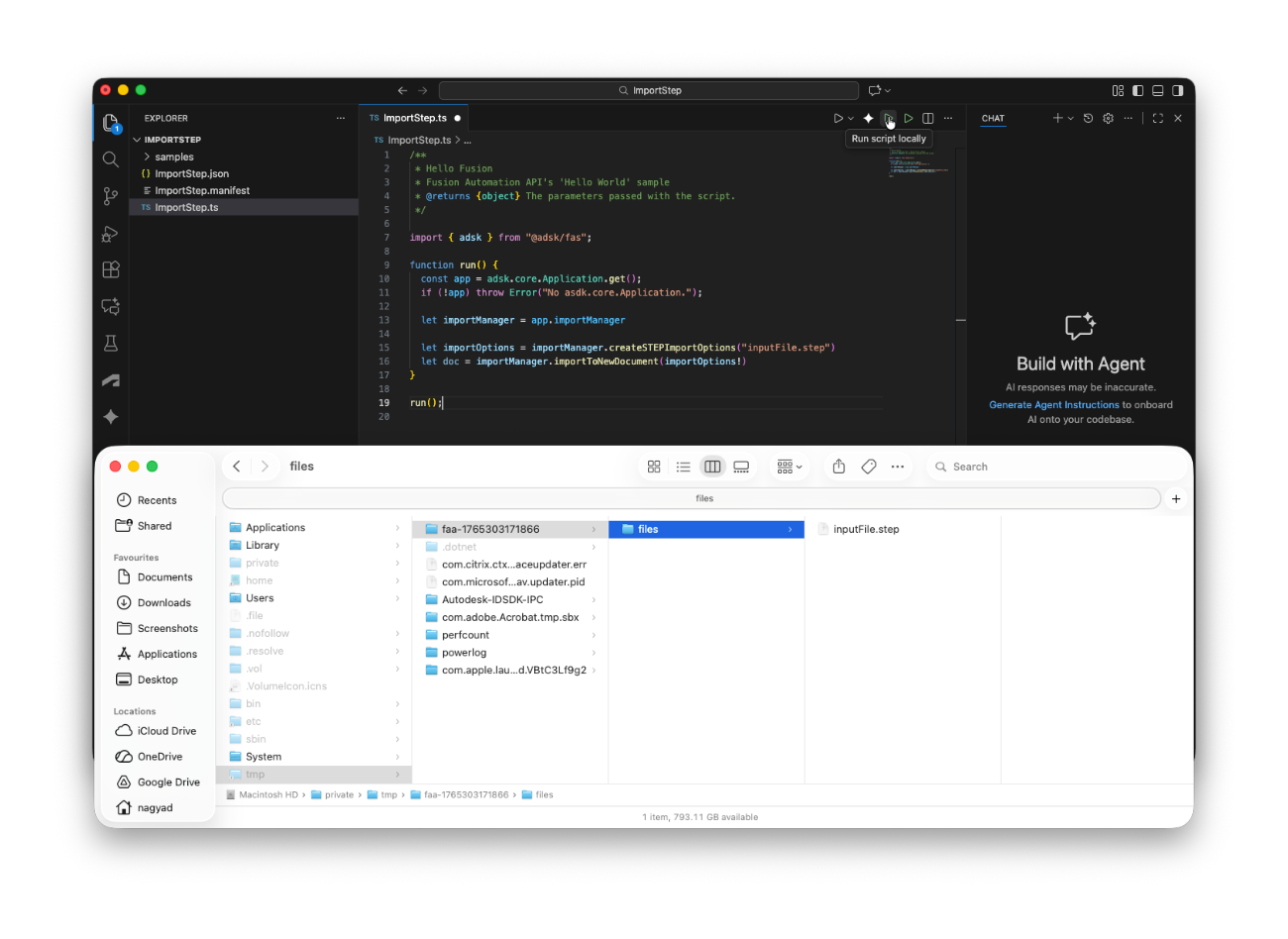
Fusion Automation API extension in VS Code is a great utility to test your code both locally and on our server.
(you'll also need this Fusion add-in installed: https://github.com/autodesk-platform-services/aps-tutorial-postman/tree/master/DA4Fusion/DA4Fusion-Add-In)
What if you want to work with local files when using the `Run script locally` option, though? - see Use input file stored anywhere
Since the Fusion add-in is running in a sandbox, it's limited to a specific folder for file access.
- Windows: `%localappdata%\Temp\faa-...\files`
- MacOS: `/private/tmp/faa-.../files`
(on my Mac at the moment it's `/private/tmp/faa-1765303171866/files`)
If you place a file (e.g. `inputFile.step`) in that folder then you should be able to use them just like this:
import { adsk } from "@adsk/fas";

function run() {
  const app = adsk.core.Application.get();
  if (!app) throw Error("No asdk.core.Application.");

  let importManager = app.importManager

  let importOptions = importManager.createSTEPImportOptions("inputFile.step")
  let doc = importManager.importToNewDocument(importOptions!)
}

run();