authorize
This is the browser URL to redirect an end user in order to acquire the user’s consent for your app to access the specified resources. Hence, this endpoint authenticates the user and retrieves an authorization code grant.
The auth_code hence generated is only valid for 5 minutes and id token hence generated is only valid for 60 minutes.
The expiry duration for access token is 60 minutes and refresh token is 15 days.
Note: You do not call this URL directly in your server code. See the Get a 3-Legged Token with Authorization Code Grant tutorials for more information on how to use this endpoint.
Resource Information
| Method and URI | GET https://developer.api.autodesk.com/authentication/v2/authorize |
| Rate Limit | 100 calls per minute |
Request
Query String Parameters
| client_id* string | Client ID of the app |
| response_type* string | The value MUST be either code for authorization code grant flow or
id_token for id token flow. |
| redirect_uri* string | |
| nonce string | A string value used to associate a client session with an ID token and to mitigate replay attacks. Mandatory when scope is openid. |
| scope string | A URL-encoded, space-separated list of requested scopes.
For example,
scope=data:read requests the data:read scope.
This value is for the purpose of this example but in your own app, you should request the scope(s) you actually need.Maximum characters - 3000
Maximum number of scopes - 50
* See the Scopes
page for more information on when scopes are required.
|
| state* string | A URL-encoded payload containing arbitrary data that the authentication flow will pass back verbatim in
a
state query parameter to the callback URL. |
| prompt string | The application prompts the user in a certain way based on its value. Valid value:
login and createIf no
prompt parameter is specified, the standard behavior occurs as follows:If an user session already exists, the user is authenticated else, the user is prompted to authenticate.
login: Always prompt the user for authentication, regardless of the login session.create: Request to display user registration/account creation screen instead of the standard login screen. |
| response_mode string | Determines how the authorization response should be returned.
Valid values:
fragment, form_post or query.
If id_token is stated as response_type, then only form_post is allowed as response_mode. |
| authoptions string | Json object that carries information to identity.
Refer AuthOptions to see the supported values.
|
| code_challenge string | The code_challenge is a URL encoded string for Proof Key for Code Exchange (PKCE). It is verified in the
access token request.
|
| code_challenge_method string | Method used to derive the code challenge for PKCE. The value of this parameter must
always be the string
S256 if code challenge is present. |
Response
The response is an HTML payload consisting of the authorization flow for the end user.
Example 1
An HTML Link in a Web App for Authorization Code Grant
Request
<a href="https://developer.api.autodesk.com/authentication/v2/authorize?response_type=code&client_id=obQDn8P0GanGFQha4ngKKVWcxwyvFAGE&redirect_uri=http%3A%2F%2Fsampleapp.com%2Foauth%2Fcallback%3Ffoo%3Dbar&nonce=12321321&scope=data:read&prompt=login&state=12321321">Click here to grant access to your data!</a>
That href attribute is a bit difficult to read. Let’s break it down:
https://developer.api.autodesk.com/authentication/v2/authorizeThis is the endpoint URI and should be used verbatim.
response_type=codeThis is what tells the OAuth server that you are using the
Authorization Codegrant type and should be used verbatim.client_id=obQDn8P0GanGFQha4ngKKVWcxwyvFAGEReplace the value here with your app’s client ID.
redirect_uri=http%3A%2F%2Fsampleapp.com%2Foauth%2Fcallback%3Ffoo%3DbarThis is the URL-encoded callback URL you want the user redirected to after they grant consent. In this example, that URL is
http://sampleapp.com/oauth/callback?foo=bar. Replace the value here with the appropriate URL for your web app. Note that it must match the pattern specified for the callback URL in your app’s registration in the APS developer portal.scope=data:readThis requests the
data:readscope. You can leave this value as-is for purposes of this example, but in your own app, you should request the scope(s) you actually need.nonce=12321321The nonce is a mandatory field and is a string value used to associate a client session with an ID token and to mitigate replay attacks. Mandatory when scope is openid.
prompt=loginIt helps to clear the current session in order to focus on the request and allows the user to login.
state=12321321The state is an optional parameter but if set, then it is returned in the response. This is an opaque value used by the client to maintain state between the request and callback URL.
Clicking on this link will take the user to the OAuth consent page, and when consent has been granted, the user will be redirected back to your callback URL (redirect_uri) with an additional code query parameter that contains the authorization code: http://sampleapp.com/oauth/callback?foo=bar&code=wroM1vFA4E-Aj241-quh_LVjm7UldawnNgYEHQ8I
Example 2
An HTML Link in a Web App for Authorization Code Grant with PKCE (For public clients). This flow is very similar to the authorization code flow. However, in this case you have to pass a code_challenge along with the authorization request.
Request
<a href="https://developer.api.autodesk.com/authentication/v2/authorize?response_type=code&client_id=obQDn8P0GanGFQha4ngKKVWcxwyvFAGE&redirect_uri=http%3A%2F%2Fsampleapp.com%2Foauth%2Fcallback%3Ffoo%3Dbar&nonce=12321321&scope=data:read&prompt=login&state=12321321&code_challenge=ktXzP4pOI_jA6Xt0vSmj3Hsb52bjPoixCCBjgR8KoSA&code_challenge_method=S256">Click here to grant access to your data!</a>
That href attribute is a bit difficult to read. Let’s break it down:
https://developer.api.autodesk.com/authentication/v2/authorizeThis is the endpoint URI and should be used verbatim.
response_type=codeThis is what tells the OAuth server that you are using the
Authentication Codegrant type and should be used verbatim.client_id=obQDn8P0GanGFQha4ngKKVWcxwyvFAGEReplace the value here with your app’s client ID.
redirect_uri=http%3A%2F%2Fsampleapp.com%2Foauth%2Fcallback%3Ffoo%3DbarThis is the URL-encoded callback URL you want the user redirected to after they grant consent. In this example, that URL is
http://sampleapp.com/oauth/callback?foo=bar. Replace the value here with the appropriate URL for your web app. Note that it must match the pattern specified for the callback URL in your app’s registration in the APS developer portal.scope=data:readThis requests the
data:readscope. You can leave this value as-is for purposes of this example, but in your own app, you should request the scope(s) you actually need.nonce=12321321The nonce is a mandatory field and is a string value used to associate a client session with an ID token and to mitigate replay attacks. Mandatory when scope is openid.
prompt=loginIt helps to clear the current session in order to focus on the request and allows the user to login.
state=12321321The state is an optional parameter but if set, then it is returned in the response. This is an opaque value used by the client to maintain state between the request and callback URL.
code_challengeIt is the code challenge used for PKCE.
code_challenge_method
It is the method used to generate the challenge, which is always S256.
Clicking on this link will take the user to the OAuth consent page, and when consent has been granted, the user will be redirected back to your callback URL (redirect_uri) with an additional code query parameter that contains the authorization code with PKCE: http://sampleapp.com/oauth/callback?foo=bar&code=wroM1vFA4E-Aj241-quh_LVjm7UldawnNgYEHQ8I
Example 3
An HTML Link in a Web App for Re-verification flow. For this example, you can get an ID token for an user after they successfully authenticate and it is optimized for confidential clients. The ID token contains information about a user and their authentication status. Refer to the Get an ID Token tutorial for more details.
Request
<a href="https://developer.api.autodesk.com/authentication/v2/authorize?response_type=id_token&response_mode=form_post&client_id=obQDn8P0GanGFQha4ngKKVWcxwyvFAGE&redirect_uri=http%3A%2F%2Fsampleapp.com%2Foauth%2Fcallback%3Ffoo%3Dbar&scope=openiddata:read&nonce=12321321&state=12321321&prompt=login">Click here to grant access to your data!</a>
That href attribute is a bit difficult to read. Let’s break it down:
https://developer.api.autodesk.com/authentication/v2/authorizeThis is the endpoint URI and should be used verbatim.
response_type=id_tokenThis is what tells the OAuth server that you are using the “id_token” grant type and should be used verbatim.
response_mode=form_postThe response_mode can be “form_post” or not included in the response would be sent back as a query string parameter. This would be sent back in fragment.client_id=obQDn8P0GanGFQha4ngKKVWcxwyvFAGEReplace the value here with your app’s client ID.
redirect_uri=http%3A%2F%2Fsampleapp.com%2Foauth%2Fcallback%3Ffoo%3DbarThis is the URL-encoded callback URL you want the user redirected to after they grant consent. In this example, that URL is
http://sampleapp.com/oauth/callback?foo=bar. Replace the value here with the appropriate URL for your web app. Note that it must match the pattern specified for the callback URL in your app’s registration in the APS developer portal.scope=openidThis requests the
openidscope. You can leave this value as-is for purposes of this example, but in your own app, you should request the scope(s) you actually need.nonce=12321321The nonce is a mandatory field and can hold any value. Specifies a string value used to associate a Client session with an ID token and to reduce repetitive tasks. The value is passed through unmodified from an authorization request to the ID token.
prompt=loginIt helps to clear the current session in order to focus on the request and allows the user to login.
state=12321321The state is optional parameter but if set, then it is returned in the response. This is an opaque value used by the client to maintain state between the request and callback URL.
Clicking on this link will take the end user to the Autodesk Sign In page:
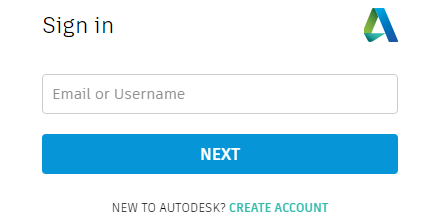
After entering your Autodesk ID credentials and logging in, the user will be redirected to the OAuth consent page.