
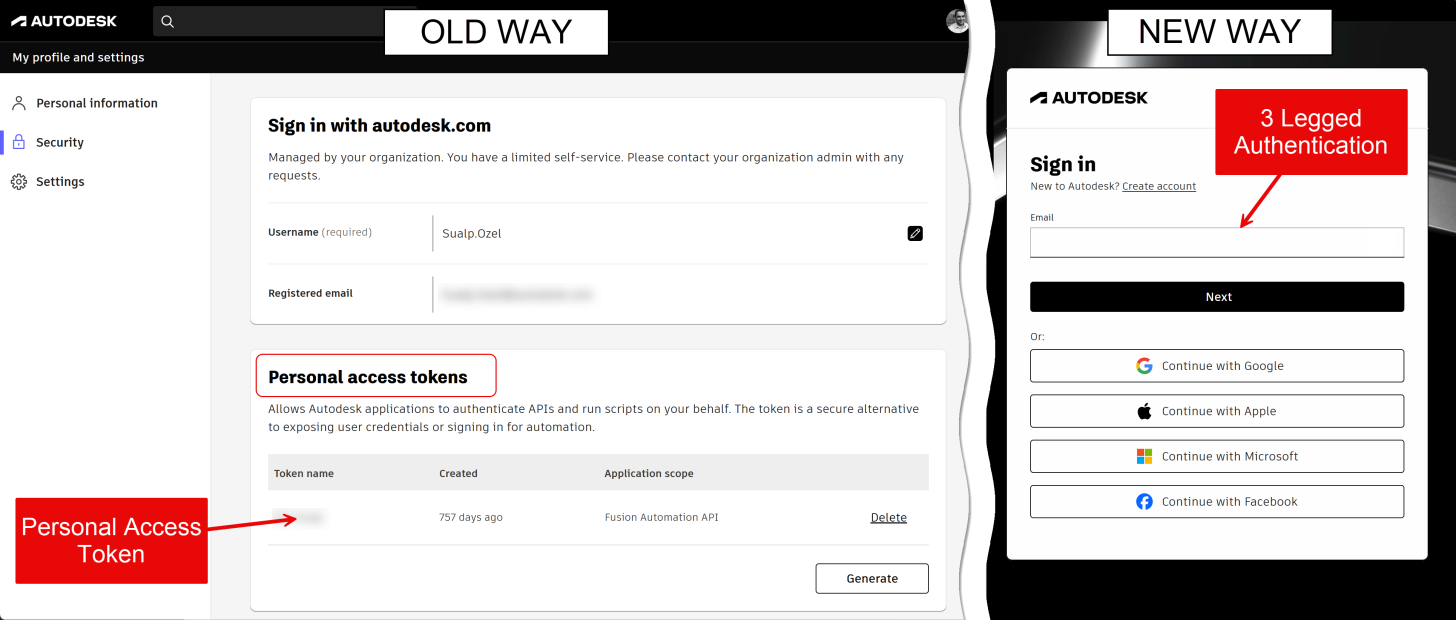
Previously, if you wanted to automate something on another user's behalf, the user needed to create a PAT (Personal Access Token) and provide it for your app.
That's how the Fusion Configurator sample used to work too - see https://github.com/autodesk-platform-services/aps-configurator-fusion/tree/ac4096f22cc09ae3e8d3bfd0ccba0f8771d6b052
Now you can achieve the same without a PAT, simply using 2LO (2-legged authentication) when starting a work item, plus 3LO (3-legged authentication) passed in as a work item parameter named `adsk3LeggedToken` (does not need to be declared in the activity).
See the updated sample https://github.com/autodesk-platform-services/aps-configurator-fusion
You can find more info about the options here:
https://aps.autodesk.com/en/docs/design-automation/v3/developers_guide/fusion_specific/fusion-team-integration/#authentication-and-data-access
Here is a quick overview of the options with my explanations:
2LO request (no user impersonation)
If you're importing or creating models from scratch, exporting to non-Fusion formats, and don't need Fusion account access, this is your easiest option. For example, you can use this method to create a design and export it as a STEP file without saving it to the user's Fusion Team.
2LO request + 3LO in adsk3LeggedToken
Use this method if you need access to a Fusion user’s account and have a server-side "Traditional Web App" APS app to handle user logins. For example, you can use this approach to let a user sign in, enable the work item to read a file directly from their Fusion Team hub, and process it on the Fusion Automation server.
3LO request
For purely client-side applications, use a "Desktop, Mobile, Single-Page App" (PKCE) APS app, and ensure the activity you want to run is signed. For example, this fits a web dashboard running entirely in the user's browser that triggers a Fusion Automation task directly on their behalf.
Users having to generate a PAT on manage.autodesk.com for every Fusion Automation app they wanted to use was quite cumbersome. It's much easier to let users simply log into their Autodesk account.
Also, using PAT is less secure: a PAT has an indefinite lifetime and needs to be explicitly revoked. Compare that to a 3LO token that is only valid for about an hour, but can actively be renewed.
Note: Personal Access Token (PAT) support is deprecated and planned for removal in 3–6 months.
Please update your applications to remove PAT usage as soon as possible.