
Introduction
As your team evolves, people change roles, finish projects, or move on, and some of the licenses assigned to them stop being used. Sooner or later you need to consider unassigning those licenses so they can go to someone who needs them.
The first step is knowing who is inactive. The second is acting on it. This sample covers both, with the focus on the second: using the Team Admin API to unassign the licenses you identified.
Prerequisites
- An APS app of type Traditional Web App. The Team Admin API supports only this app type, so it is required.
- Access to the Team Admin API for your app. To use the Reporting API as the usage source, also add access to the Business Success Plan Reporting API.
- Team admin rights in Autodesk Account.
- .NET 10 SDK.
Review the license activity
You have two options to check inactivity:
- Manually, in the manage portal. On manage.autodesk.com, you can review usage and download a report. Upload that report.
- With the Business Success Plan Reporting API. If your team has the reporting benefit, the sample runs a usage query and gets the latest usage per user and product. No download needed.
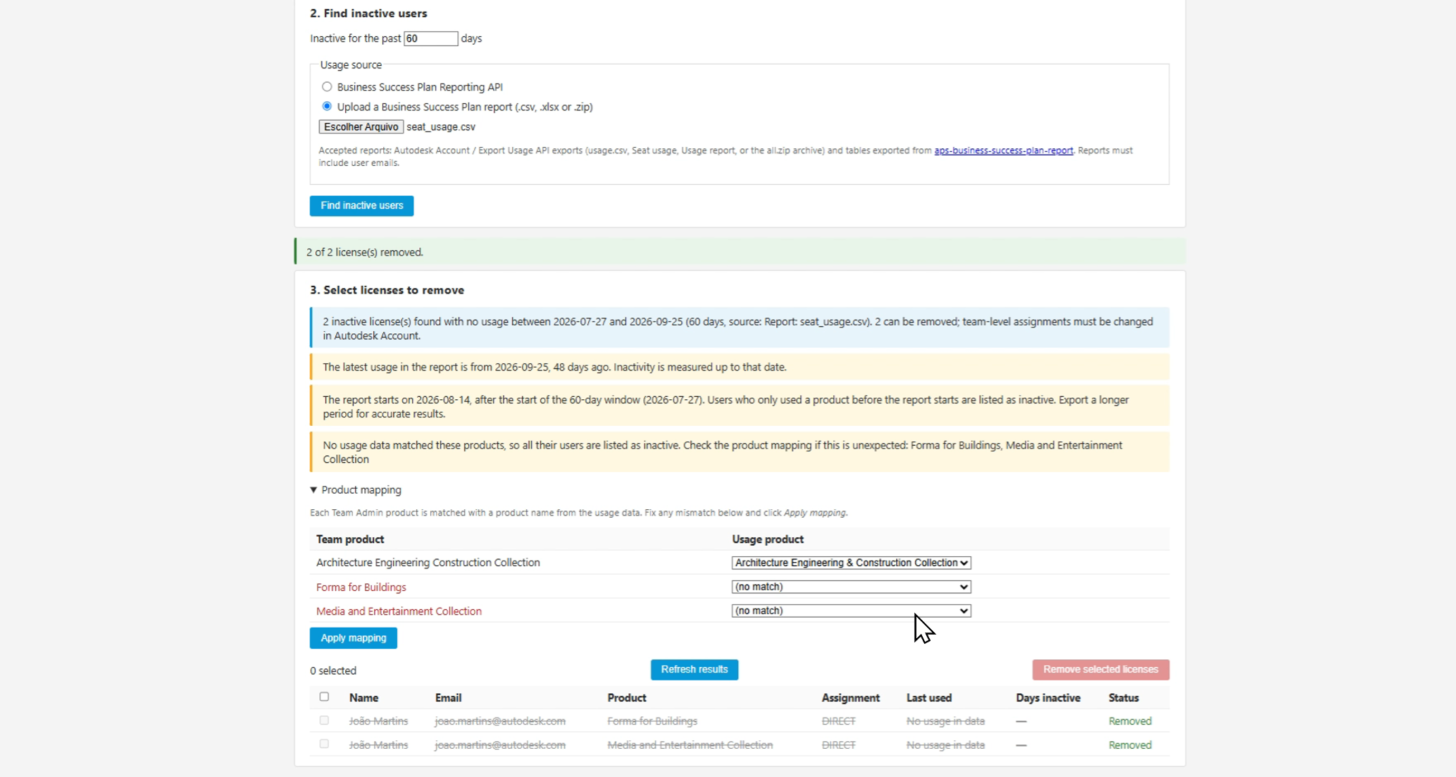
Both options feed the same flow. The sample matches usage with the team's product assignments and lists every user and product pair with no usage in the last N days, including users who never opened the product.
Unassign with the Team Admin API
Once the unused licenses are identified, you choose which ones to reclaim, and the app removes each assignment through the Team Admin API. Nothing is removed automatically. The app surfaces candidates, and a person confirms them. Licenses inherited from the whole team are shown but can't be selected, because those change in Autodesk Account.
Give it a try
- Create a Traditional Web App in APS with the callback URL http://localhost:8080/api/auth/callback.
- Clone the sample and add your client ID and secret to appsettings.Development.json.
- Run dotnet run and open http://localhost:8080.
- Sign in and select a team.
- Set the number of days and choose a usage source:
- Business Success Plan Reporting API: nothing else to prepare. The sample runs the usage query for you.
- Upload a report: use this if your team doesn't have the reporting benefit. The video below shows the complete workflow, including how to generate a report. - Review the list, select the licenses to reclaim, and confirm.
Conclusion
Treat this sample as a starting point for your own license review process. A few limitations to keep in mind:
- Each paginated list is capped at 500 items. For larger teams, use the exported report.
- Team Admin allows 60 requests per minute per operation, so removing many licenses can take a while. The app retries throttled calls.
Give it a try, and let us know how you keep your licenses in use.
Source: aps-team-admin-seat-reclaim