
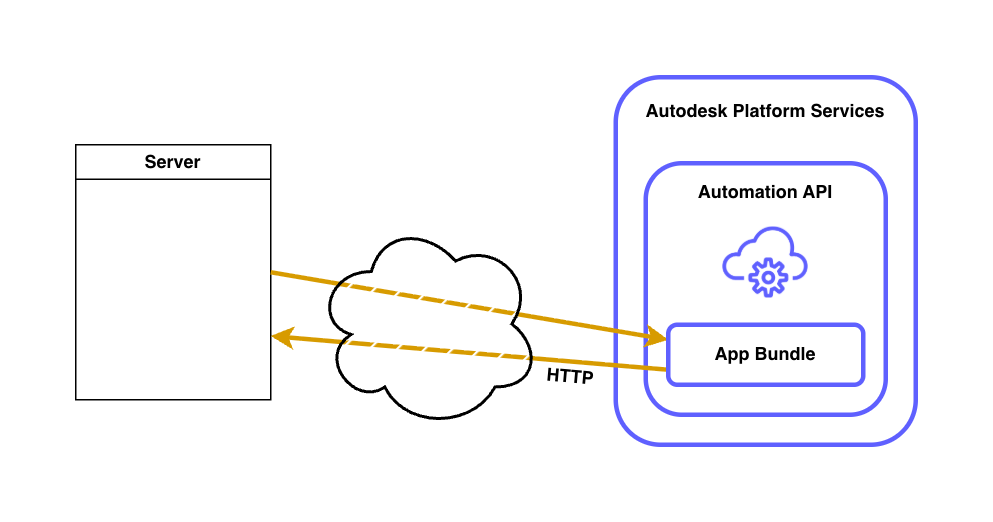
Open Network was introduced quite a while back: Open Network in Preview
Since then all engines started supporting it, including the latest one, Fusion.
It's enabled for all engines by default.
On most engines you can simply use Windows libraries to make HTTP calls (e.g. System.Net.Http.HttpClient - see sample in the previous blog post), but in the case of Fusion, you need to use an object provided by its API called adsk.core.HttpRequest
See this sample:
/**
 * Hello Fusion
 * Fusion Automation API's 'Hello World' sample
 * @returns {object} The parameters passed with the script.
 */

import { adsk } from "@adsk/fas";

function postJson(url: string, json: any, app: adsk.core.Application) {
  let request = adsk.core.HttpRequest.create(
    url,
    adsk.core.HttpMethods.PostMethod
  );
  if (!request) {
    throw Error("Cannot create HTTP request.");
  }

  request.data = JSON.stringify({ data: json });
  request.setHeader("Content-Type", "application/json");
  let response = request.executeSync();

  if (!response) {
    throw Error("No response from URL.");
  }
  if (response?.statusCode < 200 || response?.statusCode >= 300) {
    adsk.log(`Error posting data: ${response?.statusCode}`);
  }

  adsk.log(`Data posted to ${url} with status ${response?.statusCode}\n`);
}

function run() {
  // Get the Fusion API's application object
  const app = adsk.core.Application.get();
  if (!app) throw Error("No asdk.core.Application.");

  // Send json data
  postJson("https://0pz8wlmk-8080.euw.devtunnels.ms/test", { test: 1234 }, app);
}

run();
You can still rely on the existing communication methods as well, but in many cases, sending HTTP messages directly provides a better alternative.