
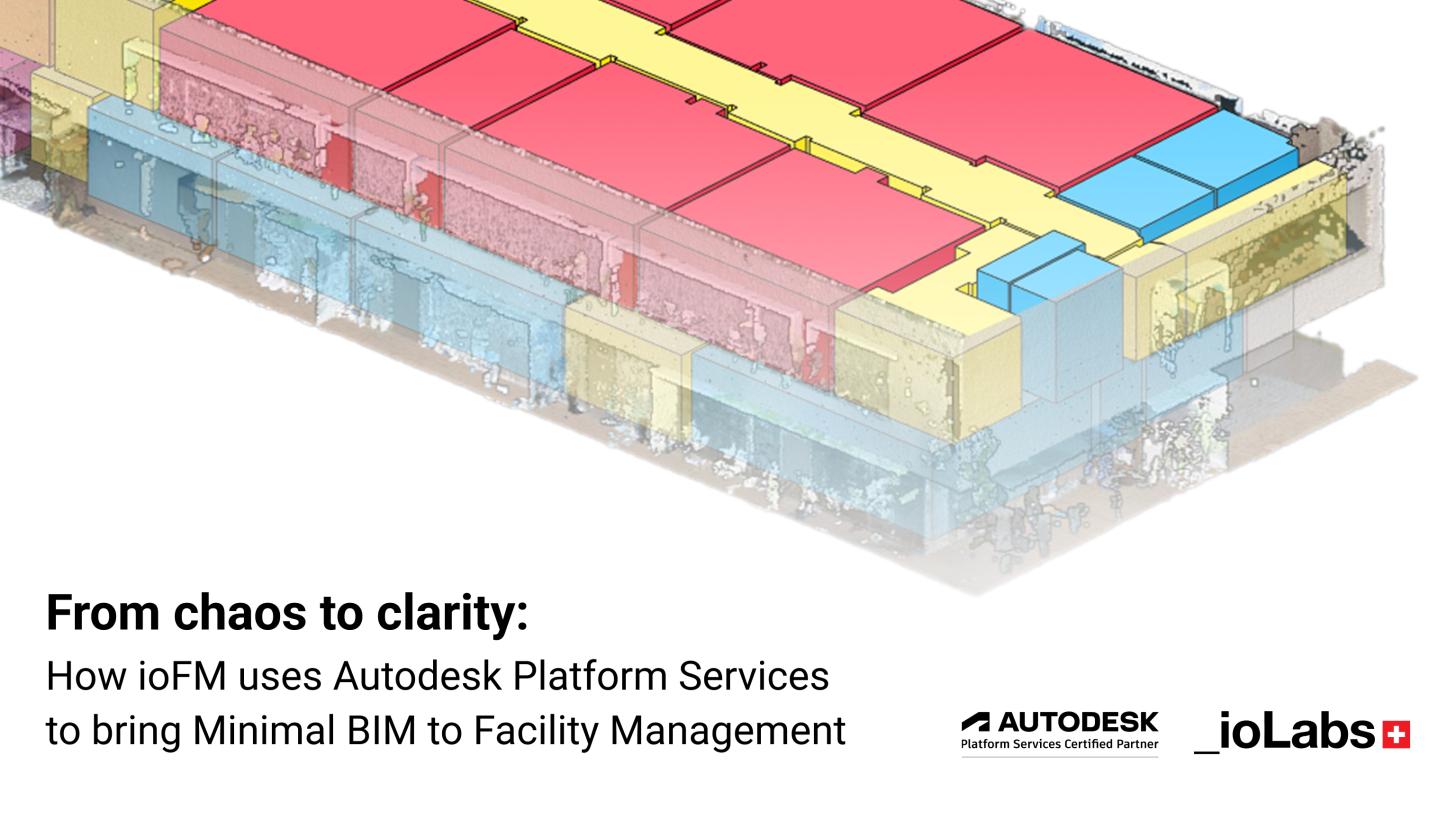
Most buildings will never have a full BIM model. Their documentation lives in CAD files, PDF scans, and hand-drawn floor plans — formats that were never designed for operational use. ioFM (FM stands for Facility Management) was built to bridge that gap: it converts building documentation into a lightweight, room-centric digital model optimized for facility management, powered by Autodesk Platform Services (APS).
This post covers the technical approach behind ioFM — how ioLabs uses building data, what is done with IFC, and how it is exposed through the APS Viewer.
The core data model: rooms, not building elements
Traditional BIM models are geometry-first. Every wall, slab and beam is a parametric object with detailed properties appropriate for construction delivery, but often excessive for facility management.
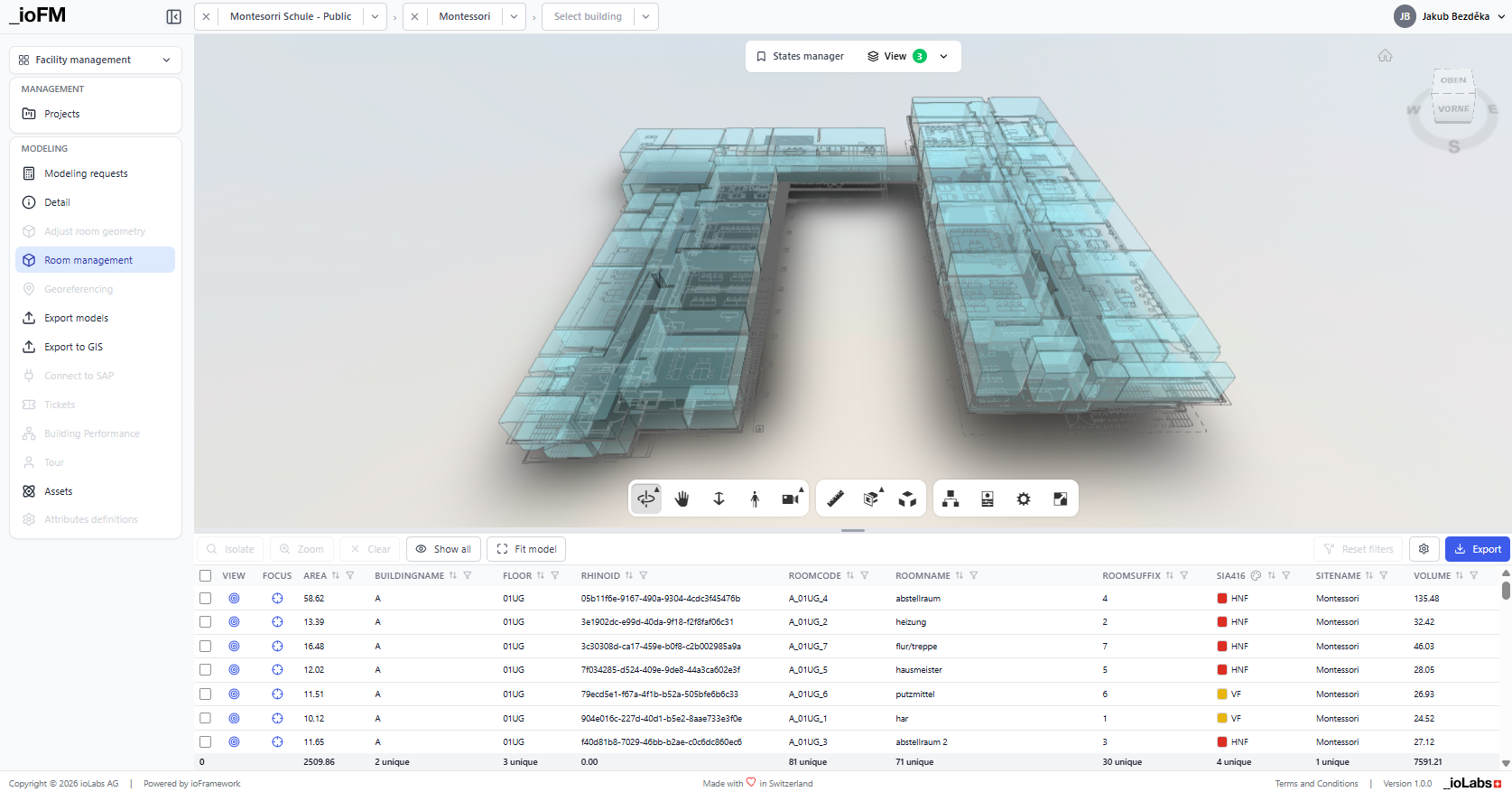
In ioFM, the fundamental unit is the space. Each room object carries a unique identifier, floor and building membership, a list of associated assets and custom attribute sets. Geometry exists to support navigation and visualization; it is not the primary data carrier. This inversion is what makes Minimal BIM practical: models are faster to create, easier to maintain, and load significantly faster in the APS Viewer.
IFC as the exchange format
IFC (Industry Foundation Classes) is the open standard used for model exchange and integration. When ioLabs processes source documentation (DWG file, point cloud scan, or floor plan) the output is an IFC model structured around IfcSpace entities, organized into a standard spatial hierarchy: IfcProject → IfcSite → IfcBuilding → IfcBuildingStorey → IfcSpace.
Each room maps to an IfcSpace with floor assignment, building hierarchy, and asset linkage via IfcRelContainedInSpatialStructure. FM-specific attributes (serial numbers, maintenance intervals, compliance data) are stored in a dedicated IfcPropertySet attached to each space. Structural elements such as walls or slabs are intentionally omitted, keeping the model lean and focused on operational data.
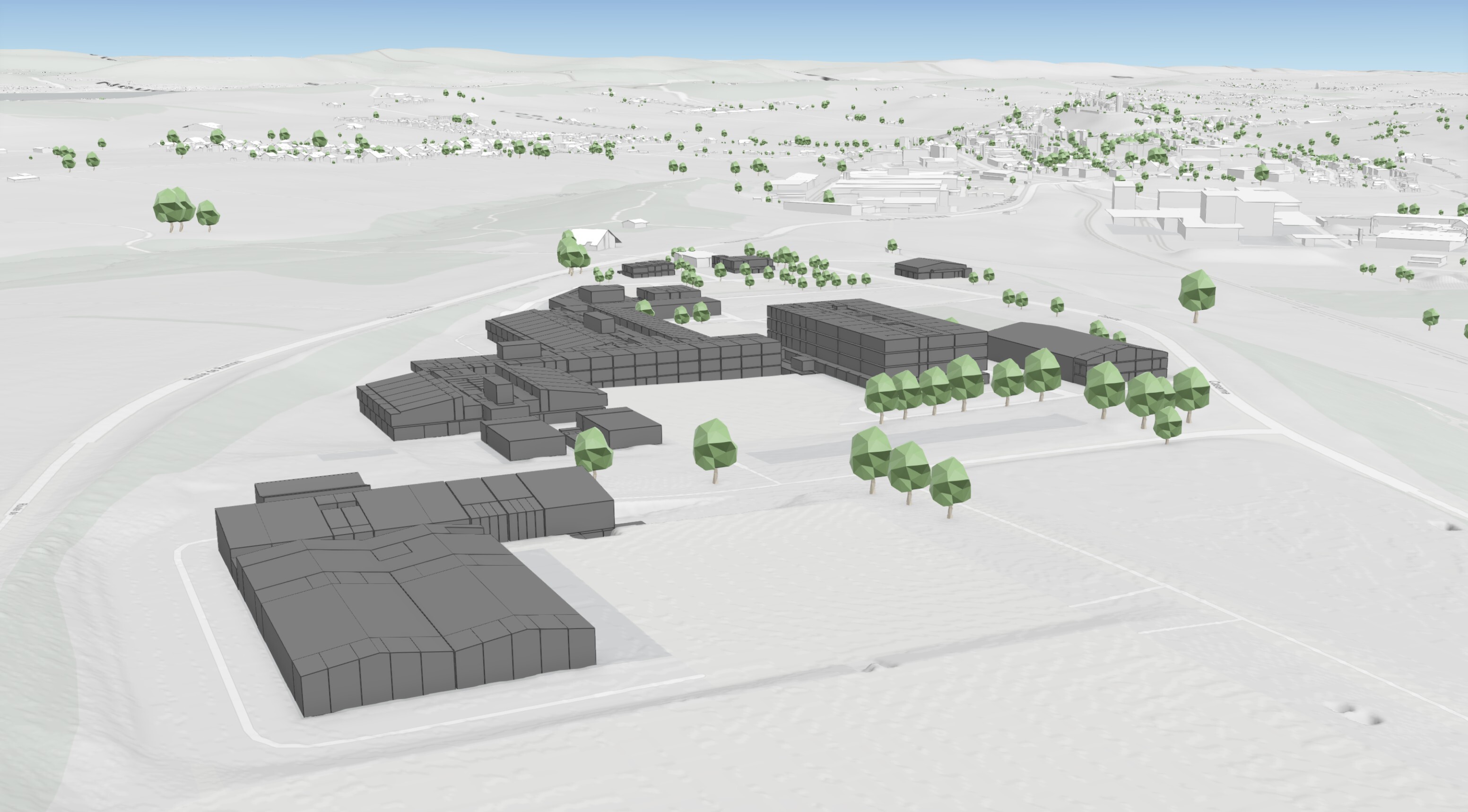
This structure integrates directly into downstream GIS and FM platforms. For ioLabs client armasuisse Immobilien, the IFC output needed to feed into their existing Esri ArcGIS Enterprise environment, linking building spaces with maintenance records and dashboard reporting without manual data re-entry.
"The IFC format integrated smoothly into our existing GIS workflows and dashboards, enabling our team to work with the complete building data right away." — Giuseppe Acciardi, Data and Information Management, armasuisse Real Estate
Processing pipeline: from documentation to FM model
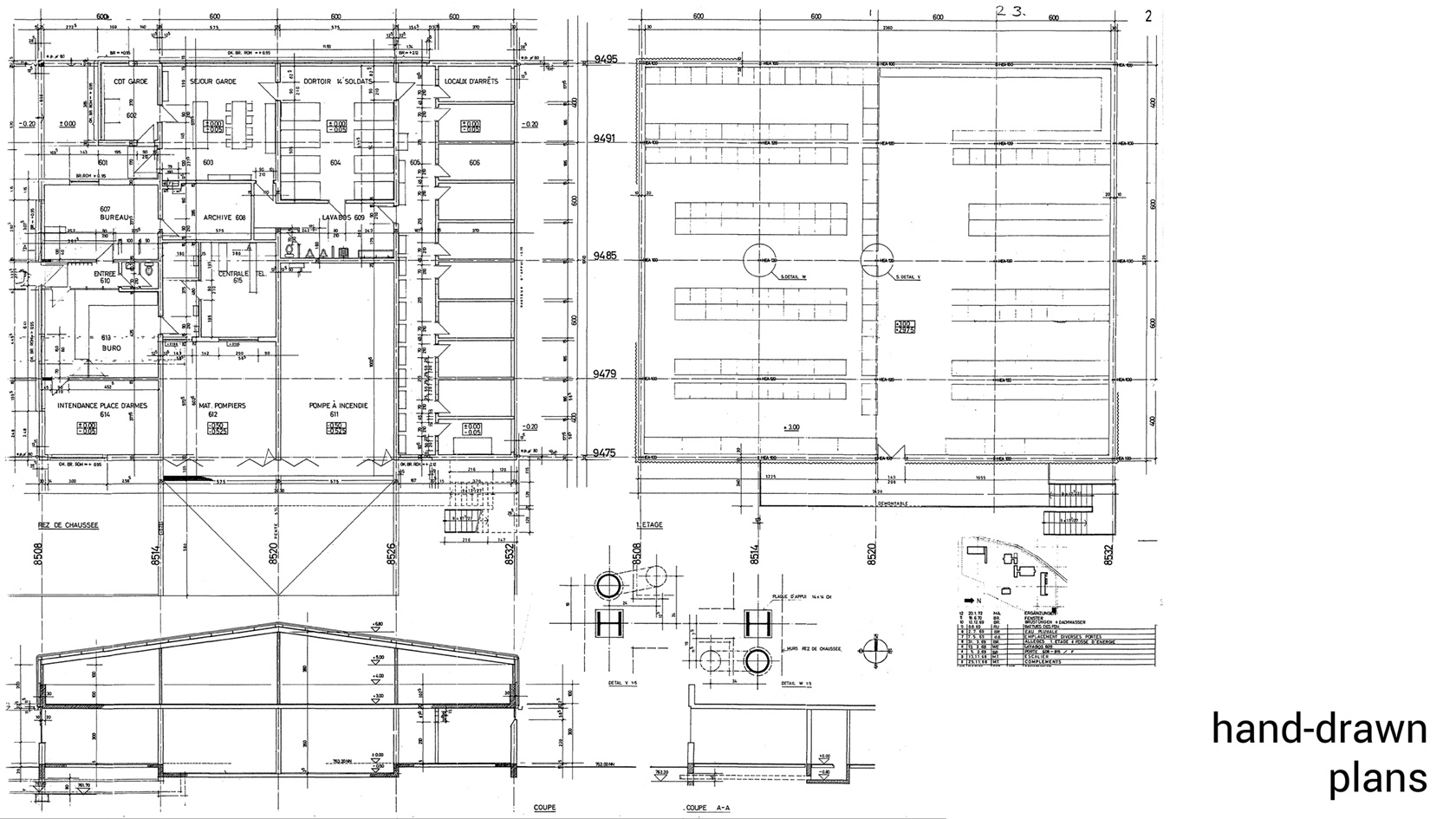
Step 1 — The process begins by uploading existing documentation. ioFM accepts DWG files, PDF floor plans, even scanned hand-drawned ones, IFC models and point clouds. Each file type follows a dedicated processing path, all converging on the same IfcSpace-based output. Existing IFC files are validated first; if sufficiently structured, they are dynamically mapped to ioFM's data schema, where the hierarchy is incomplete, targeted enrichment brings the model into alignment.
Step 2 — Source files are processed in a semi-automated workflow. For CAD and BIM files, geometry and metadata are extracted automatically. For point clouds, processing generates a mesh preview as a parallel visual layer. ioLabs then authors room-centric models from the processed data, defining spaces, floor assignments and building topology. The resulting IFC file is available for download and usable in any IFC-compatible environment with no proprietary format dependency.
Step 3 — The room-centric model is uploaded to the ioFM Web App and linked with its visual references. A single building can have multiple layers active simultaneously: a 2D floor plan, a 3D model and a point cloud mesh for photorealistic reference. Users can switch between these views within the APS Viewer; the underlying FM data (assets, issues, room attributes) remains consistent across all representations. No plugins or desktop software are required.
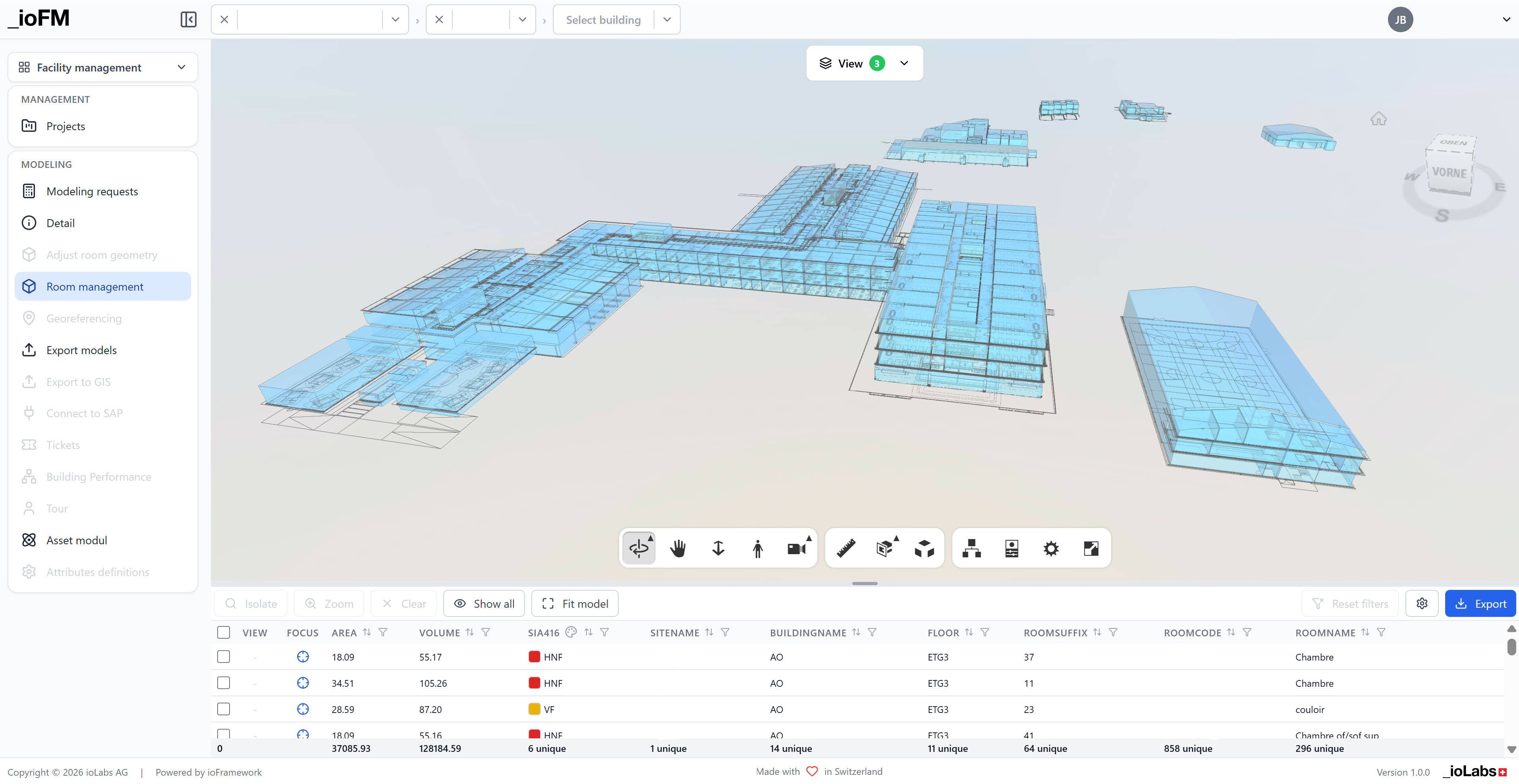
Step 4 — With the spatial model in place, the customer populates it with operational data. Assets such as HVAC equipment or fire safety devices are placed within their respective rooms via pushpin markers in the 3D view.
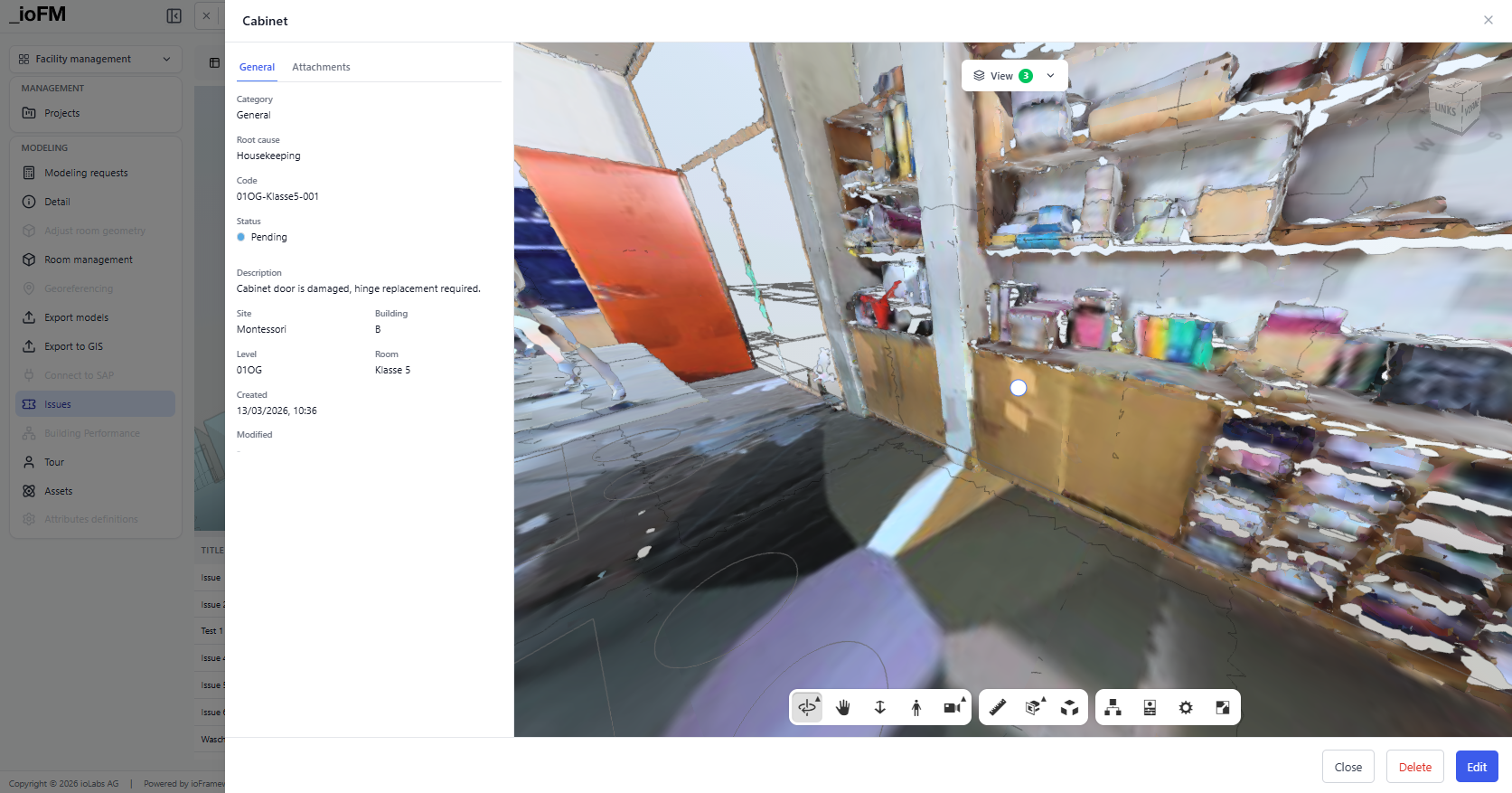
Custom attributes capture serial numbers, maintenance schedules or compliance certifications. Issues are created directly within the model, providing spatial context that makes it clear where a problem is located and what assets it affects.
All user-added assets and attributes are stored in the ioFM database and linked to their parent IfcSpace, so every asset inherits its building, floor, and room context automatically. When the enriched model needs to leave ioFM, two export paths are available: a structured database export, or a full IFC export where assets are written back as proper IFC entities with user-defined attributes and substitute geometry. The IFC round-trip is handled via the XBIM toolkit.
Step 5 — The completed FM model is accessible through the ioFM web app in any browser. For organizations with broader digital ecosystems, ioFM supports integration with Autodesk Construction Cloud for construction delivery workflows and with GIS platforms for campus- or portfolio-wide spatial management.
Results at scale
This approach was applied across a 16-building campus at armasuisse Immobilien, with heterogeneous source documentation: hand-drawn floor plans, partial CAD files, and 3D point cloud scans. The result was a unified dataset in ioFM, accessible in any browser, with full ArcGIS integration.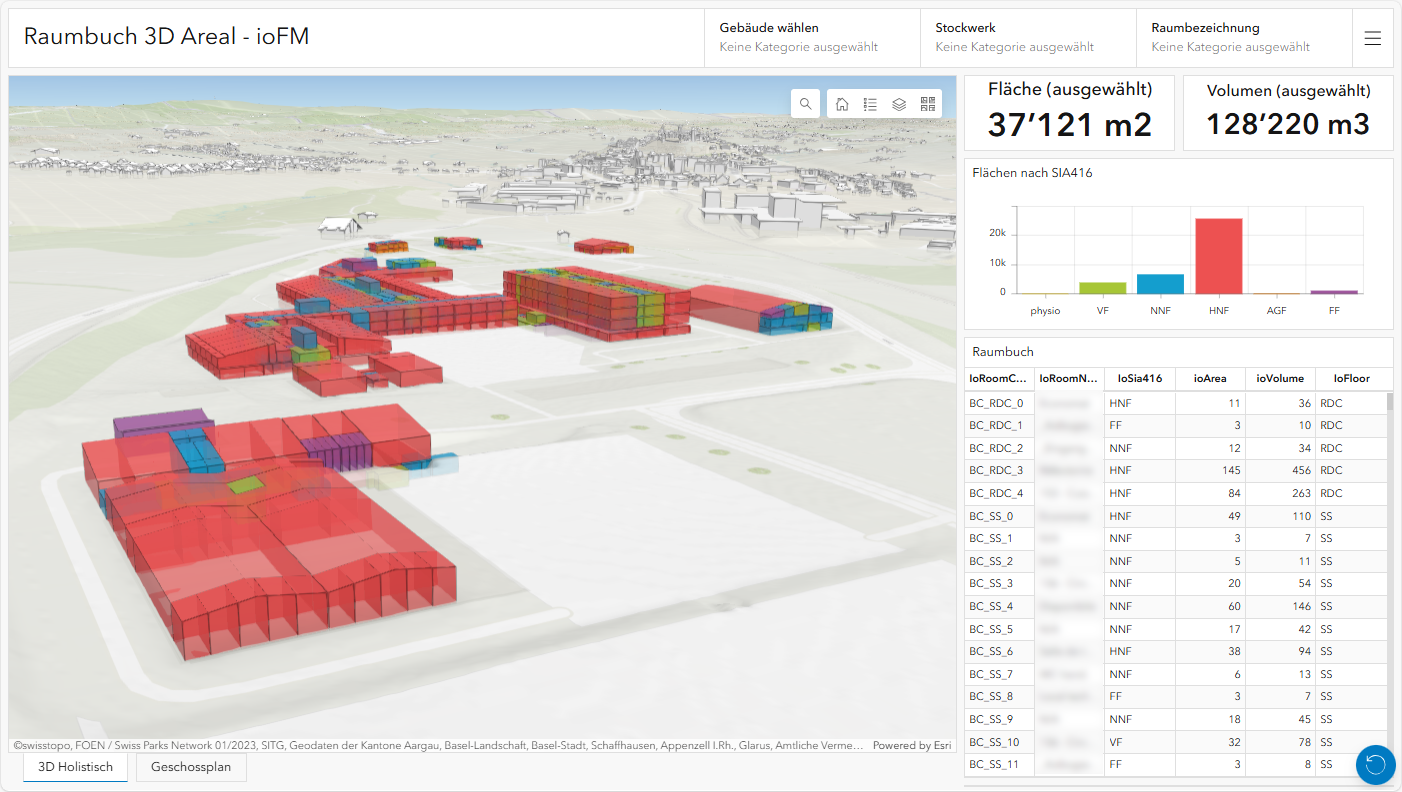
ioFM is available on the Autodesk Design & Make Marketplace. For technical documentation or to request a demo project, contact the ioLabs team at iolabs.ch.
About ioLabs

ioLabs is an Autodesk Platform Services Certified Partner and Autodesk Developer Network member. They help investors, engineers, and managers to increase project efficiency by building applications and automations for AEC, design, and manufacturing. They are digital transformation pioneers with strengths in complex geometry, digital planning, production, big data, and IoT.
Resources & Links
- Learn more about ioFM and ioLabs
- Check out ioFM in the Design & Make Marketplace
- Read about how ioFM digitized a multi-building campus for armasisse
- Request a demo from ioLabs