

Introduction
In your workflows with Autodesk Forma you always have the opportunity to create quick integrations or automate a task to increase your teams productivity using the APS APIs.
Maybe copying a file to a different folder after a predefined date, or maybe starting a design check from a new version added to a folder...
For such tasks, you can count on Low-Code/No-Code platforms. We've already covered several options in the past, for example:
- Access Your Design Data from Low-Code/No-Code Platforms (Autodesk University 2024)
- OpenAPI Unleashed: Powering AI Agents and Low-Code Automations with Autodesk Platform Services (Autodesk University 2025)
- APS Power Automate Tools - A toolkit and tutorial for connecting APS with Microsoft Power Automate
N8N
n8n is an exciting new player in the low-code/no-code automation space, with a strong focus on AI-powered workflows. Unlike some cloud-only platforms, n8n offers the flexibility of self-hosting, giving you full control over your data and integrations. With support for hundreds of pre-built integrations and a visual workflow builder, n8n makes it easy to connect your tools and automate complex processes without writing code.
In this blog post, we'll explore how to connect n8n with Autodesk Forma using APS APIs, starting with authentication.
Authentication
In N8N you can setup a new credential using the Oauth2 API option.
First you'll need to save the OAuth Redirect URL as Callback URL in your app:
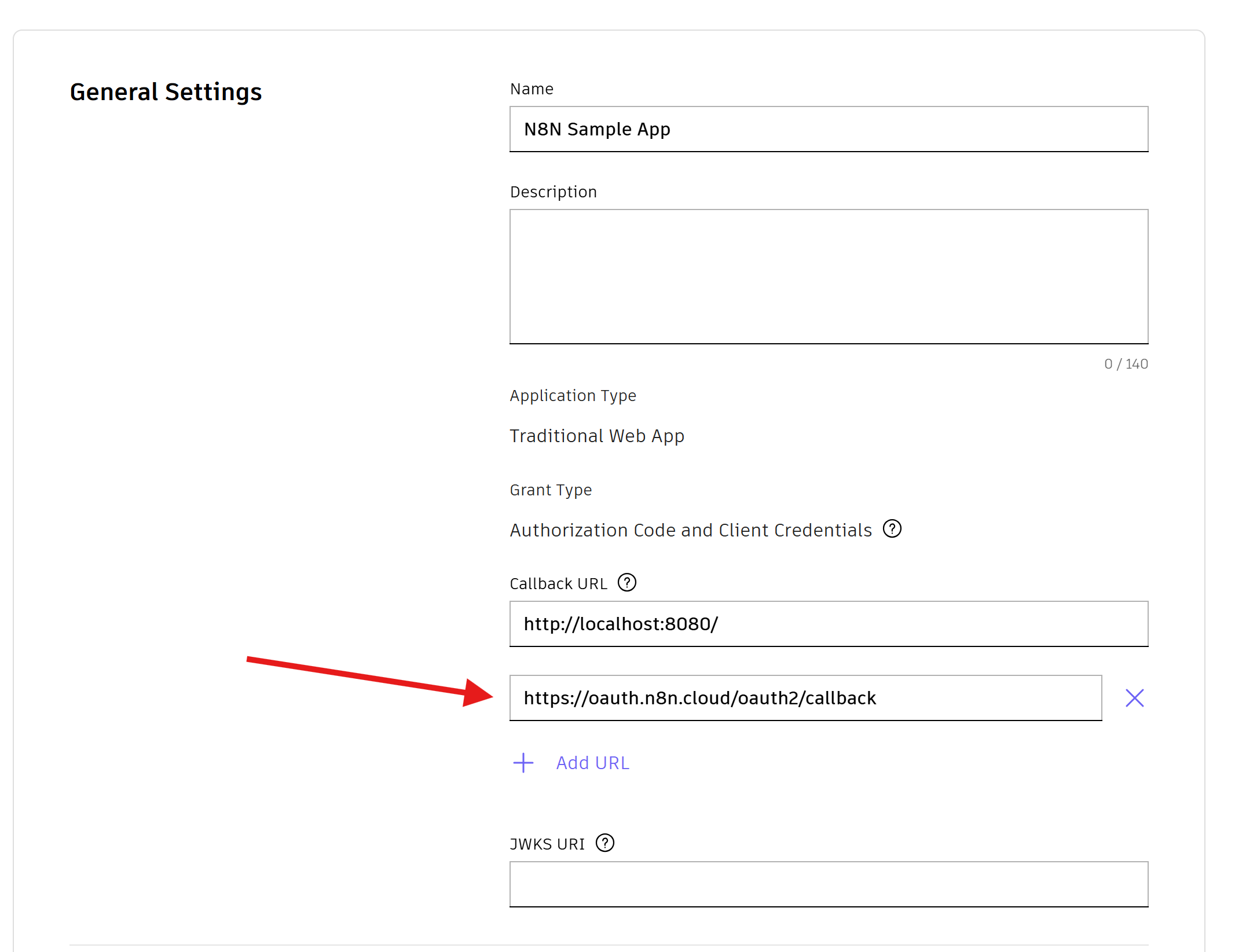
And then you'll need to fill the fields just like in the image below:

Refer to the video below for step-by-step:
Example workflow
Once with the credential properly set, we can use it to send a request.