Write Properties - /mutate
The POST mutate endpoint is used to update property values in the Tandem database. It is designed to be efficient for bulk updates from the Tandem client app. Like /scan, the payload to the call can vary and is a little cryptic, but also very powerful once you learn the syntax. The payload of the request takes several arguments of arrays that are expected to match in length:
keysis an array of elementKey IDs to change.mutsis an array of matching mutations for each of the elements listed inkeys. Therefore, the length of thekeysarray and themutsarray must match. If you are applying two or more mutations to a single element, you must repeat the elementKey to match each mutation.
Each entry in the muts array has the following:
- operation: i indicates that this is an insert/update operation on the database, or d indicates that this is a delete operation on the database.
- column family: z indicates that this is a user-defined property
- column name: xyz is the identifier for that user-defined property
- value: new value is the new value for this property
WARNING: for operation, only use d on user-defined properties (ones with column family z prefix). Do NOT use it on any built-in properties. Operation a is a soft-delete on a Streams element and will delete the stream and all associated data. Only use a on streams elements. Do NOT delete any other types of elements with this option.
NOTE: there are other Column Family specifiers that can be used, but most are read-only properties and are reserved for internal use. API users will probably ONLY use i and z for the first two arguments.
descis an optional string that can be used to tell the Change History mechanism where/why these changes were made. In our examples, we will use “Updated from XYZ” to show that it was not the Tandem product that updated the value. It is suggested that you give a hint where the change was made so that users can see in the History panel of Tandem.
Let’s suppose we want to mimic the behavior of the Properties panel in Tandem. In the following example, we have a single Wall element selected, and we can see its current value.
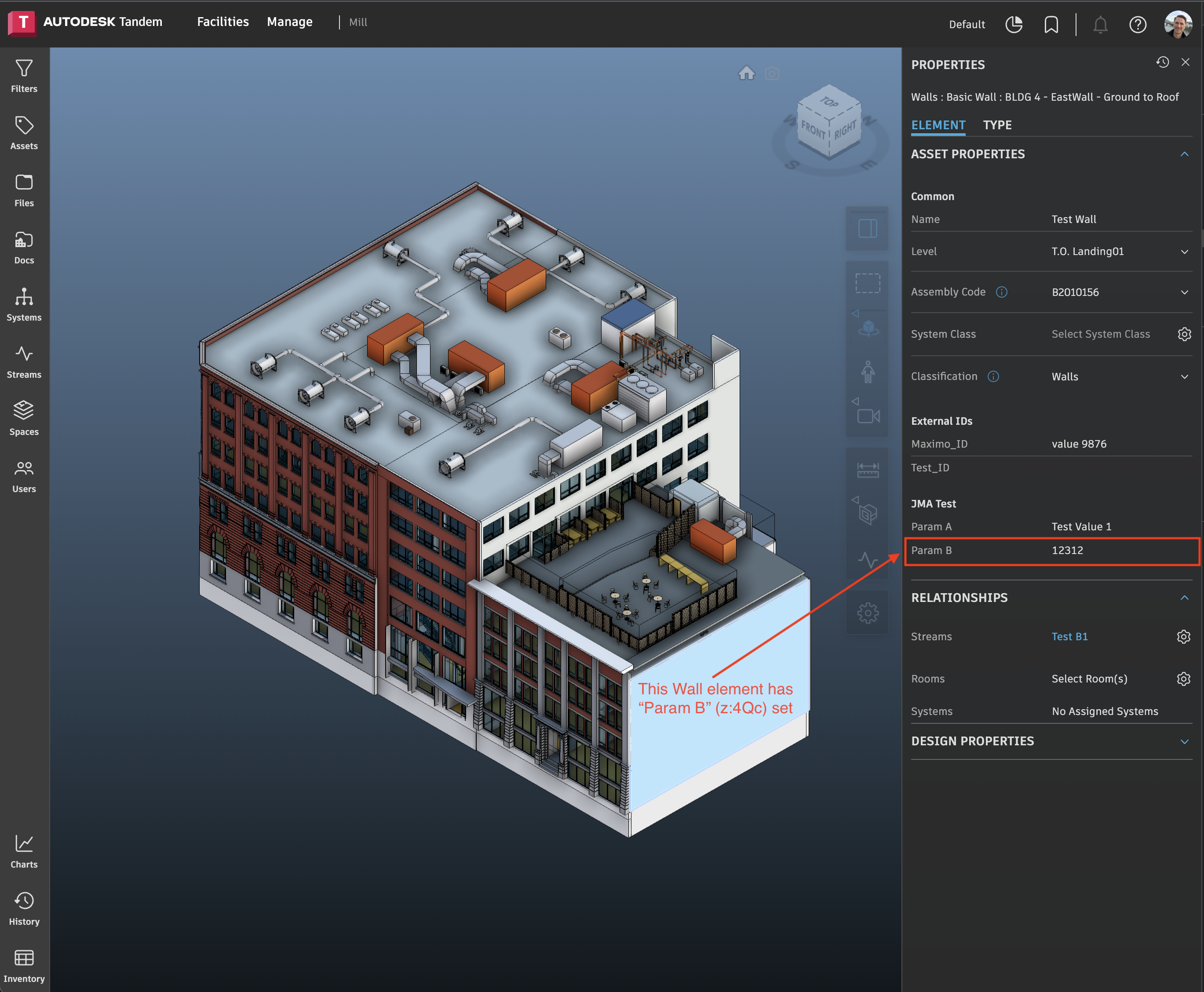
We can add a property or change its value using the /mutate endpoint as follows:
{
    "keys": [
        "ricOExIyRIyTke1_49OlKgAD-WQ"
    ],
    "muts": [
        [
            "i",
            "z",
            "4Qc",
            "9999.88"
        ]
    ],
    "desc": "Updated from Postman"
}
In response, we will get a timestamp of the change:
{
    "timestamp": 1691531277912
}
If we want to change multiple elements at the same time, we need matching arrays of elementKeys and mutations:
{
    "keys": [
        "ricOExIyRIyTke1_49OlKgAD-WQ",
        "tOPQGwY_Sa-n8C80Y9x2xwAMnhA"
    ],
    "muts": [
        [
            "i",
            "z",
            "4Qc",
            "8888.77"
        ],
                [
            "i",
            "z",
            "4Qc",
            "7777.66"
        ]
    ],
    "desc": "Updated from Postman"
}
If we want to change multiple properties on the same element, we also need matching arrays of elementKeys and mutations:
{
    "keys": [
        "ricOExIyRIyTke1_49OlKgAD-WQ",
        "ricOExIyRIyTke1_49OlKgAD-WQ"
    ],
    "muts": [
        [
            "i",
            "n",
            "!n",
            "Overridden Name 1"
        ],
        [
            "i",
            "z",
            "4Qc",
            9876.99
        ]
    ],
    "desc": "Updated from Postman"
}
We can now see the updated values for the Wall element that we changed:
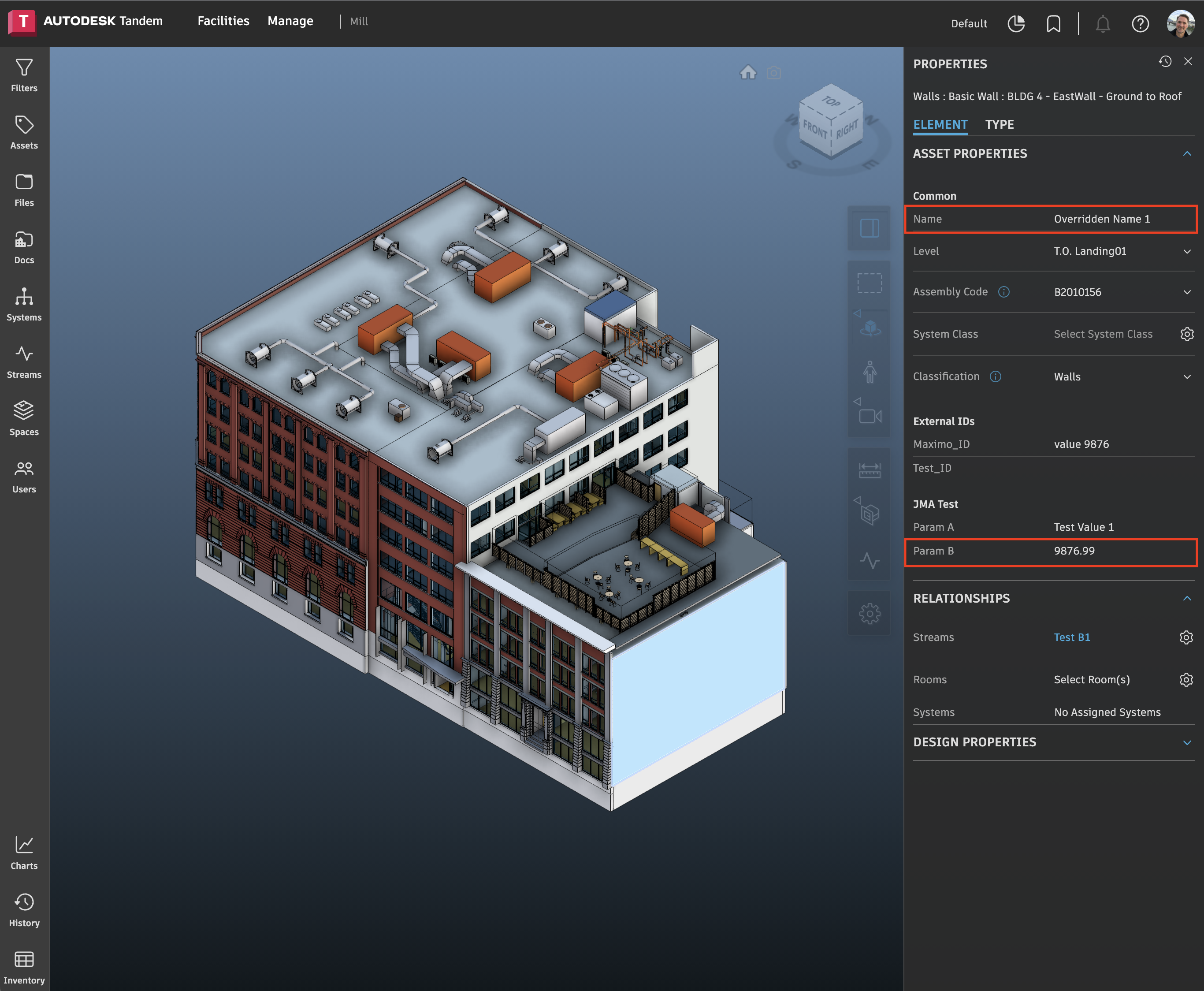
If we want to remove a property from an element, the payload would look something like this:
{
    "keys": [
        "ricOExIyRIyTke1_49OlKgAD-WQ"
    ],
    "muts": [
        [
            "d",
            "z",
            "4Qc"
        ]
    ],
    "desc": "Updated from Postman"
}
NOTE: /mutate works on a per-model basis, so if you have 3 models loaded and have elements from each model you want to change properties for, you need to call it 3 separate times.