Task 2 – Provision the SSA to a Hub
This task demonstrates how to provision the SSA into a hub. The steps are as follows:
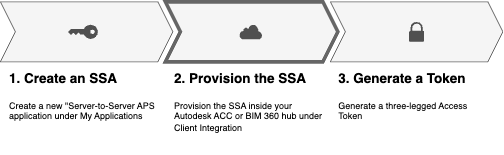
- Go to your ACC, BIM 360, or Fusion Team admin console.
- Add the Client ID as a custom integration.
- Go to the Member page (either Account Admin or Project Admin) and add the SSA email as a new member.
Note: For an SSA with admin permissions, no further provisioning is required to grant folder-level permissions for ACC/BIM360.
- Subscribe the SSA member to Build, Takeoff, Design Collaboration, etc., as needed.
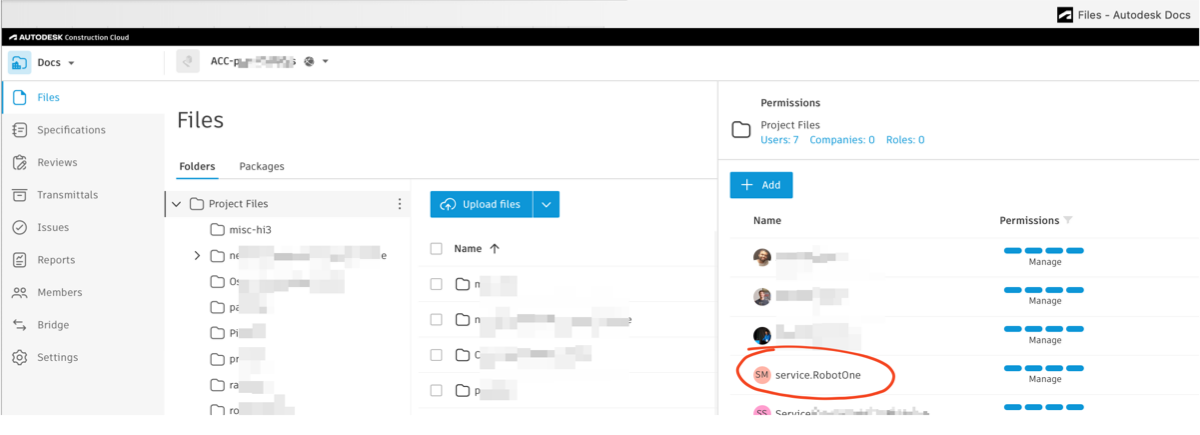
- Assign project roles and Folder Permissions levels in Docs:
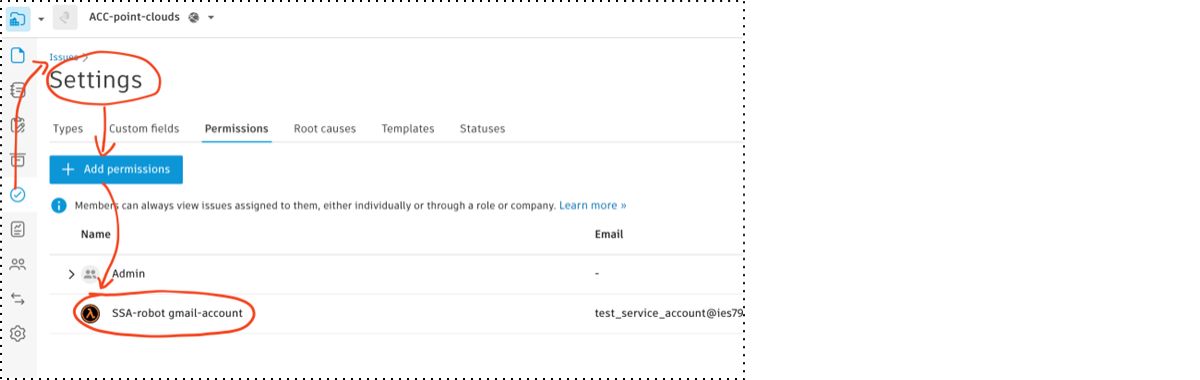
- Add the SSA member to Forma Issues/RFI (by selecting Settings and clicking Permissions) as needed.
Note: Tasks to add, modify, or remove SSA permissions can be automated through the Admin API. You can attach user roles to an SSA or assign them to a project template, just like with a regular user.