Task 3 - Fetch the Core Profile Information
Core Profile APIs are used for managing the core profile information of a user.
This task retrieves the Core Profile information of the user having the user id <USER_ID>.
Expected task outcome
By the end of this task, you will know how to use a query and retrieve information from a Core Profile.
Queries used in this task
You use the following endpoint for this task:
| Name | Description |
|---|---|
| userProfile | Fetches the profile of the given user. |
Step 1 - Get User Core Profile
- Download an API client like Bruno or Postman. For this tutorial, we’ll use screenshots & exampals of an API client called Bruno. You can download it from the official website or use any GraphQL-compatible API client of your choice.
- Create a new Collection using the three dots menu near the application logo and selecting the “Create Collection” option.
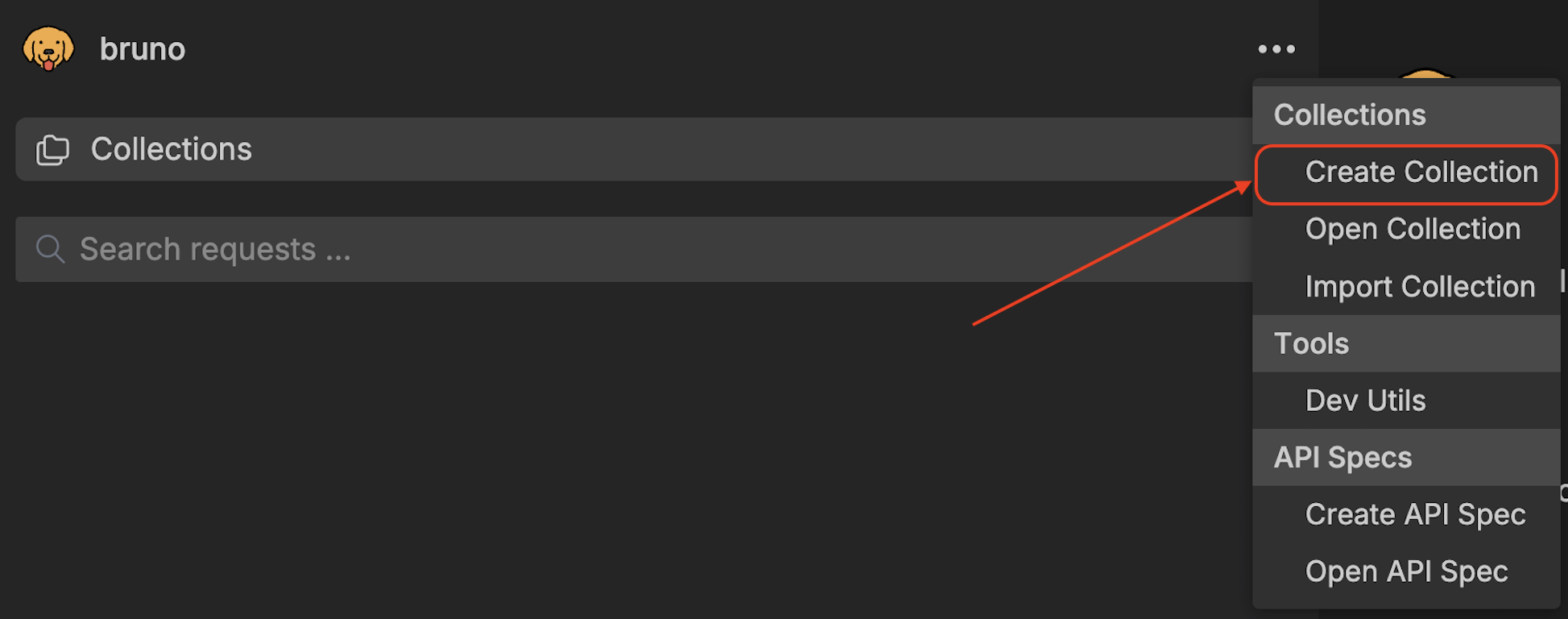
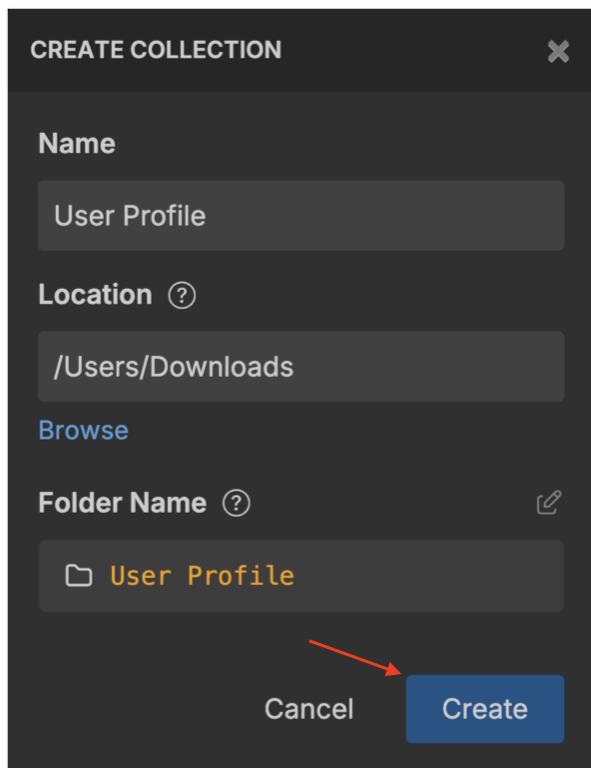
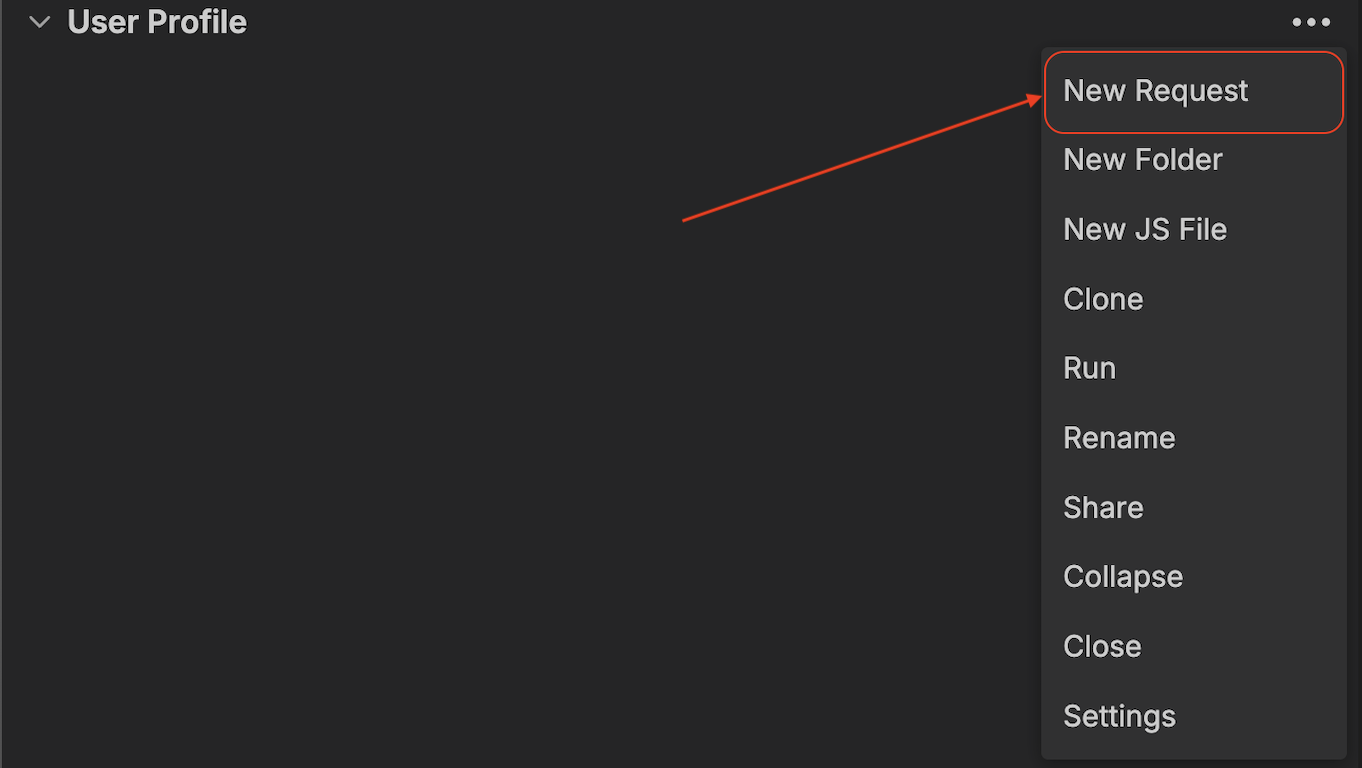
- Create a new Request inside the collection you just created by clicking the three dots menu and selecting the “New Request” option.
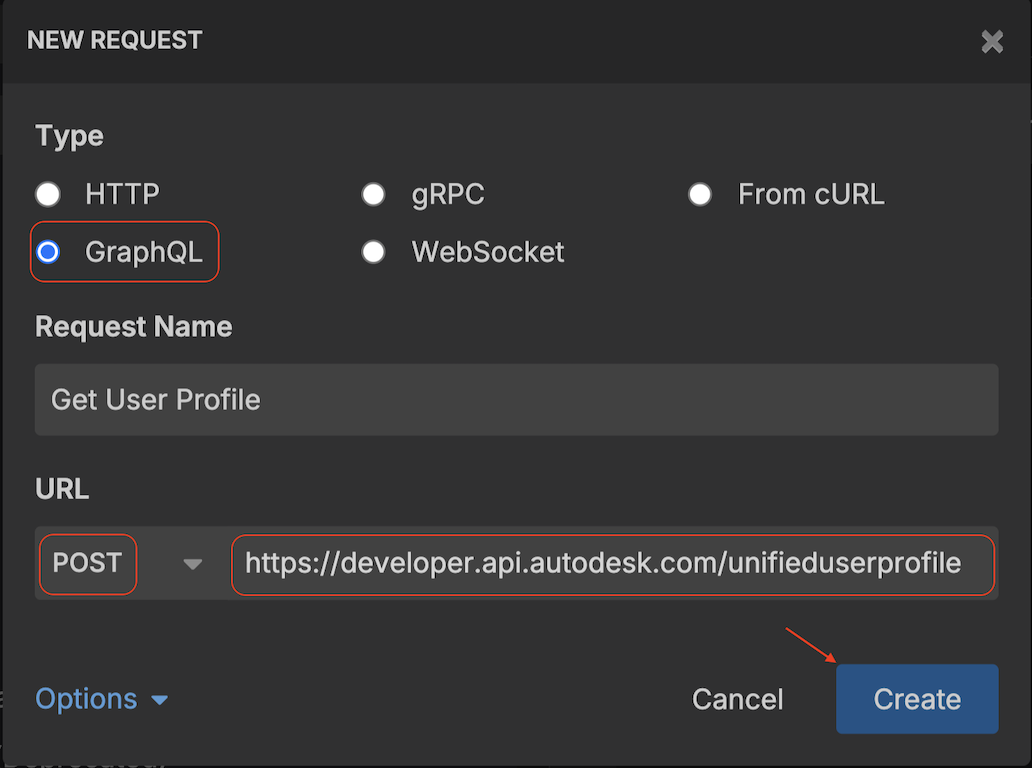
- Select the GraphQL option on the request creation and use the URL. You can find the URL here: API Basics
- Enter the following query in the Query Pane:
query GetUserProfile($filter: UserProfileInput!) {
  userProfile(filter: $filter) {
    userId
    profileImages {
      isImagePresent
      userThumbnails {
        sizeX120
      }
    }
    personalInfo {
      aboutMe
      primaryEmail
      language
      countryCode
      ldapInfo {
        isLdapEnabled
      }
      basicInfo {
        firstName
        lastName
        screenName
      }
      webLinks {
        linkedInProfile
        blog
        website
      }
      contactInfo {
        phones {
          phoneType
          countryCode
          number
          extension
        }
        address {
          addressLine1
          addressLine2
          city
          stateProvince
          postalCode
          country
        }
        alternateEmail
      }
      professionalInfo {
        jobTitle
        industry
        industryCode
        company {
          companyName
        }
      }
    }
  }
}
Show More - Click Variables Tab and pass the user id as id variable inside filter object:
{ "filter": { "id": "<USER_ID>" } } - Click Headers Tab and pass the
Authorizationheader with valueBearer <AuthTokenGeneratedInTask1>>.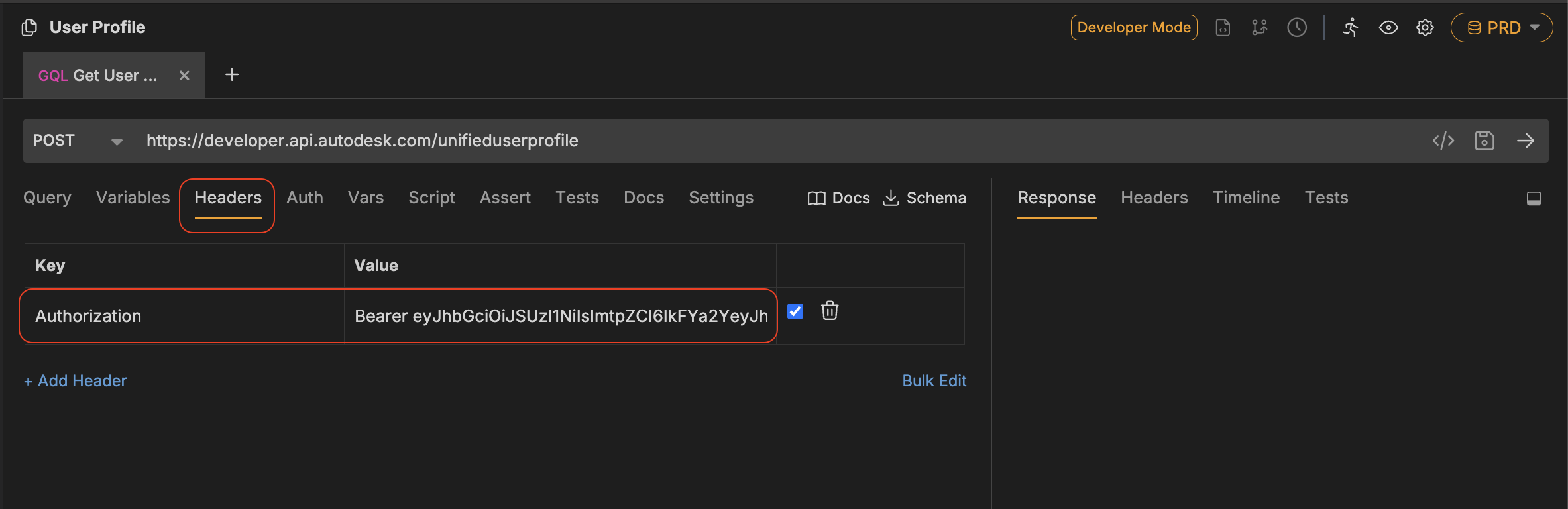
- Hit the right arrow button to send request.
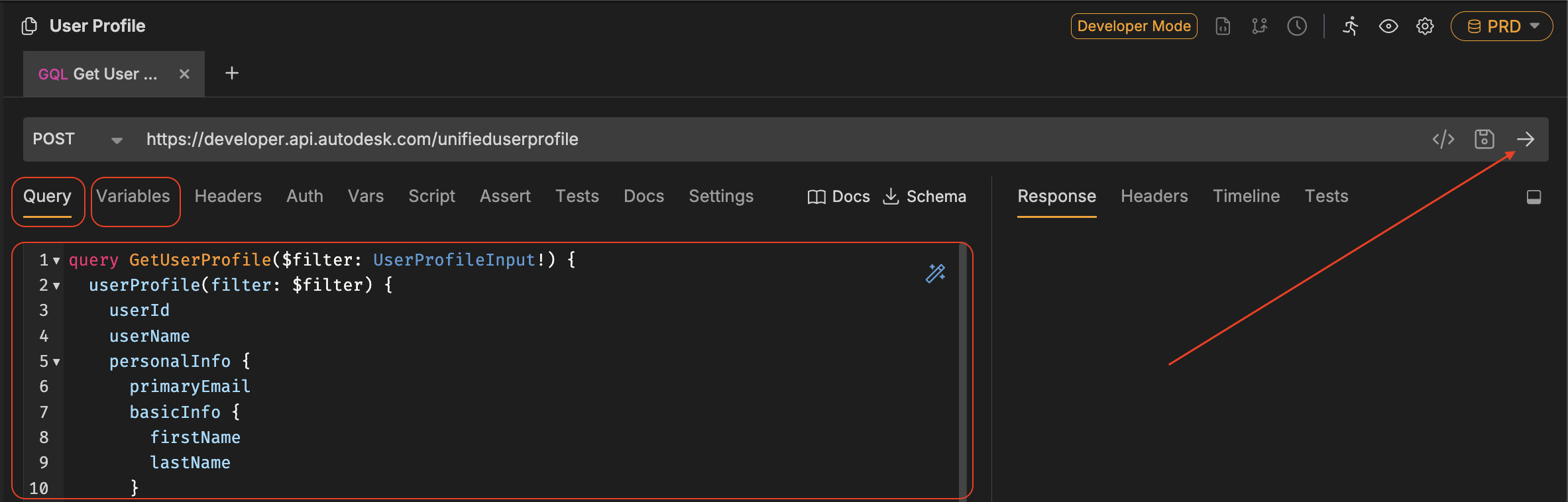
- Look for the response in the Response Pane. Successful response should be similar to this:
{
  "data": {
    "userProfile": {
      "userId": "<USER_ID>",
      "profileImages": {
        "isImagePresent": true,
        "userThumbnails": {
          "sizeX120": "https://images.profile.autodesk.com/<hash>/x120.jpg?t=<generated-token>"
        }
      },
      "personalInfo": {
        "aboutMe": "",
        "primaryEmail": "test@test.com",
        "language": "en",
        "countryCode": "US",
        "ldapInfo": {
          "isLdapEnabled": true
        },
        "basicInfo": {
          "firstName": "First",
          "lastName": "Last",
          "screenName": ""
        },
        "webLinks": {
          "linkedInProfile": "",
          "blog": "autodesk.com",
          "website": ""
        },
        "contactInfo": {
          "phones": [
            {
              "phoneType": "Mobile",
              "countryCode": "1",
              "number": "4153700000",
              "extension": ""
            }
          ],
          "address": {
            "addressLine1": "1 Market St",
            "addressLine2": "",
            "city": "San Francisco",
            "stateProvince": "California",
            "postalCode": "94105",
            "country": "US"
          },
          "alternateEmail": ""
        },
        "professionalInfo": {
          "jobTitle": "",
          "industry": "",
          "industryCode": "",
          "company": {
            "companyName": ""
          }
        }
      }
    }
  }
}
Show More