logout
This API endpoint logs a user out by removing their user browser session and redirects the user to the Autodesk login page.
Resource Information
| Method and URI | GET https://developer.api.autodesk.com/authentication/v2/logout |
| Rate Limit | 500 calls per minute |
Request
Query String Parameters
| post_logout_redirect_uri string | Location to redirect once the logout is performed. Note that the provided domain host should be in the allowed list. |
Example
This example is shown with the redirect uri. As this is an optional parameter, it can be omitted and the method provided in the Resource Information section can be used to initiate a logout. By default, this redirects to the Autodesk login page.
Request
<a href="https://developer.api.autodesk.com/authentication/v2/logout?post_logout_redirect_uri=https://www.autodesk.com">
That href attribute is a bit difficult to read. Let’s break it down:
https://developer.api.autodesk.com/authentication/v2/logoutThis is the endpoint URI and should be used verbatim.
post_logout_redirect_uri=https://www.autodesk.comThis is the location to redirect the user after they have successfully logged out from the browser session. In this example, that URL is
https://www.autodesk.com. Replace the value here with the appropriate URL for your web app.
Response
HTTP Status Code Summary
| 302 OK | Successful request; user will be redirected to post_logout_redirect_uri if provided,
else by default to Autodesk login page. |
| 500 Internal Server Error | Generic internal server error. |
Note:
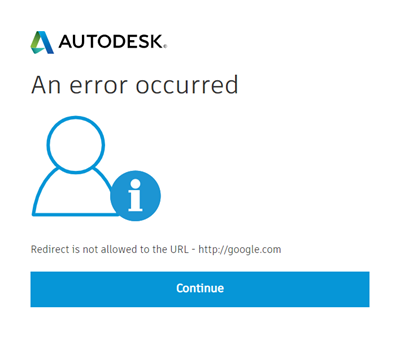
When the post_logout_redirect_uri is not included in the allow listed domain items, the following error message screen is displayed.