Base Properties
Base properties are predefined attributes owned and managed by Autodesk. These properties are universally available across all hubs, providing essential metadata for components and drawings within the MFGDM API. Since they cannot be customized or removed by the end user, they ensure consistent data across all hubs. These properties help capture the most common attributes of parts, assemblies, and drawings. For more detailed information, please refer to Edit design properties in Autodesk Fusion documentation.
Characteristics of Base Properties
Base properties are essential attributes that provide a consistent framework for managing design data across all hubs. Here are the key characteristics of base properties:
- Predefined Definitions: Base property definitions are predefined by Autodesk. New components and drawings do not start with preset values for these properties; users assign and update the values as needed. Users cannot add to or remove from the set of base property definitions.
- Availability: Base properties are available in every hub and can be accessed for components and drawings within those hubs.
- Management: Only Autodesk has the authority to add or remove base properties, ensuring consistency across all hubs.
Available Base Properties
Base properties encompass a wide range of attributes that are commonly used in design data management. The following is the complete list of available base properties. Properties marked (read-only) are exposed through the API but their values cannot be modified through it.
- Stock Number
- Category
- Vendor
- Manufacturer
- Manufacturer Part Number
- Unit of Measure (read-only)
- Estimated Cost
- Package Type
- Note 1
- Note 2
- Note 3
- Project
- Product Line
- Designer
- Engineer
- Authority
- Cost Center
- Author
- Manager
- Company
- Keywords
Usage of Base Properties
Base properties are associated with components and drawings, providing essential information that can be used for various purposes, including documentation, inventory management, and more.
For a step-by-step walkthrough of reading and updating base property values, see the Retrieve and Update Base Properties tutorial.
Managing Base Properties
While you can change the values of most base properties, the property definitions themselves are predefined and cannot be added or removed. This ensures a standardized set of metadata across all components and drawings. A small number of base properties (such as Unit of Measure) are read-only and cannot be modified through the API.
Relationship Between a Component and its Base Properties
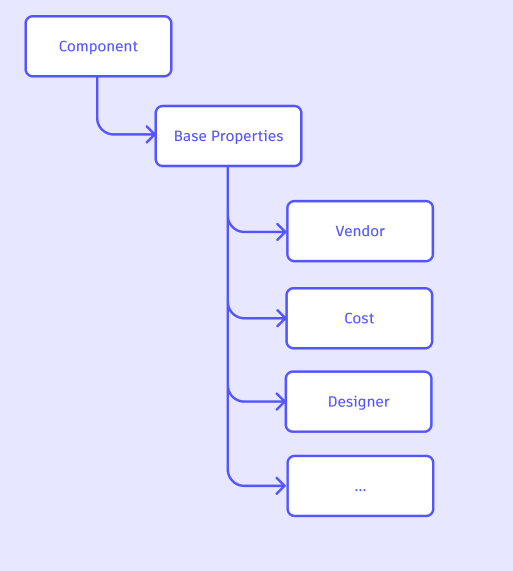
The relationship between a component (or drawing) and its base properties is straightforward. Each component or drawing has a set of base properties that provide essential metadata. These properties are linked to the component or drawing, allowing you to access and, where permitted, modify them as needed. The base properties are not standalone entities; they are inherently tied to the components and drawings they describe.
Following is an example diagram showing the relationship between a component and its base properties:
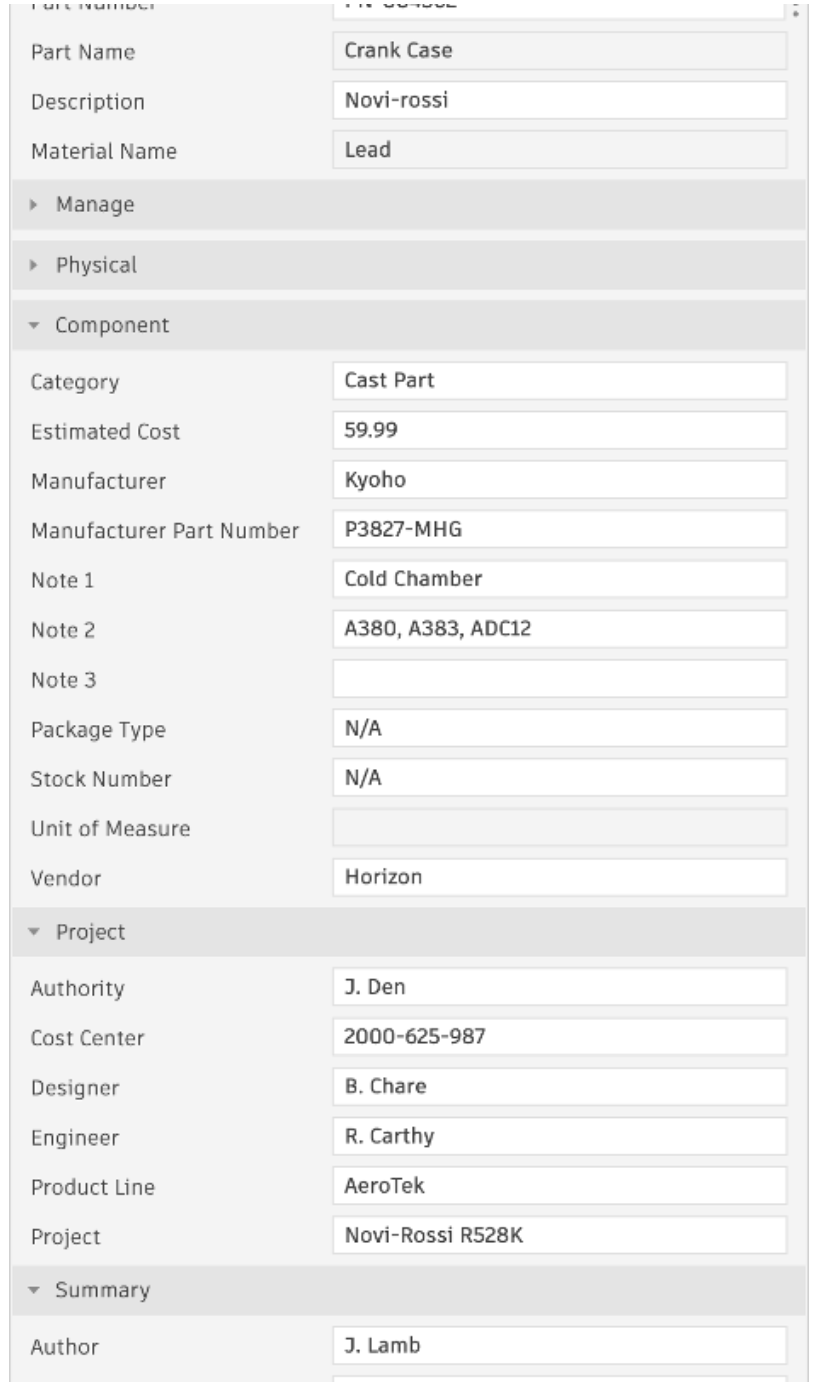
Following is an example of how this looks on the application:
Example Usage of Base Properties
The following query retrieves the base properties for a specific component identified by its ID:
query GetBaseProperties($componentId: ID!) {
    component(componentId: $componentId) {
        baseProperties {
            results {
                name
                displayValue
                definition {
                    id
                    name
                    isReadOnly
                }
            }
        }
    }
}
In this example, the query retrieves the base properties for a specific component identified by its ID. The response includes details such as the name and display value of each base property, as well as the property definition (including the isReadOnly flag, which indicates whether the value can be modified through the API). For a complete walkthrough, including filtering and updating values, see the Retrieve and Update Base Properties tutorial.
Differences Between Base Properties and Custom Properties
Base properties and custom properties serve different purposes in the context of design data management. Here are the key differences between them:
- Definition:
- Base Properties: Predefined attributes owned and managed by Autodesk, universally available across all hubs.
- Custom Properties: User-defined attributes that can be added, modified, or removed by the user.
- Management:
- Base Properties: Managed by Autodesk, ensuring consistency across all hubs.
- Custom Properties: Managed by the user, allowing for flexibility and customization based on specific needs.
- Ownership:
- Base Properties: Owned by Autodesk and cannot be removed or modified in terms of their existence.
- Custom Properties: Owned by the user and can be created, modified, or deleted as needed.
- Availability:
- Base Properties: Available in every hub and accessible for components and drawings.
- Custom Properties: May vary between hubs, depending on user-defined settings.
- Configurability:
- Base Properties: Predefined and fixed attributes that cannot be changed by the user.
- Custom Properties: Flexible attributes that can be tailored to meet specific needs.
Important Notes about Base Properties
- Versioning Behavior: Changing the value of a base property creates a new version of the entity it is set on.
- Read-only Properties: A small number of base properties are read-only and cannot have their values modified through the API. The
isReadOnlyfield on the property’s definition indicates this at runtime.