Secret Rotation
The most complex operation of the Application Management API is secret rotation. You can prepare, commit, and cancel a client secret rotation but must be an owner or editor of an application to perform each action. These operations support the use case of automated client secret regeneration. The below operations are supported:
| Operation | HTTP Request |
|---|---|
| Prepare Client Secret Rotation | POST /clients/{id}/secret:prepare |
| Commit Client Secret Rotation | POST /clients/{id}/secret:commit |
| Cancel Client Secret Rotation | POST /clients/{id}/secret:cancel |
What is a Client Assertion?
A client assertion is a type of JSON Web Token (JWT) that is signed by the application and is presented as proof of a client’s identity. This is required for all the secret rotation operation as the client assertion is sent as an assertion parameter in the token request.
What is a JWKS URI?
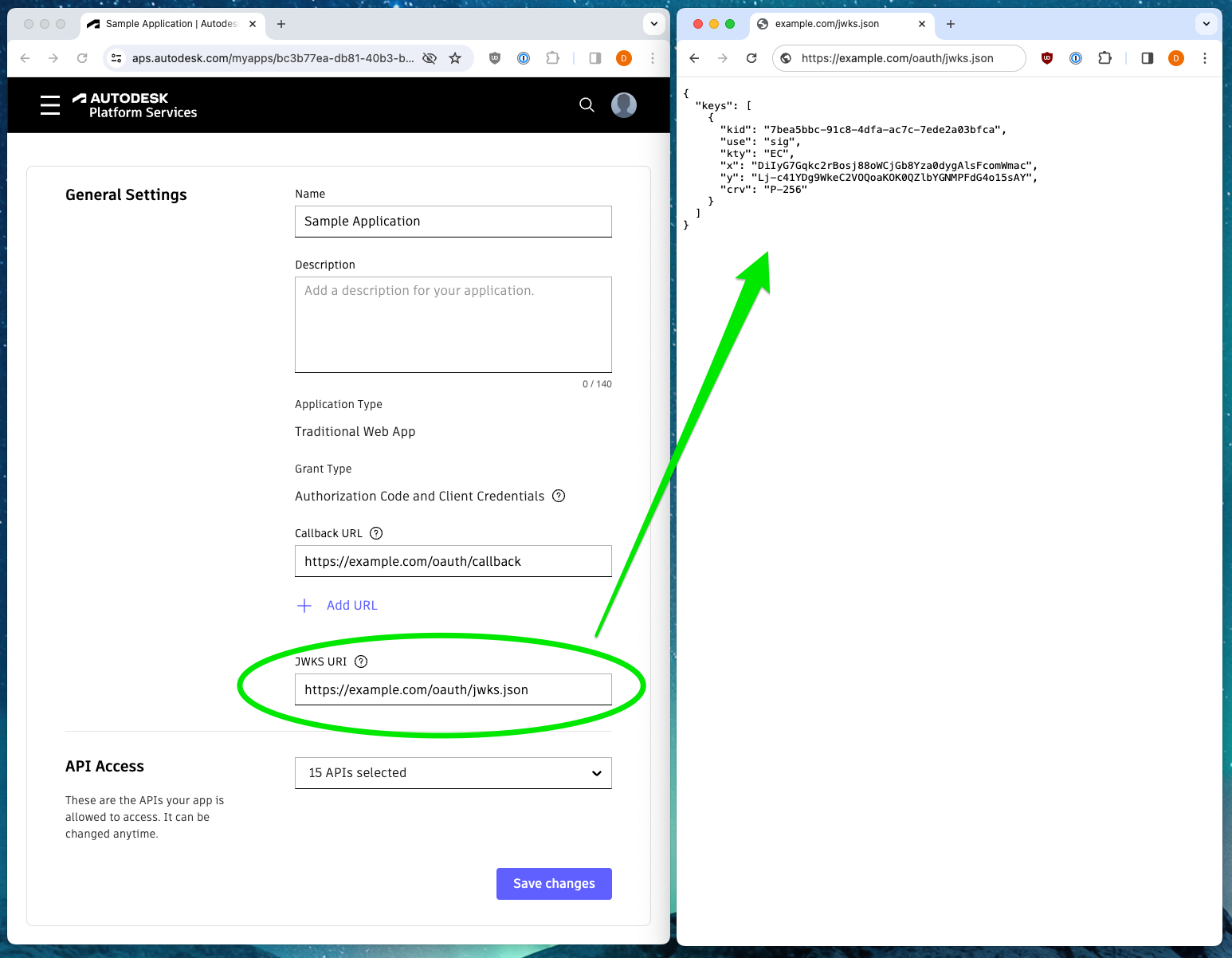
A JWKS URI is a URL that points to a JSON Web Key Set. It is a URL that is provided by your application which contains the public keys that should be used to verify any JWT issued by the authorization server. Due to the JWKS URI containing public information, it does not need to be kept secret. If your application doesn’t have a web server, some alternative options include hosting it on an PaaS service such as AWS S3 or Azure Blob Storage. For testing and development, https://gist.github.com/ is also a viable option.
Key Terms
| Term | Description |
|---|---|
| Client Assertion | A JWT that is used to authenticate the client to the authorization server. The client assertion is sent as an assertion parameter in the token request. |
| JWT | JSON Web Token. A compact, URL-safe means of representing claims to be transferred between two parties. |
| JWKS URI | JSON Web Key Set URI. A URL that points to a JSON Web Key Set. The JWKS contains the public keys that should be used to verify any JWT issued by the authorization server. |
The Process of Rotation
Prerequisites
- Create a new keypair. Autodesk recommends EC keys, although RSA are also supported. You may refer to the sample application, or use any public key cryptography library of your choice.
- Publish your public keys in JWKS format as described above.
- Update your JWKS URI by visiting the application settings page on https://aps.autodesk.com/myapps.
How to Rotate
- Call the Prepare Client Secret Rotation operation. This API will provide you with a new secret, but it won’t yet be active.
- Re-deploy your application with the new secret you recieved from the prepare operation. In order to avoid downtime, your application logic should be coded to handle both secrets. Any time your application needs to obtain a token, first try the new secret, and if that request fails, retry with the old value.
- Call the Commit Client Secret Rotation operation. This will cause the new secret to become active and disable the old value.